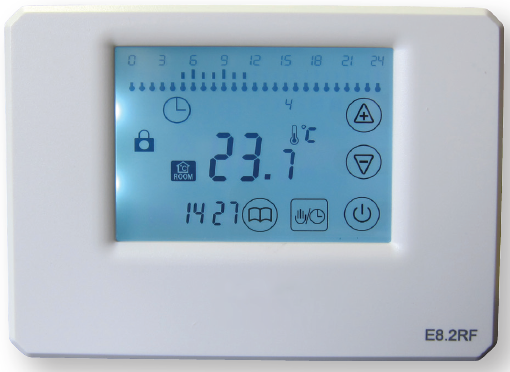
WUNDATRADE E04 Wireless Thermostat
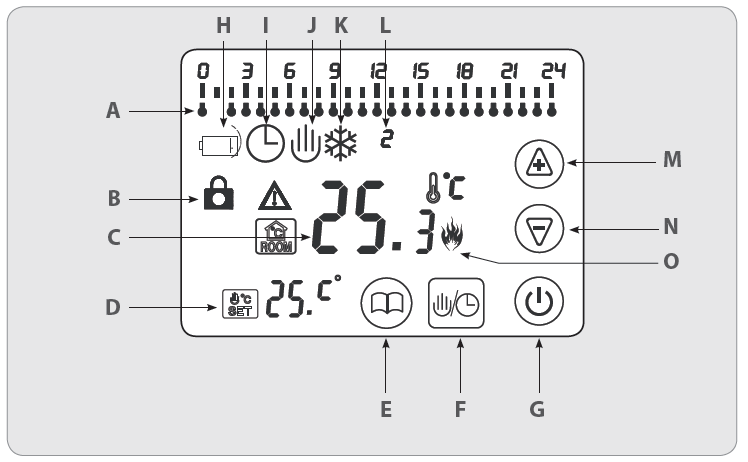
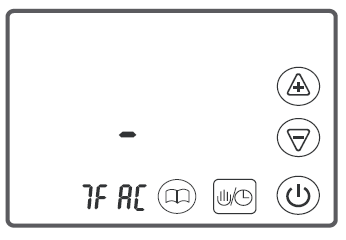
SCREEN DISPLAY SYMBOLS
- A 24hour events
- B Key Lock
- C Present Ambient Temperature
- D Temperature setting/Time (alternating)
- E Menu
- F Mode/Clock
- G Power On/Off
- H Low Battery
- I Automatic Mode
- J Manual Mode
- K Frost Protection Mode
- L Day Display
- M Increase Key
- N Decrease Key
- O Calling for Heat Symbol
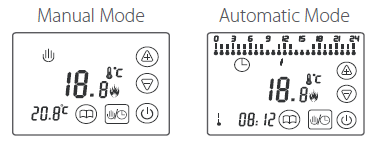
Thermostat Modes
 Manual operation mode. When this mode is selected it overrides the automatic Mode and the room will heat to the temperature selected.
 Automatic Mode. The thermostat can be programmed to suit individual needs. Each hour can be set to energy saving temperature or comfort temperature and each day of the week can be programmed.
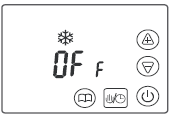
 Frost Protection Mode. This ensures that the temperature does not drop to below 5°C. The thermostat can be set to default to Frost Protection mode when turned Off. This can be set in advanced settings
Operating Instructions
 Turn the Thermostat On/Off
- On – Initially the full screen will show, then return to the last mode before it was switched off.
- Off – The display will show OFF and (if set in adv settings)
 This key allows you to switch between manual and automatic mode
 Decrease key
In manual mode press to decrease the temperature by 0.5°C each press. Press and hold to scroll down through temperatures.
 Increase key
In manual mode press to increase the temperature by 0.5°C each press. Press and hold to scroll up through temperatures
Adjusting the Day and Time
Press and hold  until the minute display flashes. Adjust to correct time using
 . Pressagain and the hour display will flash. Adjust to correct time using . Press again and the day display will flash. Adjust to correct day using. Press to finish, the thermostat will return to main screen
Temporary Manual Override
By pressing the while in Automatic Mode the thermostat can be placed in a temporary manual override, both the symbols will appear in the display. The temperature can be set using thekeys. The override will continue until the end of the current hour, then return to automatic mode.
Key Lock Function
In order to lock the screen press and hold and simultaneously until the  symbol is displayed (approx 7 secs).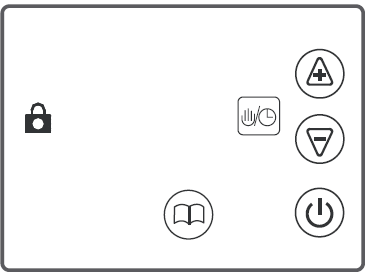
To unlock the screen, press and holdsimultaneously until the symbol is no longer displayed (approx 7 secs).
Setting the program for Automatic Mode
When the thermostat is operating in automatic mode the thermostat operates at comfort temperature setting, energy saving temperature setting or off/frost protection mode (if set in adv settings). The factory setting for comfort temperature settings is 20°C. The factory setting for energy saving temperature setting is 16°C. To change the factory settings press and hold  until P(1-7) shows then press again. PHi will show, use Key to select the required temperature for comfort temperature. Press the again and PLo will show, use the key to select the required temperature for energy saving temperature. Press to exit the temperature setting function.
Using a pre-set Automatic Program
The thermostat is pre-programmed with 6 automatic programs for convenience. To select one of these programs press and hold them until P(1-7) appears and use to choose desired program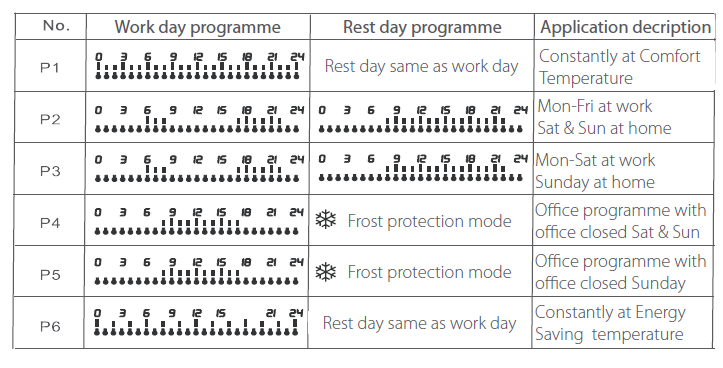
Details of Pre-set Automatic Programs
- P1: Comfort temperature 24 hours a day 7 days a week. For use where comfort temperature needs to be maintained at all times.
- P2: Comfort temperature morning and evening and energy saving overnight and during office hours Monday to Friday. Comfort temperature all day and energy saving overnight Saturday and Sunday. For use in a residential property where occupants work Monday to Friday.
- P3: Comfort temperature morning and evening and energy saving overnight and during office hours Monday to Saturday. Comfort temperature all day and energy saving overnight Sunday. For use in a residential property where occupants work Monday to Saturday.
- P4: Comfort temperature during office hours and energy saving overnight Monday to Friday. Frost protection mode on Saturday and Sunday. For use in office with office closed Saturday and Sunday.
- P5: Comfort temperature during office hours and energy saving overnight Monday to Saturday. Frost protection mode on Sunday. For use in office with office closed Sunday.
- P6: Energy saving temperature 24 hours a day 7 days a week. For use where energy saving t emperature needs to be maintained at all times.
Setting a 7 day customized Automatic Program
- Press and hold until P(1-7) appears (approx 7 secs) and use to choose This program can be customized to personal requirements
- Press and hold the symbol until 00 shows (approx 7 secs). To select the required day press symbol
- Begin to enter the required temperature setting for each hour of the day starting at 00 and working through each hour until reaching
- Press to select comfort temperature for that hour and again to move on to the next hour
- Press to select energy-saving temperature for that hour and again to move on to the next
- Press the symbol to move on to the next
- Repeat the process for each day of the
- To program a day to frost protection mode, once the day is selected press the then the to move on to the next
Advanced Settings (Qualified person preferred
These should be completed by a qualified person when mounting the thermostat. To enter the advanced settings, first switch off the thermostat by pressing then hold while switching the thermostat back on
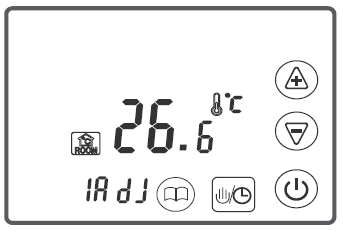
ADJ: Temperature calibration
- Press key to adjust to correct temperature.
- Adjustable scale +/- 9.9°C
- Press Key again to move onto the next advanced setting
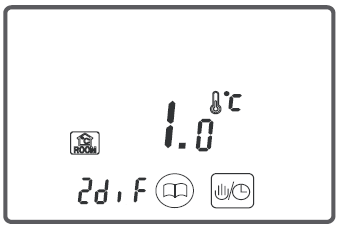
DIT: Switching the differential setting
- Presskey to change the switching differential.
- Setting range 0.5- 5°C.
- Press Key again to move onto the next advanced setting
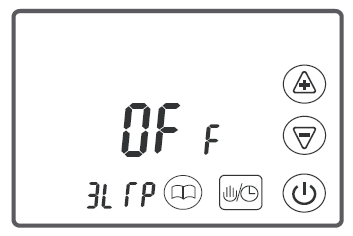
LTP: Activate Frost protection mode when power is off
- Press Key to select ON or OFF.
- Press Key again to move onto the next advanced setting.
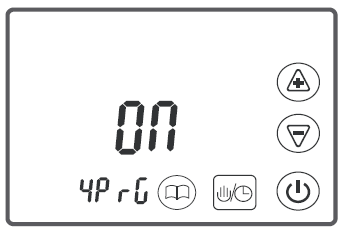
PRG: Turn on/off clock and program Functions.
- Press Key to select ON or OFF.|
- Press Key again to move onto the next advanced setting.
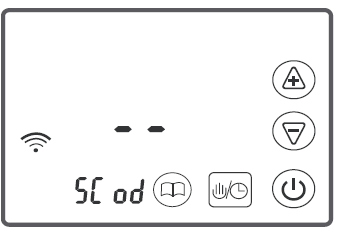
COD: Start code matching
- Press to code match with receiver. (Refer to receiver instructions for code matching)
- Press Key again to move onto the next advanced setting
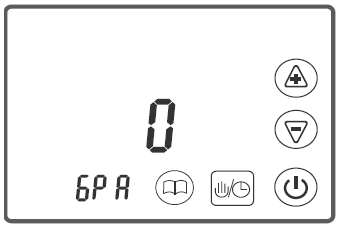
PA: Choosing wireless frequency power
- Press to change the wireless frequency power.
- Setting range 0-3 (0 min 3 max) Press Key again to move onto the next advanced setting.
FAC: Reset to Factory settings
- Press and hold until “- – _” appears across screen (approx 7 secs)
- To exit advanced settings press key.
DIMENSIONS
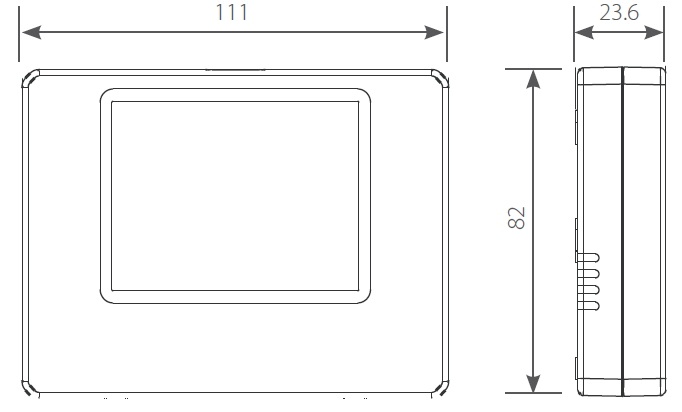
Parameters
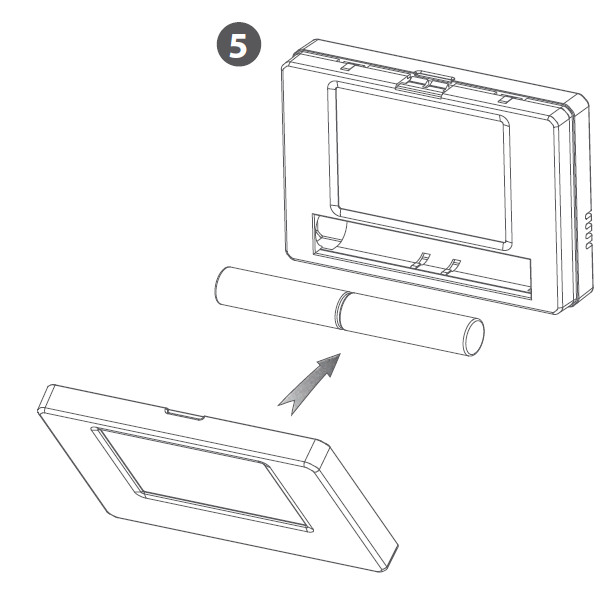
- Power supply: DC3V, 2x AA battery
- Wireless frequency: 433 Mhz
- Measuring range: 0 to 95 °C
- Setting range: 5 to 90°C
- Switching differentail; 0.5 to 5°C adjustable (factory setting:1°C)
- Sensor; internal NTC sensor
MOUNTING
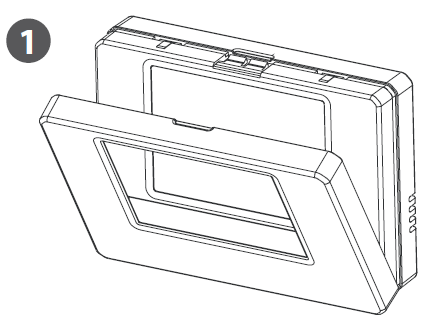
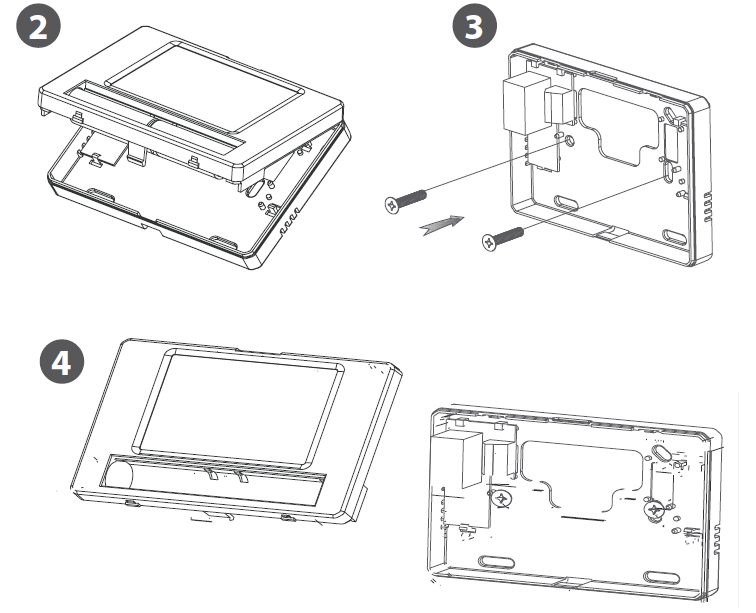
Reference
Download Manual:
WUNDATRADE E04 Wireless Thermostat User Manuals
