
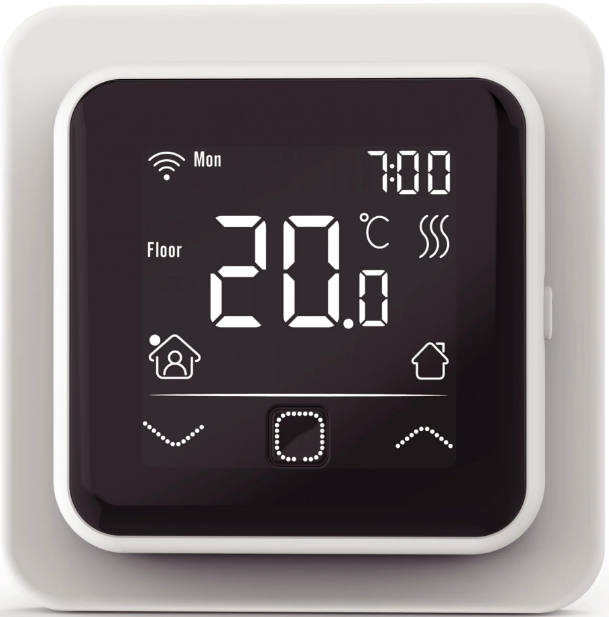
klima C16 WiFi ELECTRIC THERMOSTAT
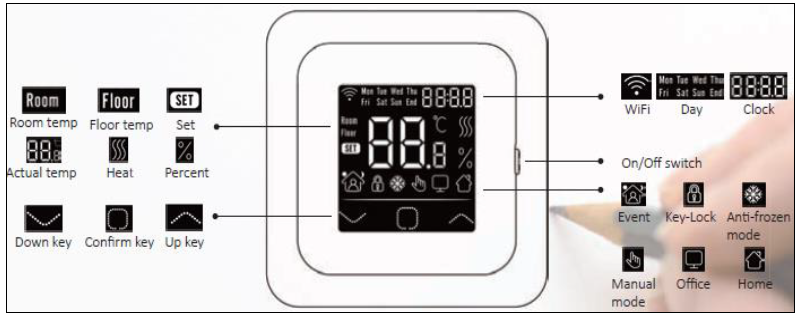
Explanation of symbols
Start-up Wizard
Clock
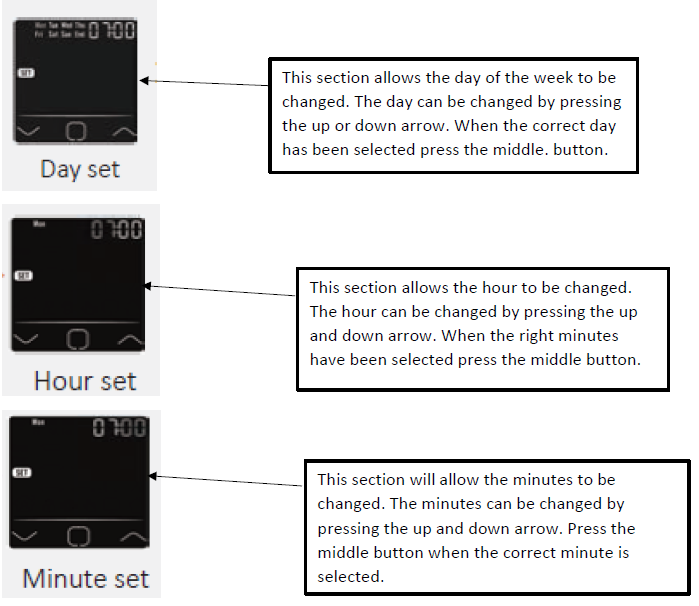
- When the thermostat is connected to the Wi-Fi thermostat it will automatically update the day, hour and minutes.
Sensor Selection
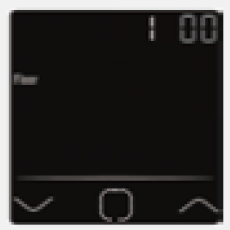
- 00 => Floor Sensor: run by floor sensor(default)
- 01 => Room-in Sensor: run by built-in room sensor (built into thermostat)
- 02 => Room-in sensor and floor sensor: run by built-in sensor with floor temp limit.
- 03 => Room-out sensor: Run by external room sensor
- 04 => Room-out sensor and floor sensor: Run by external room sensor with floor temp limit
Floor temperature limit
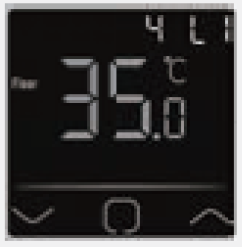
(This only happens if Both sensors are chosen e.g. Room sensor and floor sensor)
- Select a temperature limit as this is needed to protect the floor.
Thermostat location
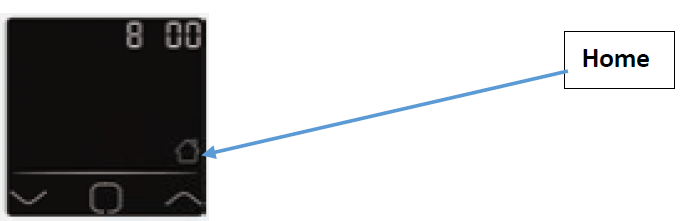
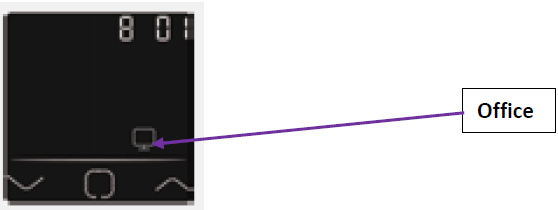
- Either select it for home use or office use so it will follow default factory set office or home hours and can be changed.
Program
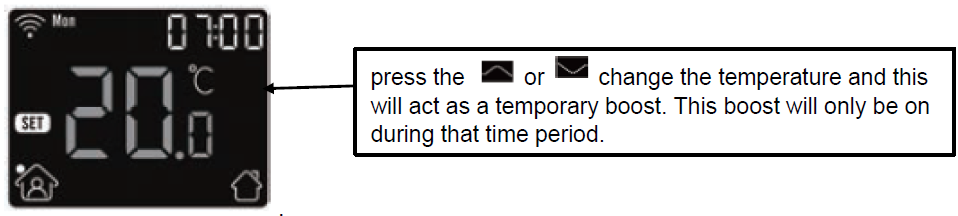
Temporary Override Temperature
Mode
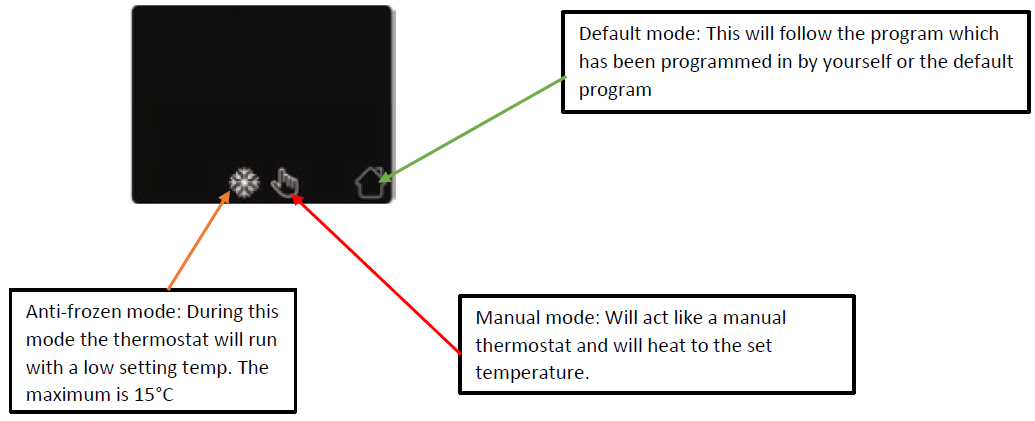
- To select a mode, press the
 .
.
Key-Lock
- This allows the thermostat buttons to be locked and no buttons to be pressed. To lock the thermostat press and hold and
 for 3 seconds to lock the thermostat to unlock the thermostat repeat the same process.
Menu
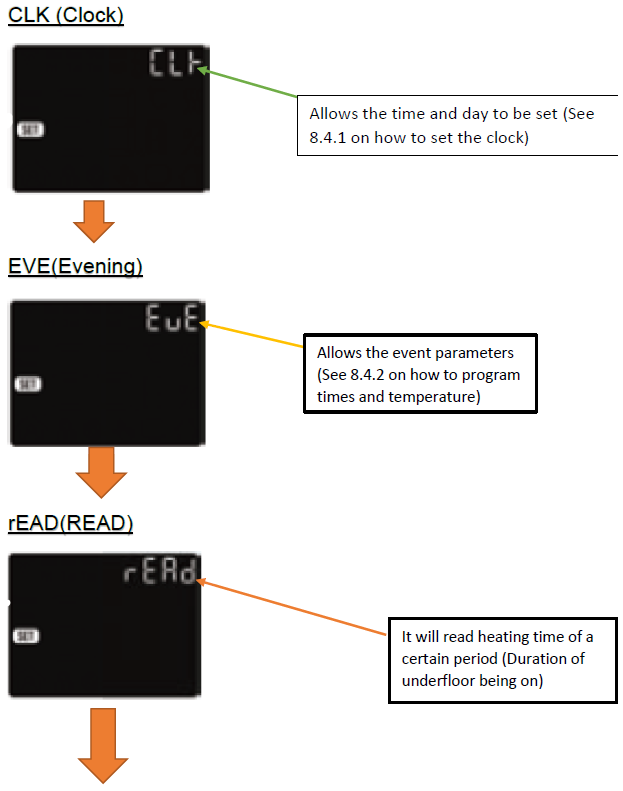
- On the main of the thermostat press and hold the for 3 seconds to enter menu.
SET
END
Clock
The default interface of the menu is CLK(Clock). The day and time are set in this setting.
- Press the to enter the setting to set the day
- Press the or
 to change the day
 - Press the to enter the hour setting
- Press the or to change the hour
- Press the to enter the minute setting
- Press the or to set the minutes
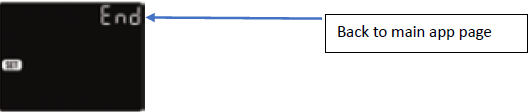
- Press the to go back to the main page
Event setting
Default parameters
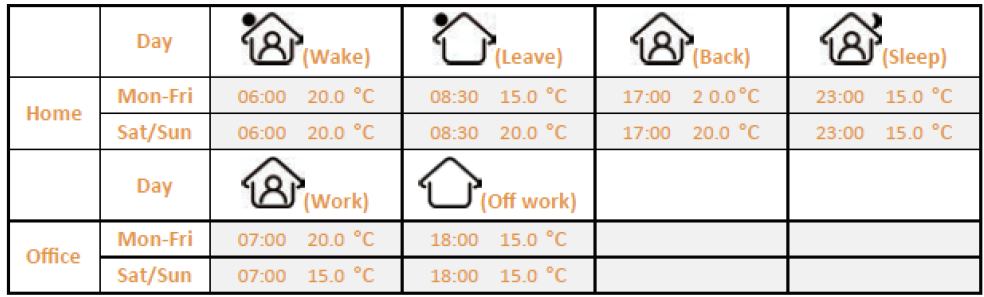
To change the parameter and set Events. In Automatic mode, the thermostat will run according to the times set. On the clock interface, press the or to select ‘EVE’.
- Press the to allow a day to be selected
- Press or to select a day or to end the selection
- Press the to enter the timing for that day, or to go back to the main page
- Press or to select event
- Press to select the program start time
- Press or to set the hour for the program starting time
- Press to enter the minute’s
- Press or to set the minute for the program starting time
- Press to enter the temperature setting
- Press or to select a temperature
- Press to go back the Event menu setting, or to go back to day selection if it’s on the last event
Readout
- Work out the time of which the thermostat is on for as a percentage, E.G. the underfloor heating is on 1 day out of 7 days
- On the main page press the or to select READ
- Press to enter readout menu, the interface will show the heating timings from the previous day
- Press or to choose 1 day, 30 days (1 month), 365 days (1 year) it will show when the heating is on within certain times.
Advanced Setting
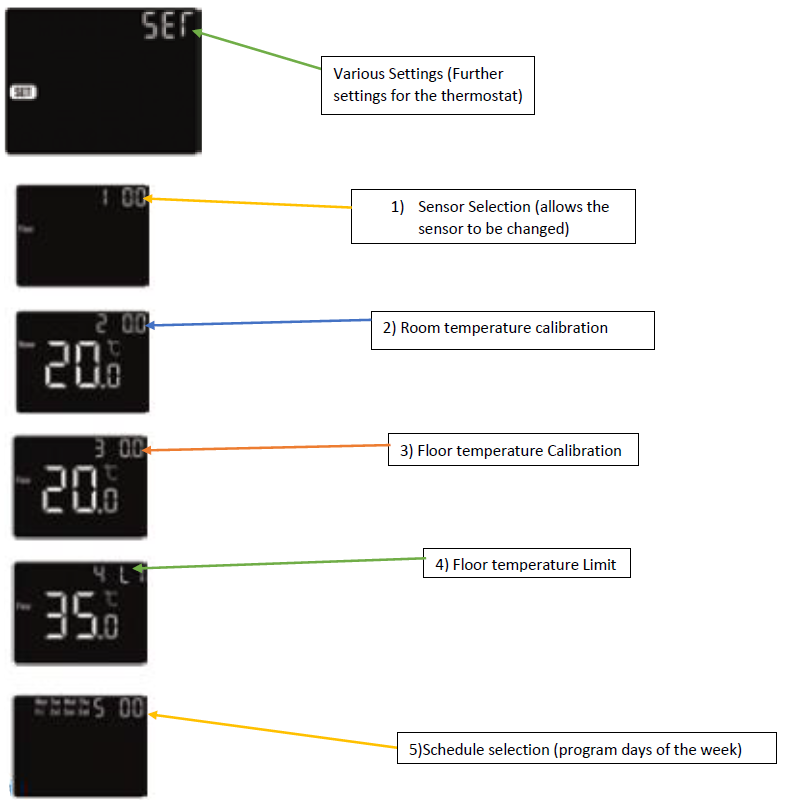
- On the interface press the or to select ‘SET’
- Press for advanced settings
- Press go through the list of settings
- Each setting can then be changed by pressing or
- View next to help identify what page you require to change your thermostat accordingly
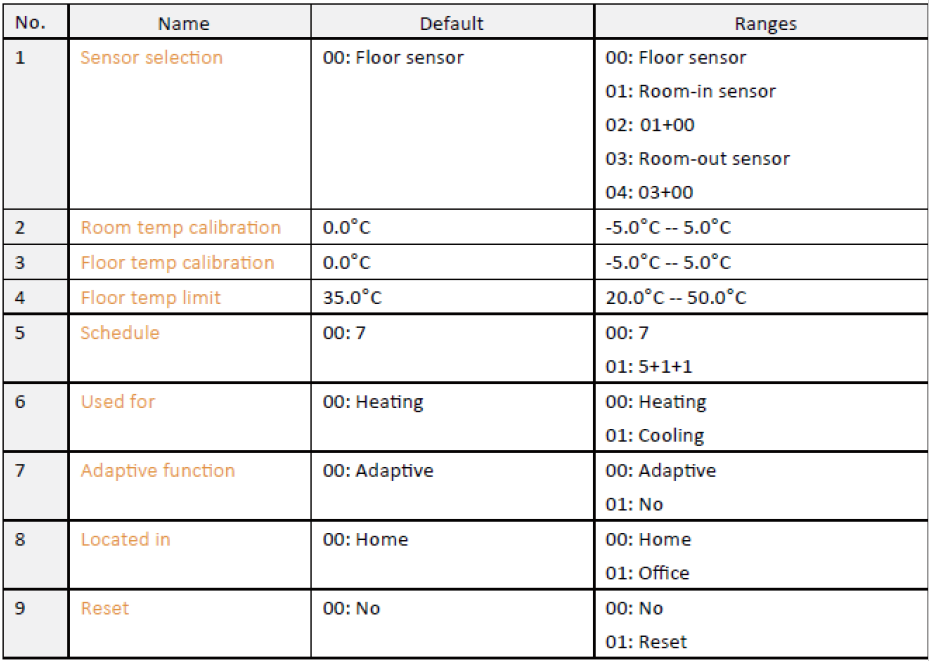
- Sensor Selection:
- There are 5 options:
- 00 => Floor sensor (default setting)
- 01 => Room-in Sensor (Ran by built-in air sensor)
- 02 => Room-in Sensor and Floor Sensor (Ran by built-in air sensor with floor temp limit)
- 03 => Room-out Sensor (Ran by an external room sensor)
- 04 => Room-out Sensor and Floor Sensor (Ran by external room sensor with floor temp limit)
- There are 5 options:
- Room temp calibration is done by a room sensor
- Floor temp calibration is done by a floor sensor
- Floor temp limit did when using both room and floor sensor
- Select to set every day individually or set the weekdays and weekends individually
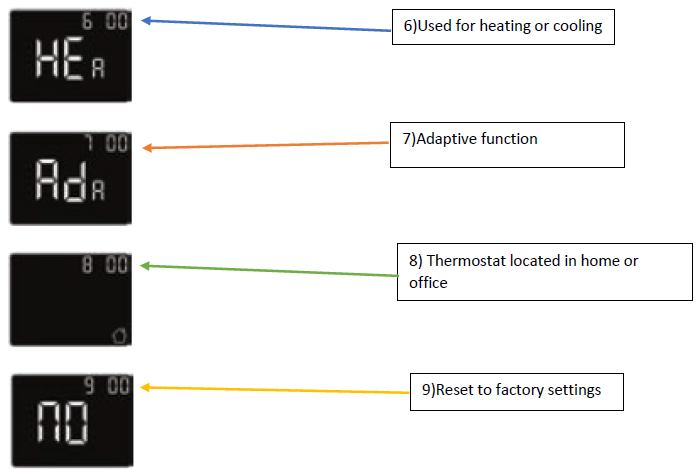
- Used for heating or cooling
- Adaptive function learns over time when it is the best time to come on and heat the floor to reach the required temperature at the next period.
- A thermostat located in an office or home
- Reset thermostat to factory defaults
Open Window Detection
- This function only works when the Room sensor OR floor and room sensor are selected. The thermostat will shut off for 15 minutes when the windows are open. As it will detect the room temperature decreasing.
Troubleshooting
- E1: Room-in Sensor Error
- E2: Floor Sensor Error
- E4: Room-out Sensor Error
Reference
Download Manual:
klima C16 WiFi ELECTRIC THERMOSTAT Instruction Manual
Other Manual:
klima C16 WiFi ELECTRIC THERMOSTAT User Manual