Heat-Mat NGTouch Programmable Thermostat

Introduction
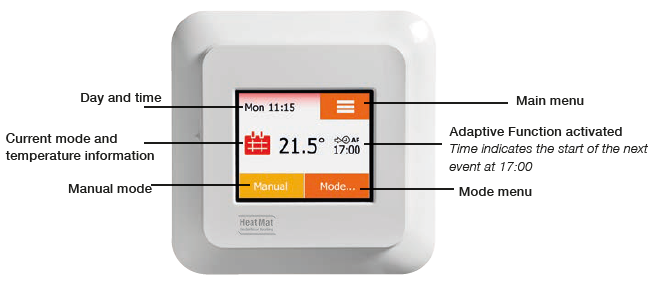
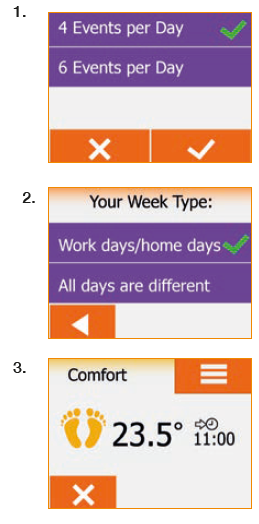
We hope you enjoy the ease of use the touchscreen provides and find the layout intuitive and simple to follow. You can program the thermostat to suit your needs using the options under Schedule and Basic Settings. The thermostat will switch on your heating system at predetermined times each day of the week. You can set separate temperatures for up to six individual periods, called events, for each day of the week. Lowering the temperature when your home is unoccupied will reduce your energy costs without reducing comfort. The thermostat comes with a default heating schedule. Unless you change the settings, the thermostat will operate according to this schedule. The resistive touchscreen only requires a soft tap with your fingertip to register the touch. In this manual, the touch areas on the screen will be referred to as buttons.
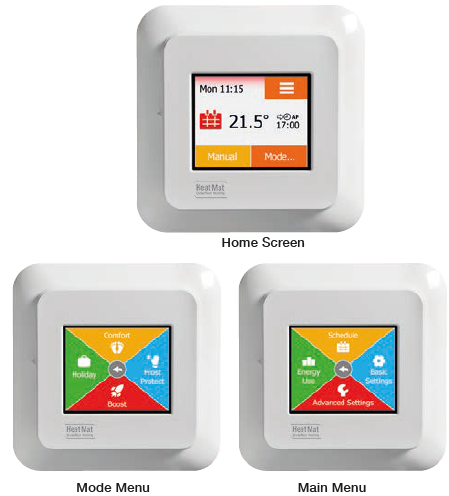
Switch on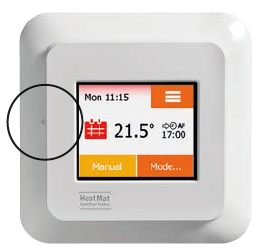 The thermostat has an ON/OFF switch on the left side of the screen. The thermostat is intuitively operated via the high-resolution colour touchscreen, which is used to navigate through the menus and to change the settings
How to confirm or cancel
- Whenever you change a setting, you must “Accept” by pressing the ü button on the thermostat to acknowledge the change.
- “Back” is shown on the screen as a button marked with an arrow pointing to the left. In the various menus and sub-menus, you will find the “Back” button in the middle of the touchscreen. Some screens include a “Left Arrow” button (2). Press this to return to the previous menu.
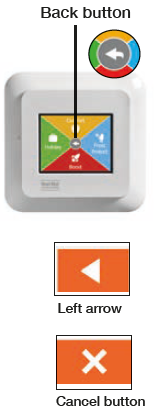
- “Cancel” is shown on the screen as a button marked X. Although “Cancel” has the same eff ect as “Back”, it also results in all unsaved settings being discarded. As soon as you leave a home screen and enter one of the menus, either a “Back” or “Cancel” button will be shown.
- To return to the home screen, press “Back/Cancel” once or multiple times depending on where you are in the menu structure.
ICONS
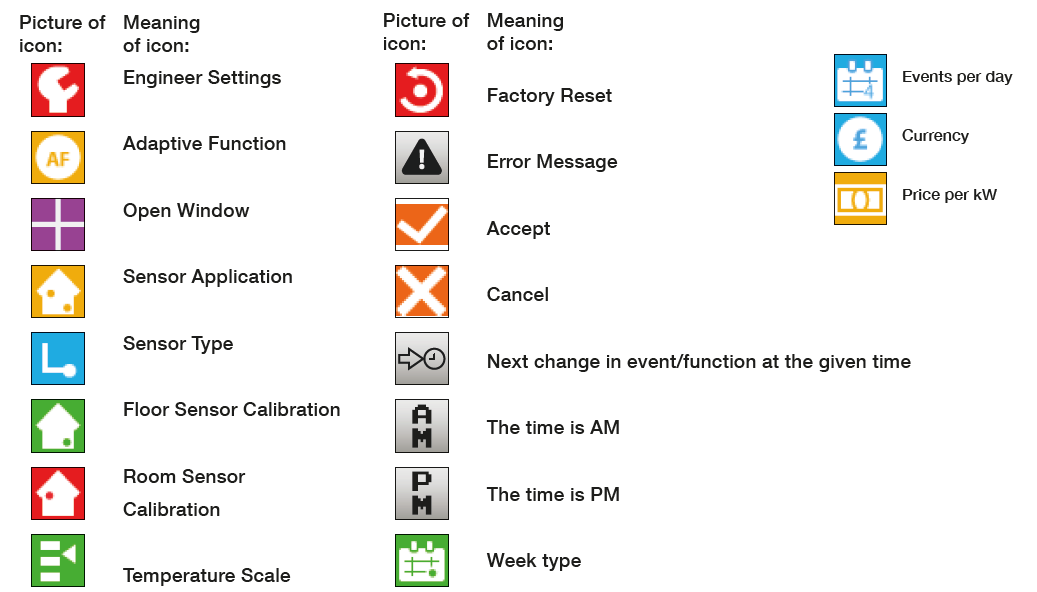
What the icons mean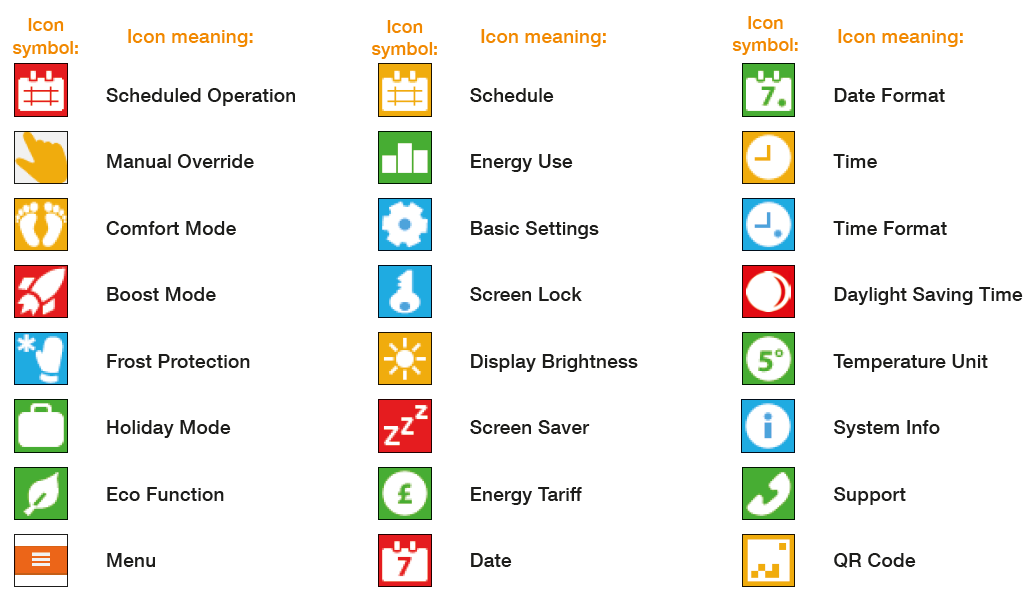
Reference
Download Manual:
Heat-Mat NGTouch Programmable Thermostat User Manual
Other Manual:
Heat-Mat NGTouch Programmable Thermostat User GUIDE
Heat-Mat NGTouch Programmable Thermostat Product Specification Guide
