Ritetemp 6030 TouchScreen Thermostat

Using a TOUCH SCREEN
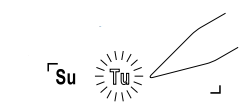
Please take a moment to try out your touch screen itself. To select a function on the touch screen, place your finger on the main temp display and give a short firm push. Try a “tap” of the finger or stylus. Your input must last long enough for the system to determine it is not an accidental ‘bump’.
Using the stylus is more comfortable for some users. Again allow the system enough time to recognize your inputs. When you are comfortable with touch inputs, proceed.
Statement of use: The 6030 can be used with millivolt, 24VAC, single and 2 stage conventional systems, gas/oil/electric heat, 1 stage heat pumps, 2 stage heat pumps, zoned hot water (2 or 3 wire), zoned forced air, single and 2 stage cooling and hybrid systems.
Basic Screens
The MODE SWITCH of the 6030 must be in the HEAT or the COOL position to access all control functions. The 6030 Thermostat has 3 basic screens. The HOME screen is displayed when the unit is operating your system. Touching the  will always return you to this screen.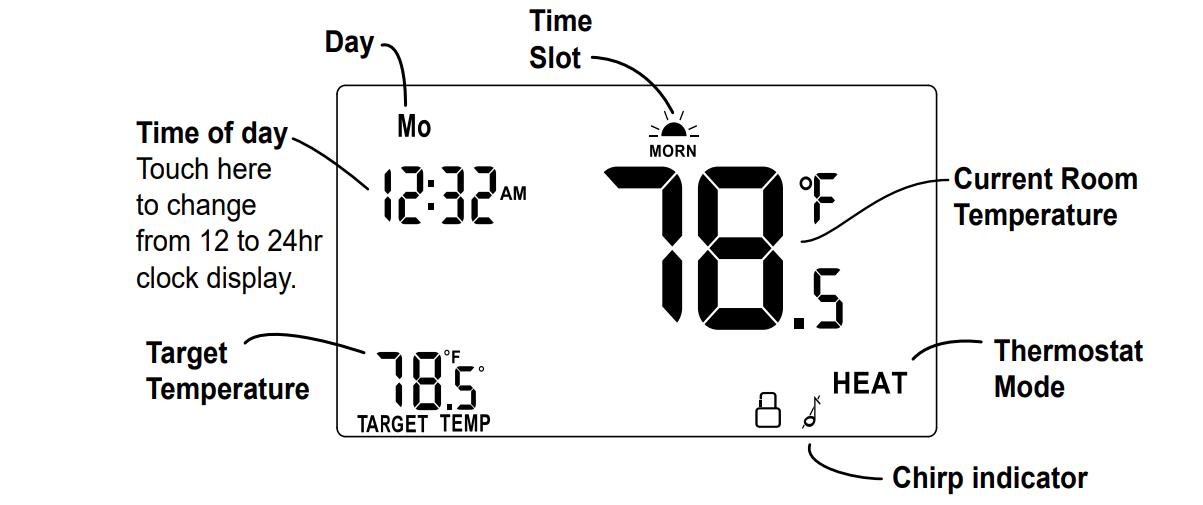
Displayed when the MENU button is pressed
PROGRAM screen
Displayed when the PROGRAM button is pressed.
Configure
note:
The Mode Switch must be in HEAT or COOL mode to configure.
Press MENU to configure the thermostat (from HOME screen).
Set day of the week –
Touch the Day of the week area to cycle through the days of the week to select the current day.
Set time of day –
Touch the Time of Day arrows to move the time selection forward or backward until it displays the current time. Touch and hold for a faster setting.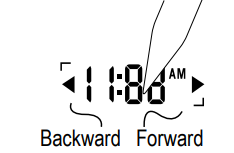
Set oC -oF display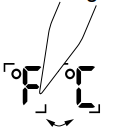
Touch the oF and it will toggle to oC.
Set audible chirp –
Touch the musical note icon to select the chirp or no chirp.
EPA – Touch and hold for 5 sec to return to EPA Energy-Star program
Return HOME by touching the home icon.
Auto-run
This Thermostat comes preprogrammed with an Energy- StarTM-approved program. This program is recommended by the EPA for energy efficiency.
We strongly recommend that you Auto-Run this program for one week, and see if it works for you. If it does not fit your needs you can always input a custom program.
- To Auto-Run the Energy-StarTM program, select HEAT or COOL with the mode switch. The unit is now running the Energy-StarTM program.
- The clock is displayed on the left. The ambient temperature is displayed in the center of the LCD touchscreen. The TIME SLOT icon indicates the TIME SLOT active in the Energy-StarTm program.
- The programmed temperature is shown on the lower right. For program details refer to the Energy-StarTM program chart below.
EPA HEAT
All Days
MORN 6:00 am 70oF
62
DAY 8:00 am
oF
EVEN 6:00 pm
70
NITE 10:00 pm
oF
MORN DAY EVEN NITE COOL 6:00 am 8:00 am 6:00 pm 10:00 pm All Days 78oF 85 oF
Program
NOTE: 60 Second Rule-During programming, if a button is not pushed in 60 seconds, the unit will return to the home screen. Everything you have changed while programming will automatically be saved.
- Select HEAT with the HEAT/Cool MODE switch.
Press PROGRAM to go to the programming screen.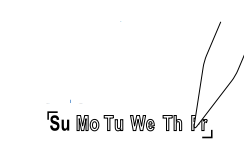
- Select the day you want to program- Touch the Day of the week area to cycle through the days of the week to select the desired day.
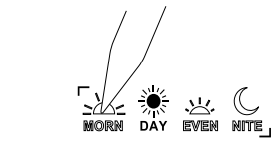
- Select the time slot you want to program – Touch the Time slot area to cycle through the 4 time slots, until it displays the desired time slot.
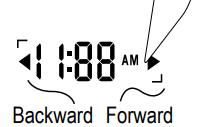
- Select the time of day – Touch the Time of Day arrows to move the time selection forward or backward until it displays the desired time. Touch and hold for a faster time set.
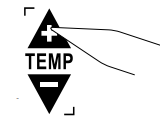
- Select the desired temperature – Touch the UP temp / Down temp arrows.
Repeat the above procedures for each day of the week and each time slot of the day as desired.
To REVIEW your program touch REVIEW. Each time slot for each day or set of identical days, will be displayed every 3 seconds. - Return HOME by touching the home icon.

- To COPY the program from the current day to another day –
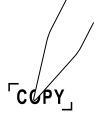 Touch COPY on the program screen. The current day will remain solid, the destination day will flash. Touch the day area to advance the day and select a copy destination.
Touch COPY again to copy all settings to the destination day. - To program for cooling – Select COOL with the Heat/Cool MODE switch and repeat the above procedure.
Manual
The 6030 has 3 manual override commands. These are accessed by touching the Current Temp Display at the HOME screen (center of the screen).
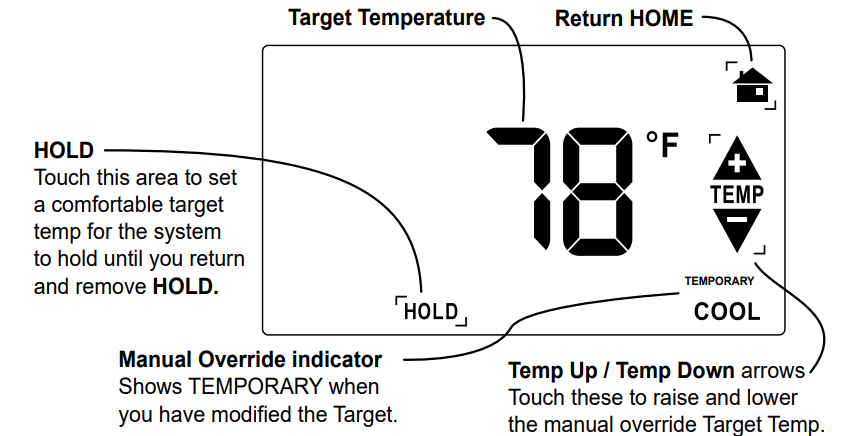
MANUAL override screen
The Mode Switch must be in HEAT or COOL mode to override.
Temporary OVERRIDE
- At the Manual override screen, Touch the Temp Up / Temp Down arrows to select your desired temporary Target Temperature.
- Touch HOME to return to operation.
The OVERRIDE icon will go on indicating you have modified the Target Temp for the current Time Slot only (see PG7-Time Slot).
HOLD 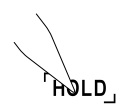
- At the Manual override screen, Touch HOLD to initiate a hold temperature.
- Touch the Temp Up / Temp Down arrows to select your hold temperature.
- Touch HOME to return to operation.
The HOLD ON icon will flash indicating you have changed the Target Temp.
The system will HOLD this temperature until you return to this screen and de-select HOLD, by touching the HOLD icon again.
Special Features
Swing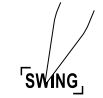
The swing setting determines the temperature difference in degrees from ON to OFF that the thermostat will command the HVAC system to run.
With the MODE switch in HEAT or COOL, press the MENU button.
Touch the SWING icon and the current setting of temp swing is shown on the display (default at .5o ).
To change the swing factor, touch the left or right arrows.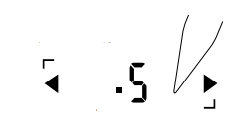
The furnace will cycle more at the lower numbers as it tries to maintain your temp.
Low Battery
When the batteries are low, the battery icon will flash.
The two AAA Batteries in the unit need to be replaced. In some installations, your heater system will stop functioning when the thermostat loses power. Replace batteries as soon as you see this warning. The thermostat programs will remain for 60 seconds while the batteries are changed.
Do not take longer than 60 sec to change the batteries in your unit or you will lose all custom settings and all programming. Only the Energy- StarTM program will remain. Once the batteries are replaced, the system will return to normal in 2 seconds.
Lock
Allows you to to prevent any changes in custom settings.
To Lock Level1, touch the LOCK icon on the MENU screen for 2 sec.
Level1 allows temporary target adjustments but no program changes
To Lock Level2, touch LOCK icon for 2 sec. Level2 allows no changes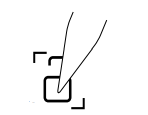 .
.
To unlock, Touch the locked icon for 2 sec.
12/24 hour
The thermostat can display time in 12 or 24 hour formats.
At the HOME screen touch the time to toggle from 12 to 24 hr display
Filter
The 6030 has a feature that keeps track of actual furnace run time and reminds you to periodically replace your system’s air filter.
Press MENU (from the HOME screen) and touch the FILTER icon.
This will display your accumulated filter run time in weeks.
To zero the filter timer for a new filter, touch the accumulated time display.
To input a new filter lifetime, touch the FILTER icon for 3 seconds.
Input the lifetime in weeks for your new filter.
To leave the filter display, touch HOME.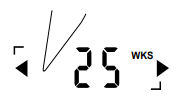
Heat Pump Features
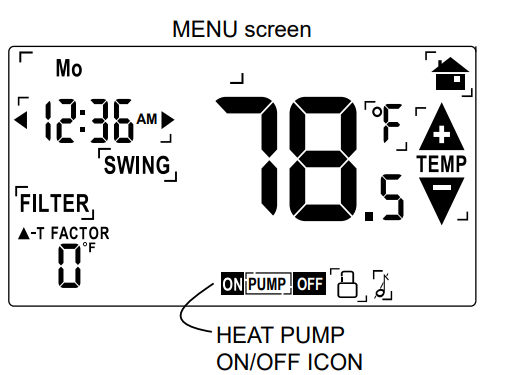
If you have configured your 6030 for heat pump control the MENU screen will display an additional icon – the HEAT PUMP ON/OFF icon.
When using a heat pump with Auxiliary heat, if the heat pump cannot keep up and/or is defective, touch the MENU button, then touch PUMP ON; the PUMP OFF icon will come on. The aux heat will then be your only source of heat.
When the heat pump is again operational, be sure to turn the heat pump back on by touching MENU and then PUMP OFF (the off icon goes out) as the aux heat is more expensive than pump heat.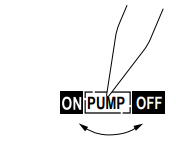
6035 Features
This thermostat can be used with all millivolt and 24VAC heating and cooling systems. It cannot be used with line voltage systems. This thermostat is digital and your desired heat or cool temperatures can be easily be set on the large touch screen with the UP/DOWN arrows. A minimum 4 minutes off time protects heating and cooling systems from damage.
This thermostat uses a new technique called sequential staging for more comfort with faster reaction to requested temperature changes.
Calibration
NOTE: Your thermostat comes from the factory calibrated to + or – 1oF actual temperature. It is an accurate instrument. If you want your thermostat to display the same temperature as another thermometer in your home, you can adjust it. Maximum calibration is +/-6o .
To change the calibration:
With the switch MODE in HEAT or COOL.
Press the MENU button.
Press the Temp Up/Temp Down arrows to adjust the temperature reading.
CALIBRATE DISPLAY ON will appear.
Press HOME to save the new setting.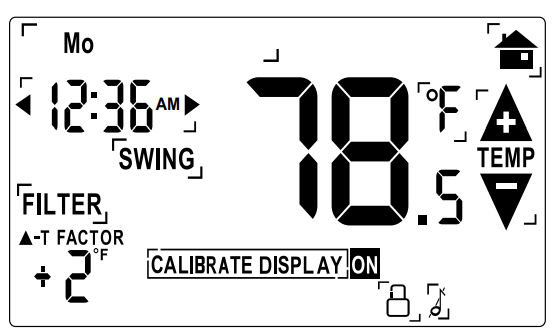
Customer Support: 877-505-2353 or
Visit our website www.ritetemp-thermostats.com
Made in China
REFERENCE:
DOWNLOAD MANUALS:
Ritetemp 6030 Touch Screen thermostat Operational Manual
Other manuals:
Ritetemp 6030 Touch Screen thermostat Installational Guide
