
Delta Dore TYBOX- 827WRF Wireless Programmable Thermostat

Delta Dore hereby declares that the equipment complies with the essential requirements and other relevant provisions of the R&TTE Directive 1999/5/EC. The EC declaration of conformity for this equipment is available, on request, from: “Technical info” department DELTA DORE – Bonnemain – 35270 Combourg (France) Email: [email protected]
- Carefully read these instructions prior to use.
- Do not attempt to repair the unit yourself; an after-sales service is available
Presentation
- These instructions apply to both the TYBOX 817WRF and the TYBOX 827 WRF.
- The hot water mode (
 ) is only available on the TYBOX 827 WRF
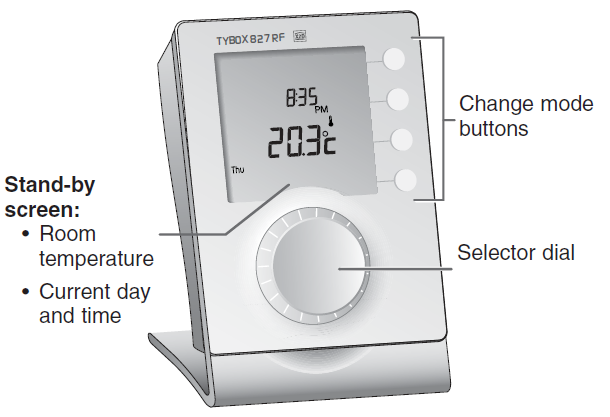
On the receiver:
- the green LED indicates that the product is switched on,
- the red LED indicates the status of the output(s): light on = ON, light off = OFF.
RUN Mode
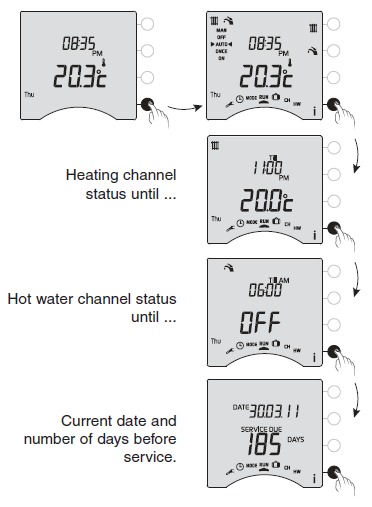
Press a button to “activate” the display
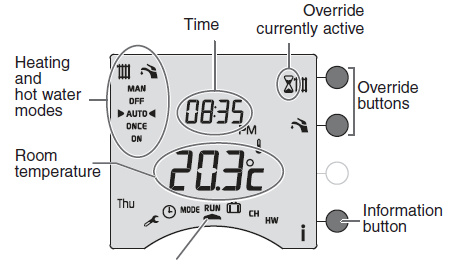
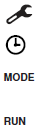
- Configuration
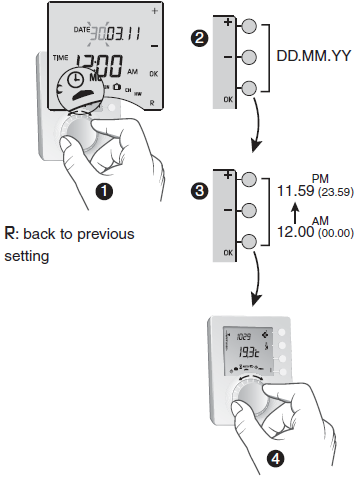
- Time setting
- Operating mode selection
- Run the operating mode selected

- Absence mode
- Heating programming
- Hot water programming
Choosing the operating mode
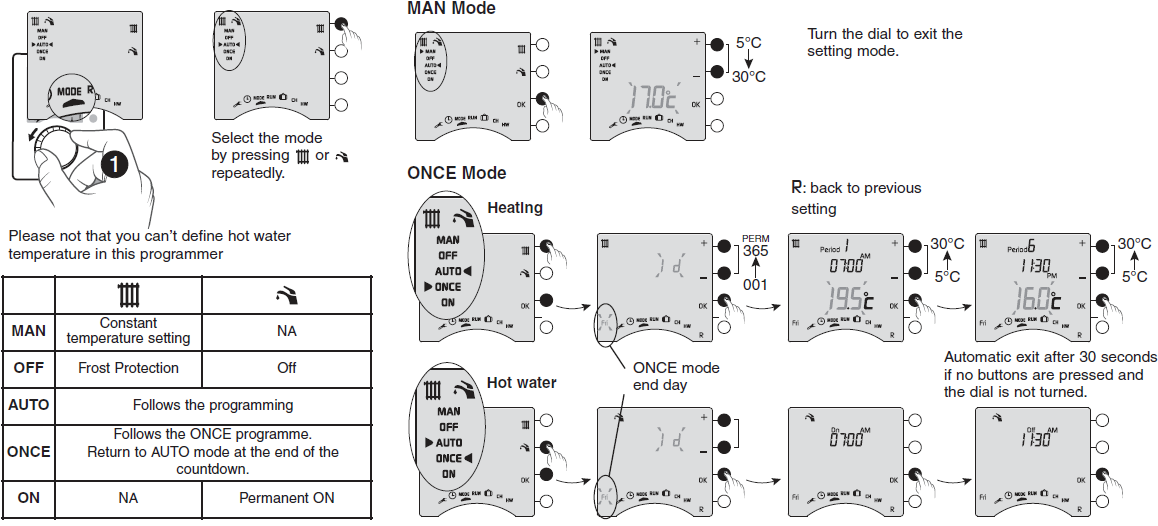
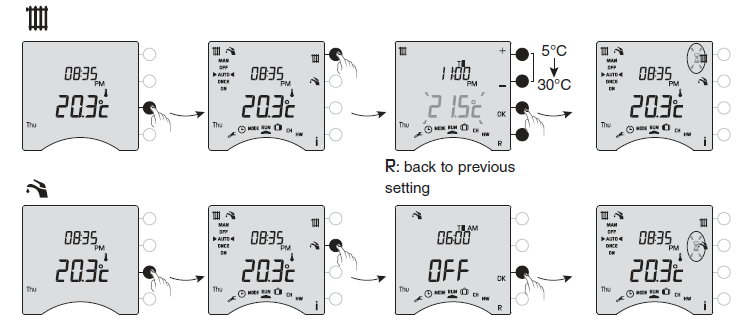
Override
From the RUN mode, override enables:
- for the heating, modification of the temperature setting (5°C to 30°C) until the next programme change
- for the hot water, modification of the current operation (ON/OFF) until the next programme change
- Override is only accessible in AUTO or ONCE mode.
- To cancel an active override, press the relevant button (
 ) or turn the dial.
Date / Time
Programming the heating
Example: default programme applied from Monday to Friday
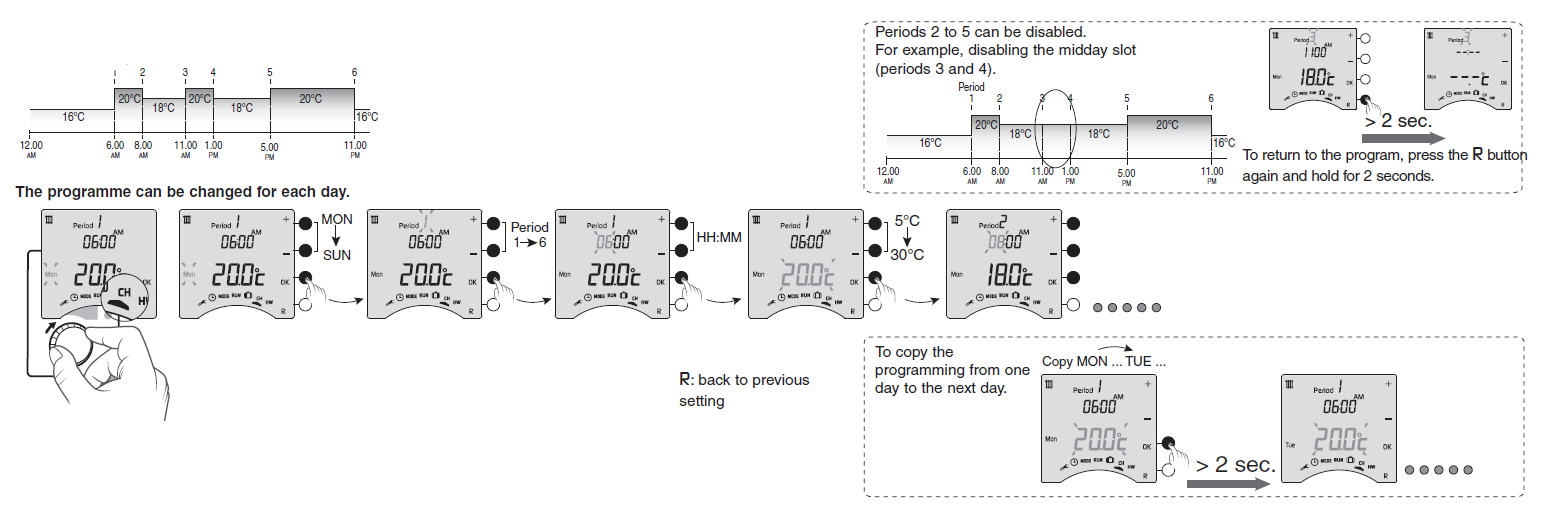
A simplified programme can be applied (2 programmable periods) for a set number of days (ONCE mode).
Programming the hot water channel
Example: default programme applied from Monday to Friday:
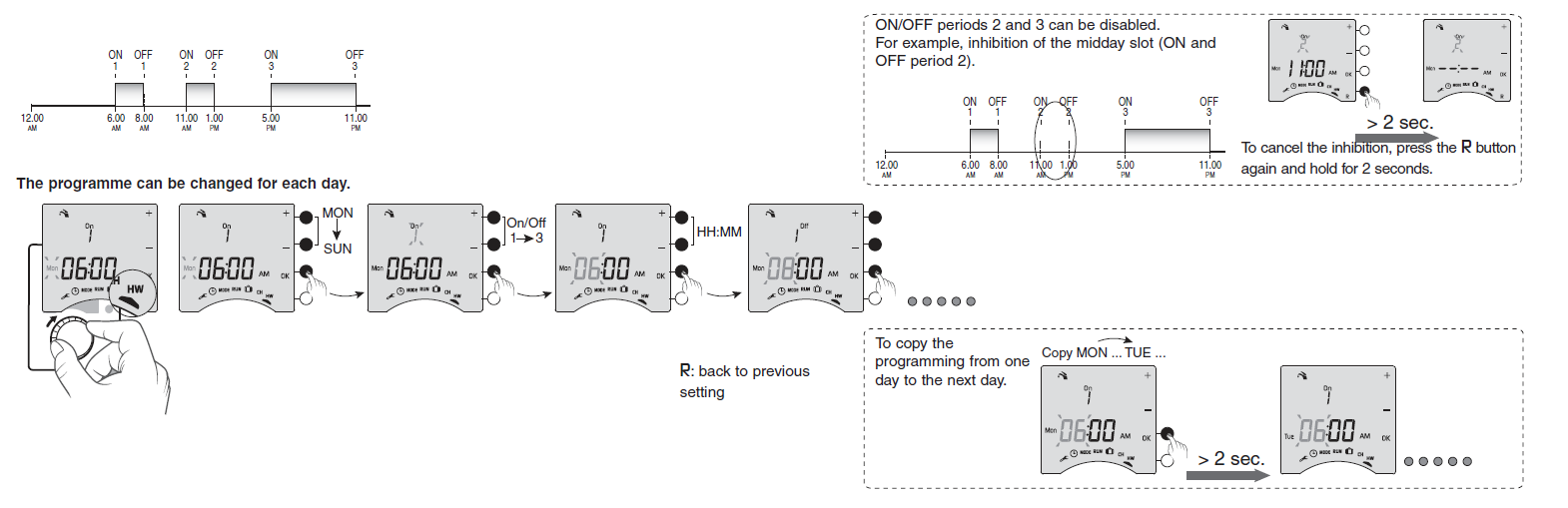
A simplified programme can be applied (2 programmable periods) for a set number of days (ONCE mode).
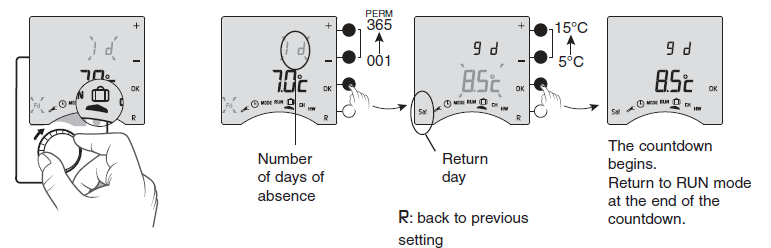
Absence mode
Compatible home automation options
You can associate your programmer with the following options:
| Type of transmitter associated | Resulting function |
| Opening detector | “Energy saving” function Heating switches to Frost Protection mode when a window is opened (temperature set in mode). mode). |
| Wireless outdoor sensor | Indication of outside temperature by consulting the
information menu (i button). |
For information about associating and using home automation products, contact: “Technical info” department DELTA DORE – Bonnemain 35270 Combourg (France) Email: [email protected]
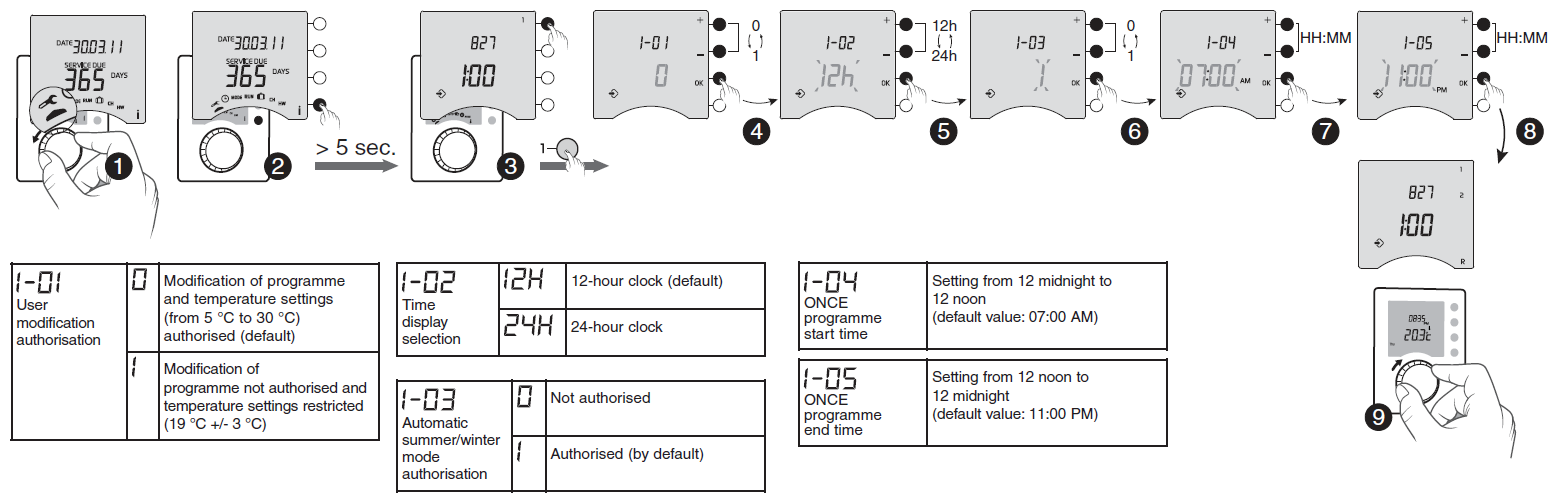
Basic configurations (menu 1)
Replacing the batteries
The batteries need changing when the battery level symbol appears (2 LR03 or AAA 1.5V alkaline batteries).
Precautions must be taken:
- You have approximately 30 seconds to change the batteries before the time is reset to zero (if this happens, reset the time).
- Ensure that the +/- polarities are correctly placed when the battery is fitted into the unit.
- Do not dispose of used batteries in unauthorised places (you should respect the environment by taking the batteries to a suitable collection site).
- Do not recharge them.

- Separate the thermostat from its base unit
- Replace the batteries, taking care to properly align the poles
- Place the thermostat on its base unit
- Lock the thermostat
Troubleshooting
Nothing is displayed on the room unit screen. There is no power supply. Check the batteries. The unit is in time setting mode. You took too much time in changing the batteries. Set the time. All the other settings have been kept. The temperature displayed does not match the temperature measured in the room (thermometer). Refer to the installation guide (menu 2-01). The programme cannot be modified and the temperature settings are limited (19 °C +/- 3 °C). Refer to the Configuration section (menu 1-01). “SERVICE DUE” is flashing on the display. There are less than 30 days before the mandatory service is due. Contact your maintenance department. “SERVICE DUE” is displayed on the unit. The mandatory service date has passed. The heating works on a set temperature setting (override possible for 1 day). The hot water will shut down (override possible for 2, 3 or 4 hours). Contact your maintenance department. The heating does not work according to the required temperature. If you have a Room Thermostat wired in series with the programmer, check that this thermostat is set to maximum. Your heating system is in Frost-Protection mode (temperature set in mode). The dial is still in position,
 , , CH or HW
Reference
Download Manual:
Delta Dore TYBOX- 827WRF Wireless Programmable Thermostat User Guide
Delta Dore TYBOX- 827WRF Wireless Programmable Thermostat User Guide