Tekmar U-T-563 WiFi Thermostat
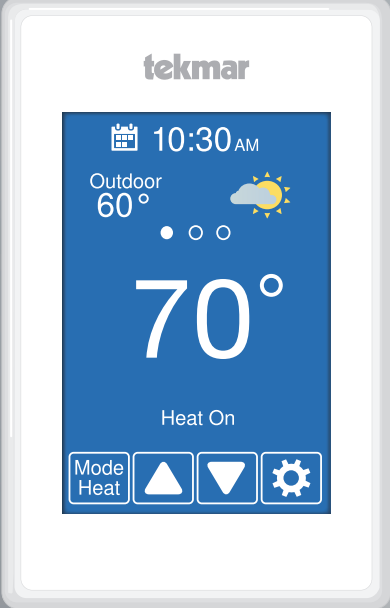
Home Screen
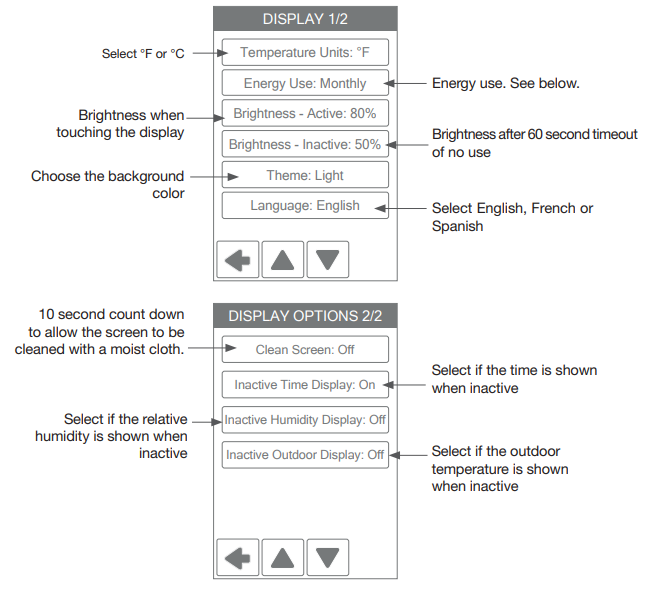
After 60 seconds of inactivity, the thermostat home screen displays only the time and the temperature.
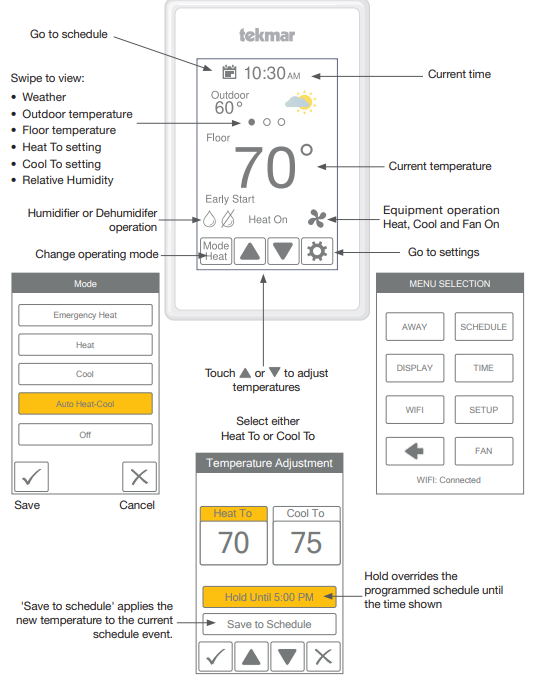
User Settings
Away
Use the Away setting to save energy when the building is unoccupied
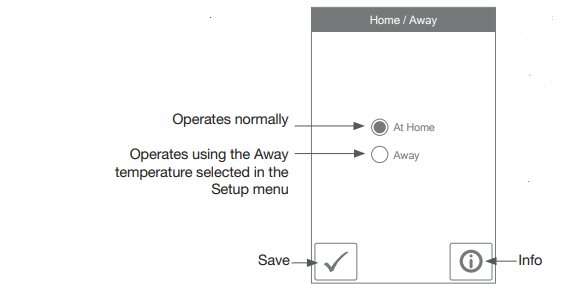
- Selecting the Away setting on a thermostat or the mobile app will affect all devices linked to that location through the app.
- The Away temperature can be adjusted in the Setup / Temps menu.
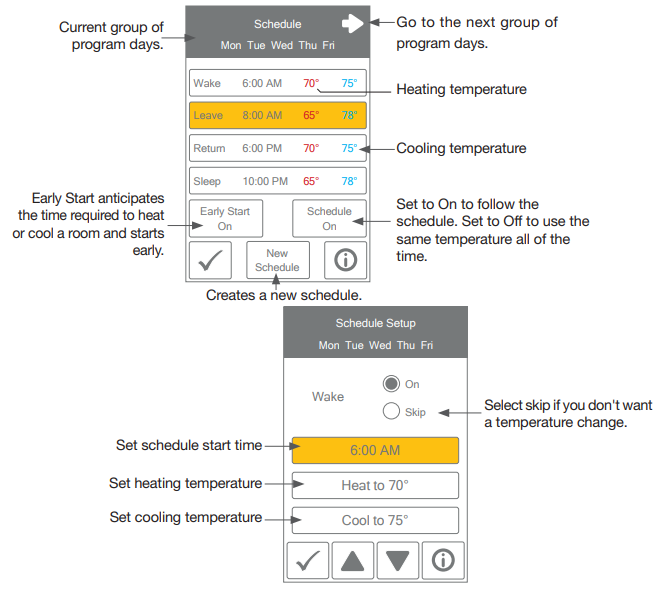
Schedule
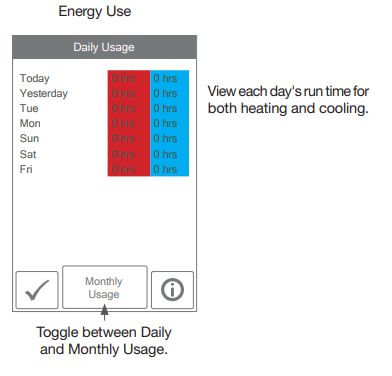
Display
Time
When connected to the Internet, the time can be set automatically.
NOTICE
Incorrectly setting the time and date manually may prevent the thermostat from communicating to the mobile app. Automatic time source is recommended when using an Internet connection.
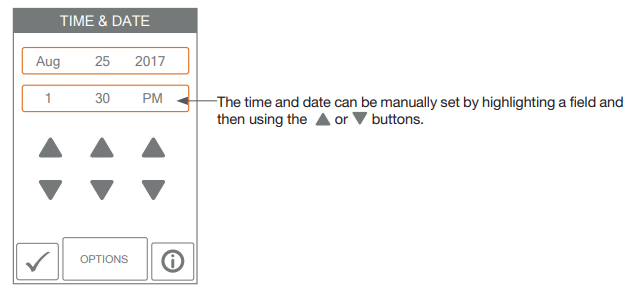
Time options are:
- 12-hour or 24-hour time format
- Automatic or manual time setting
- Time zone
- Daylight savings time
Fan
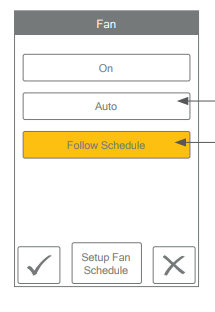
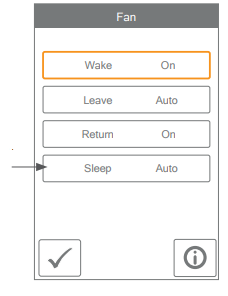
- The fan is normally off when set to auto but turns on when needed for the heating or cooling equipment.
- When a programmable schedule is used, there is a fan setting for each time period.
The Setup menu contains seven sub-menus that determine how the thermostat operates.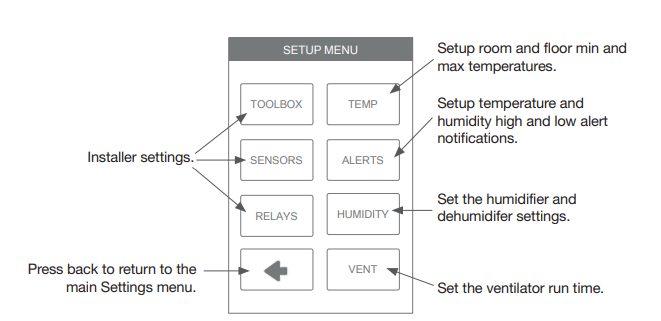
Setup – Humidity
- Set the lowest relative humidity level.
The range is 10 to 80%
The default is 40%
Available when Accessory 1 or 2 operates a humidifier. - Set the highest relative humidity level.
The range is 20 to 90%
The default is 60%
Available when Accessory 1 or 2 operates a dehumidifier.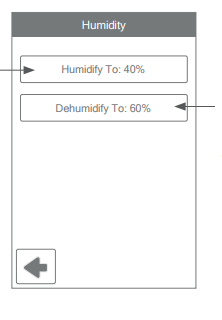
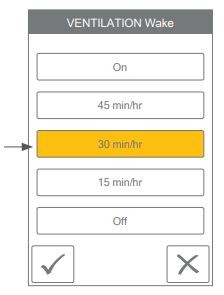
Setup – HRV / ERV Ventilation 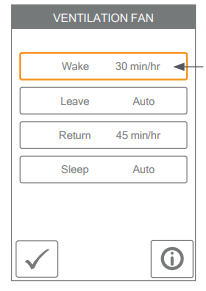
- When a programmable schedule is used, there is a ventilation setting for each time period.
- The ventilation fan runs for the set amount of time per hour.
WiFi
Before using the WiFi features of this product, you must accept the Terms of Use, as amended from time to time and available at Watts.com/terms-of-use. If you do not accept these terms, this product can still be used without WiFi features.
The thermostat includes a step by step tutorial to setup the WiFi connection.
- Step 1
Agree to Terms of Use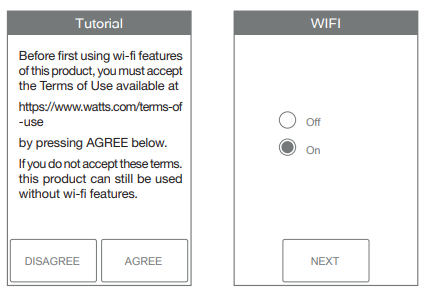
- Step 2
Turn on WiFi - Step 3
Enter wireless network name.
It must support WPA2 security encryption.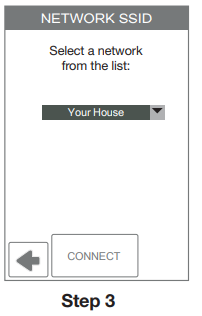
- Step 4
Enter the WiFi password.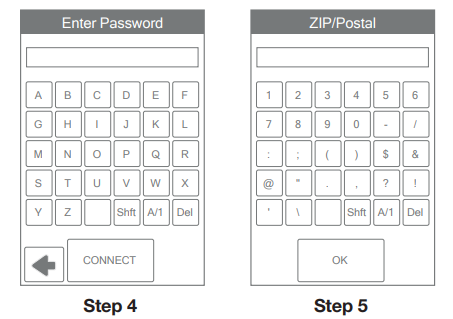
- Step 5
Enter ZIP or postal code. This determines your location for weather information. - Step 6
Select if the time is set automatically from the Internet or manually.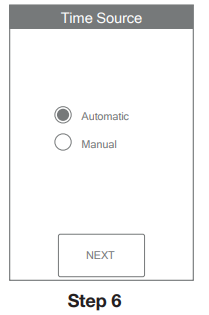
Need help? Go to our website or contact us.
tekmarControls.com | [email protected] | 1-800-438-3903
All specifications are subject to change without notice.
Tel: 1-800-438-3903
Fax: (250) 984-0815
tekmarControls.com
Reference:
Download manuals:
Tekmar U-T-563 WiFi Thermostat User Manual