
tado° Smart Thermostat

GET STARTED

ACCESSORIES

THE SMART THERMOSTAT & THE APPS
Smart Thermostat
The Smart Thermostat is placed in your living space. On the device, you can check the current temperature and change settings.
Mobile App
The mobile app tells the Smart Thermostat where you are, displays the temperature at home and lets you change any settings from wherever you are.
Web App
You can also access your tado° system and all settings by signing in via any web browser at tado.com/login

LOCATION-BASED CONTROL
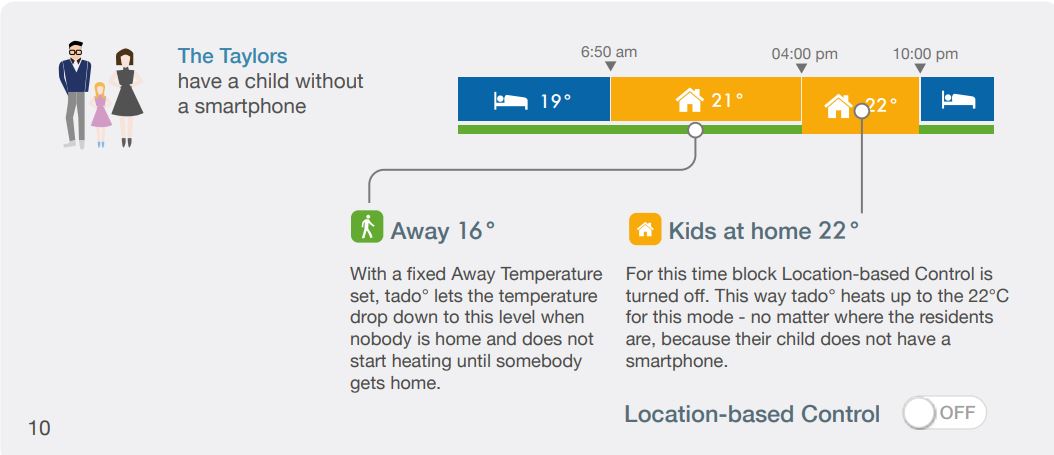
tado° uses the location of residents’ mobile devices to turn down the heating when everybody is away and turn it on when somebody is home, automatically. You can choose the corresponding temperatures in the Smart Schedule.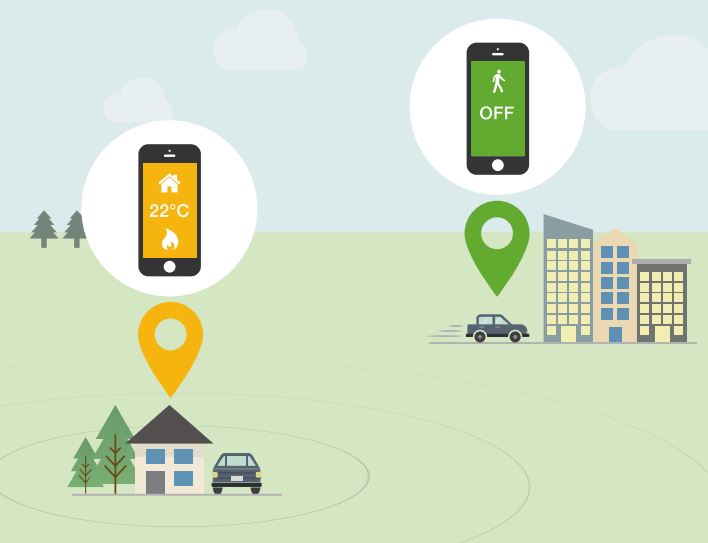
SMART SCHEDULE
Choose which settings should be active when somebody is home. Since the schedule is smart these settings only become active if at least one person is at home.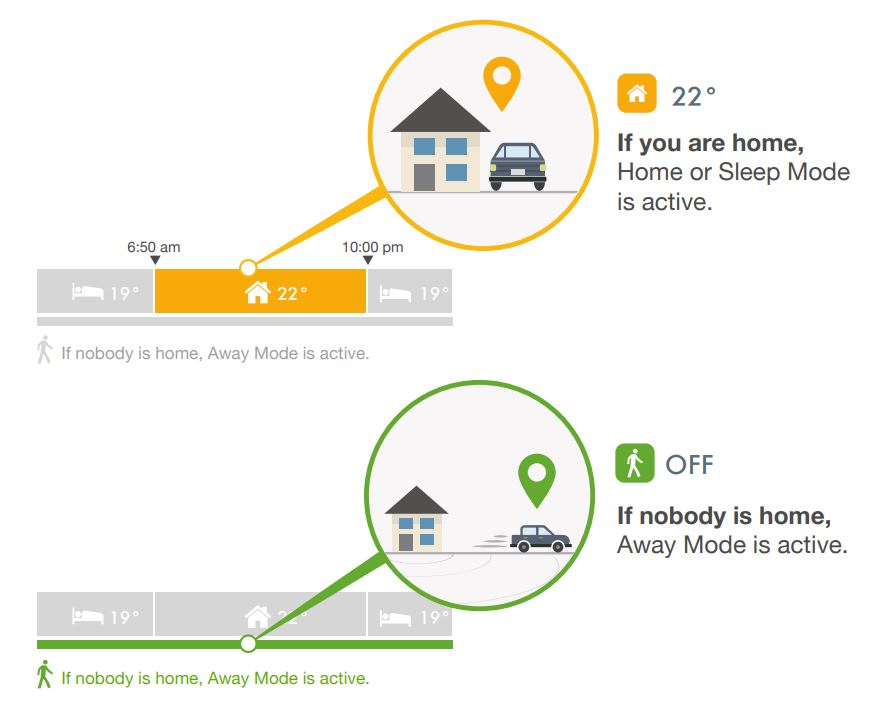
HOME AND SLEEP MODES
You can keep it simple and just set the temperatures for the tado° default modes (Home, Sleep and Away) or you can create additional modes for different activities.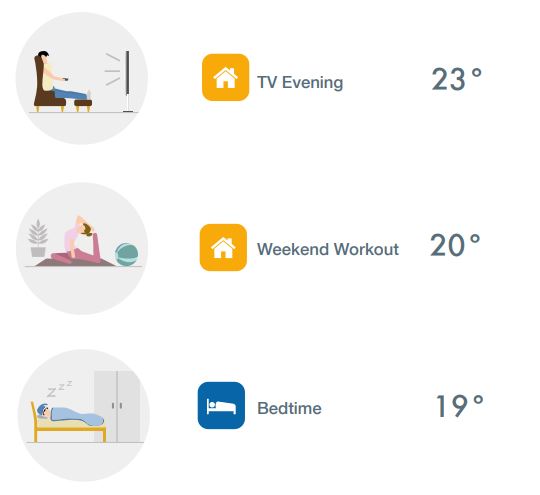
AWAY MODE
The Away Mode automatically becomes active when nobody is at home. There are two options: an automatic Away Temperature to let tado° compute the most energy-efficient temperature and automatically heat up before you arrive. Alternatively you can set a fixed Away Temperature.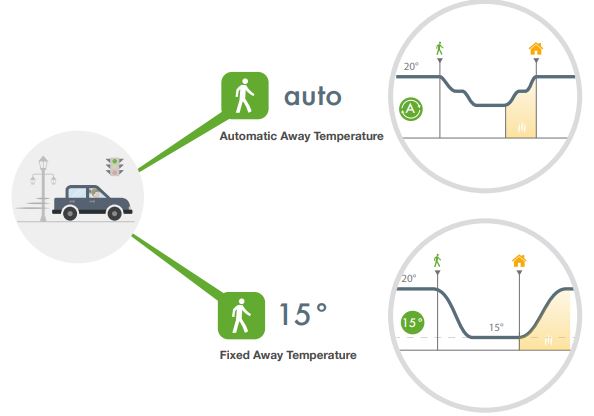
TYPICAL DAYS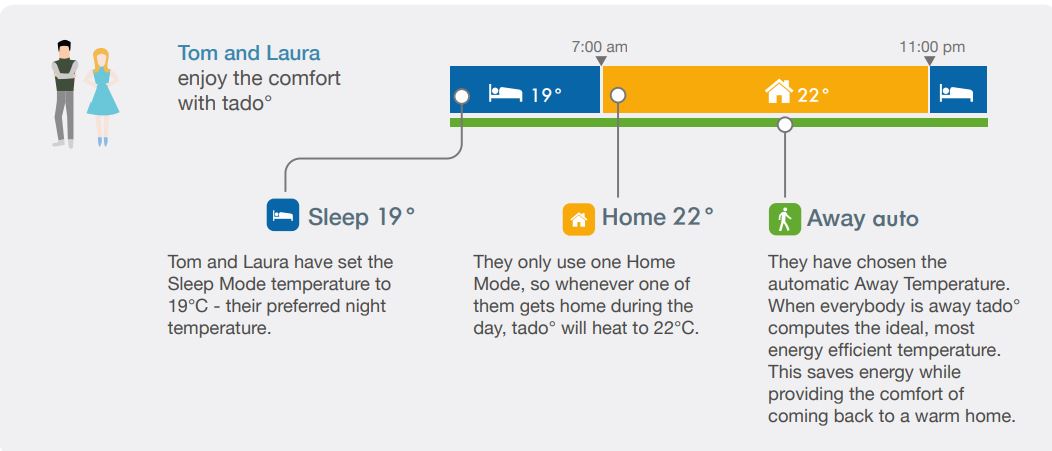
MANUAL CONTROL
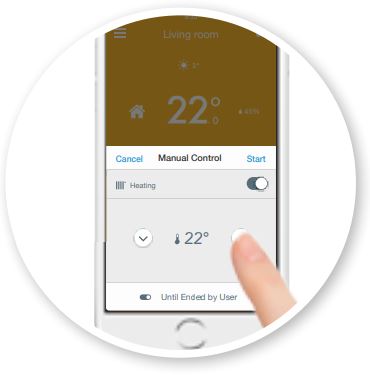
Adopt the current settings anytime without changing the Smart Schedule.
- Manual Control panel in the mobile app.
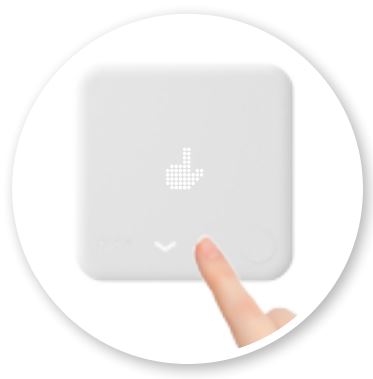
- Changing any setting on the device activates Manual Control.
Choose the duration of the Manual Control
- Until Next Mode Change
Manual control remains active until the next time block in the Smart Schedule, or until residents leave or arrive. - Timer
Remains active for the selected time span. - Until Ended by User
Remains active until a user ends the Manual Control Mode.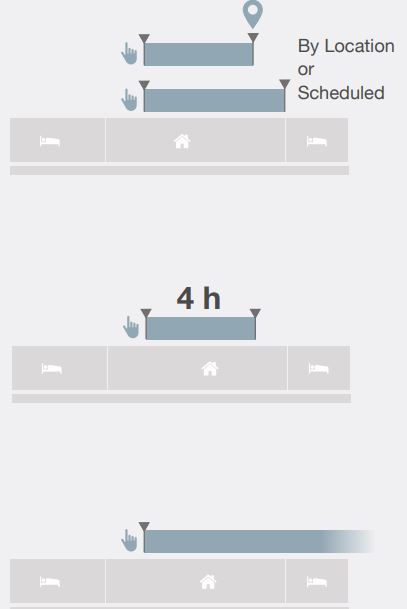
DEFAULT DURATION
Choose the default duration for Manual Control on the device in the app settings.
- Set the default duration for the device in the app settings.
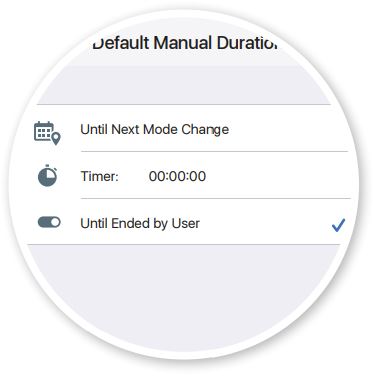
- Any setting change set on the device will always use the default duration.

HOT WATER CONTROL
For certain heating systems tado° can also control the hot water*. Learn more at tado.com/support
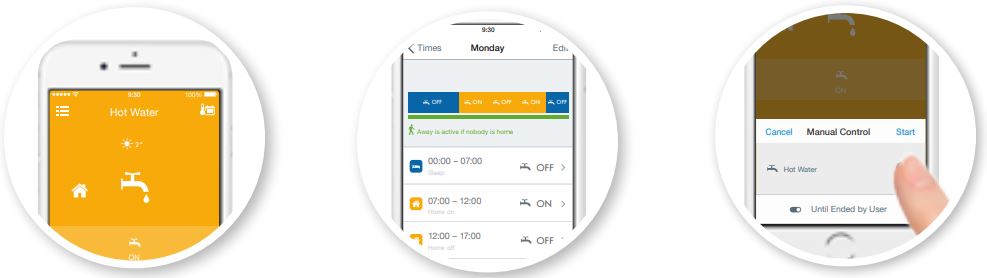
- On the hot water main screen you can see if hot water is turned on.
- The hot water preparation has its own Smart Schedule. For certain digital systems you can even define the hot water temperature.
- You can also temporarily override the schedule with the Manual Control.
Note: Hot Water control is only available if supported by the heating system
REPORT
The report shows the temperatures measured, when tado° was in Home, Away or Sleep Mode, when there was a call for heat or hot water, and when the sun may have affected the room temperature. You can access the report from your mobile devices or the web app.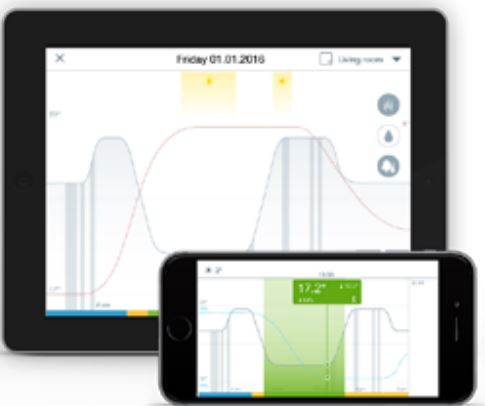
MOBILE APP – MAIN SCREEN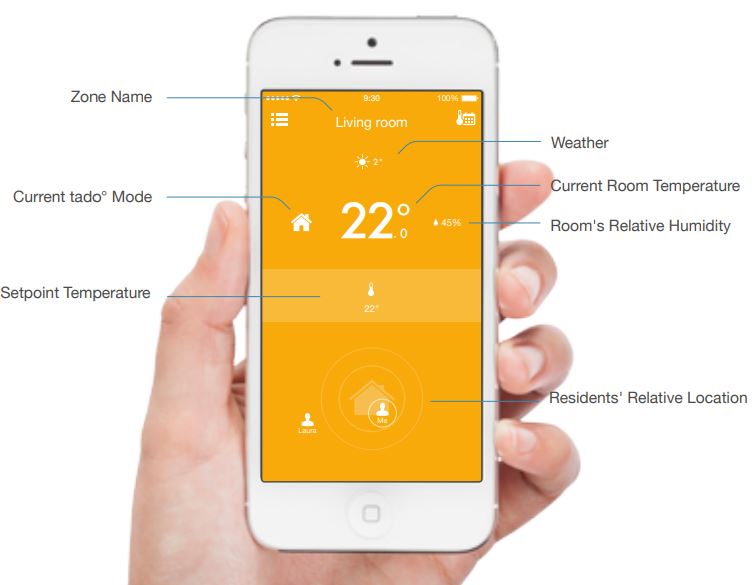
MOBILE APP – SWITCH BETWEEN ZONES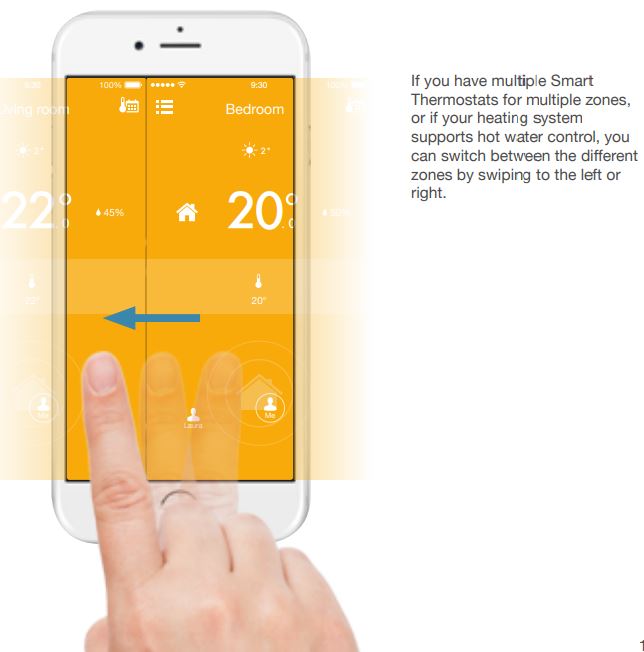
MOBILE APP – NAVIGATION
WEB APP
You can also use tado° via the web app with a web browser on your computer, tablet or smartphone.
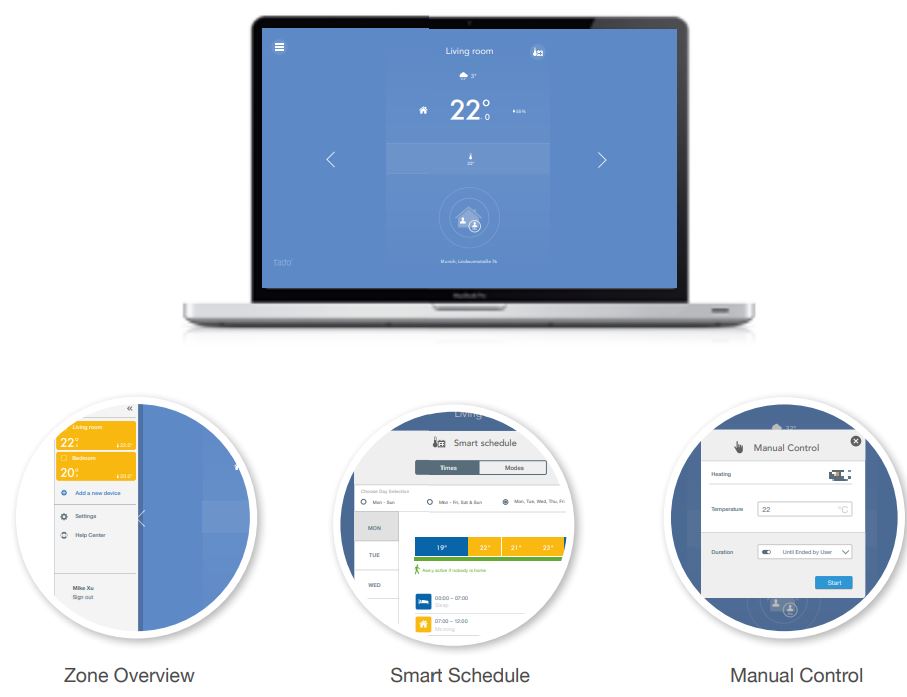
SMART THERMOSTAT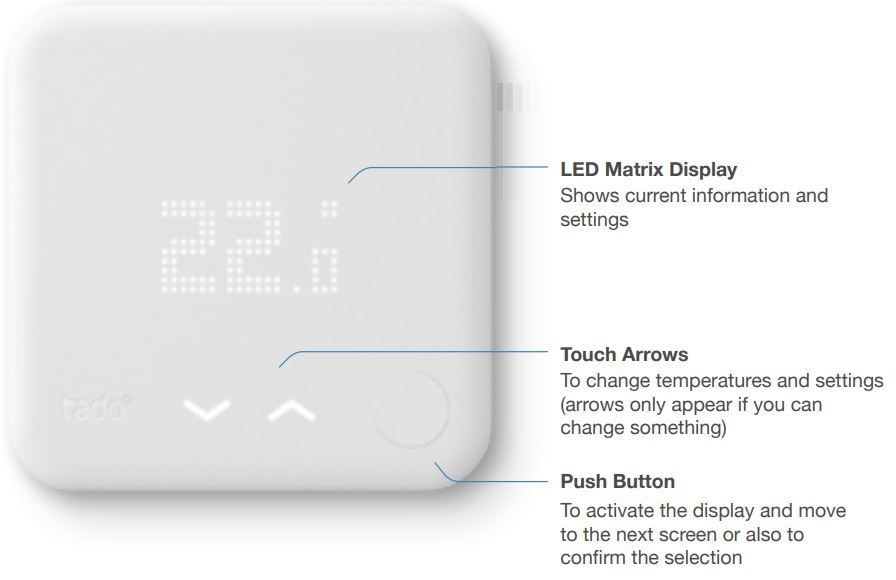
THE MENU
- Hot Water control is only available if supported by the heating system.
- Hot Water temperature only available if supported by the heating system.
CHANGE SETTINGS
END MANUAL CONTROL
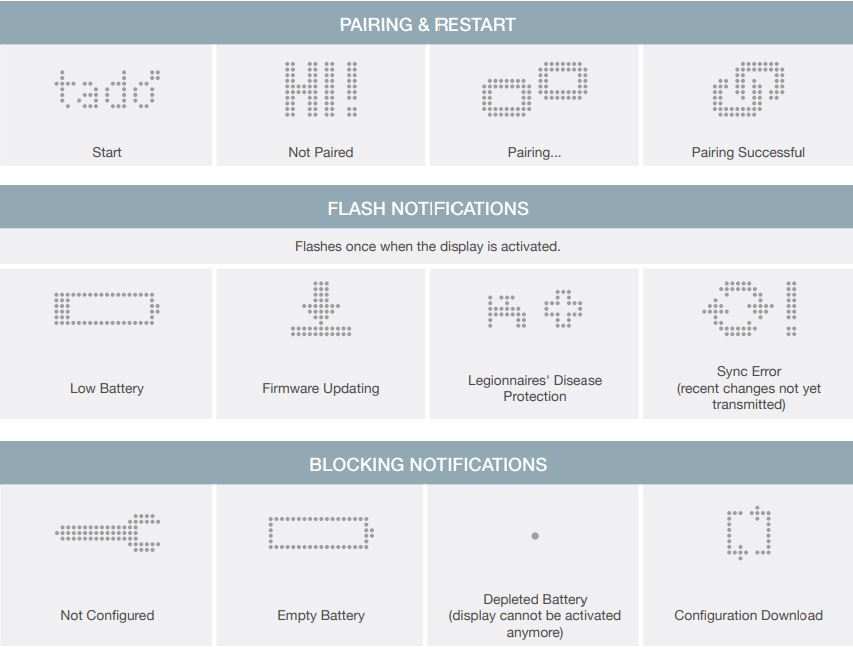
DISPLAY ELEMENTS
SPECIAL STATES
TECHNICAL SPECIFICATIONS
Smart Thermostat
- Model: RU01
- Dimensions: 104 x 104 x 19 mm (L x W x H)
- Weight: 132g
- Operating voltage: 5-36V DC (SELV) 0.2A
- fused Batteries: 4.5V DC 3xAAA (LR03) 1200mAh
- Battery Life (when operating on batteries) : ~ 2 years
- Relay: max. 240V AC 6(4)A / max. 36V DC 6(4)A
- Terminal block screw tightening torque: 0.5Nm
- Radio: 868 MHz, Mesh (6LoWPAN)
- Display: 10 x 19 LEDs, 32 x 20 mm
- Buttons: 1x Mechanical; 2x Capacitive
- Touch Material: PC + ABS
- Colour: white, matte
- Mounting: Wall mounted
Bridge
- Model: GW03
- Dimensions: circa 89 x 52.5 x 25.5 mm (L x W x H)
- Weight: circa 61g
- Operating voltage: 5 V (USB)
- Radio: 868 MHz, Mesh (6LoWPAN)
- Display: 3x LED
- Material: PC + ABS
- Colour: white, matte
Operating Restrictions
- Altitude: max. 2000m above sea level
- Ambient Temperature: 0-40°C
- Level of pollution: 2
- Humidity: max. 85% relative humidity
Additional Characteristics
- Overvoltage category 2
- Type 1 action
- Type X attachment
Transportation Conditions
- Ambient Temperature: -10°C to +50°C
- Rel. Humidity: 5% to 85% (non-condensing)
Manufacturer
tado GmbH Lindwurmstr. 76 80337 Munich
Germany
EU Declaration of Conformity
This device is in compliance with the essential requirements and other relevant provisions of the following EU Directives:
- LVD Directive 2014/35/EU
- EMC Directive 2004/108/EC
- R&TTE Directive 1999/5/EC
- RoHS Directive 2011/65/EU
- ErP Directive 2009/125/EC
A copy of the EU Declaration of Conformity is available at: tado.com/conformity
The WEEE symbol means that a device must be disposed of separately from general household waste. When a device reaches the end of its lifespan, it must be taken to a designated waste collection point for safe disposal or recycling. This conserves natural resources, protects human health and helps the environment.
ERP CLASS
The information in the table below is required for the completion of the Energy Related Product (ErP) Directive System Package fiche and the ErP system data label according to ErP Directive 2009/125/EC.
When the Smart Thermostat is installed in combination with the Extension Kit, the same classes apply.
ELECTRICAL SAFETY INFORMATION
- Only use the included USB power adapter and arrange the device so that the plug for the power socket is easily accessible at all times and the device can be easily disconnected from the mains.
- Before connecting the USB power adapter to the mains, compare the nameplate information on the USB power adapter with the local voltage and frequency characteristics. Only connect the USB power adapter if the characteristics match.
- Carry out a full visual inspection of the USB power adapter, power cable and plug, as well as the ground contacts connecting and/or operating the device. Damaged power adapters, cables or plug connectors must be replaced immediately by an authorized person.
- The product is to be used exclusively for non-safety-related control functions and may only be installed by qualified electricians.
- Batteries may explode or leak, and cause burn injury, if recharged, disposed of fire, mixed with a different battery type, inserted backwards or disassembled. Replace all used batteries at the same time. Do not carry batteries lose in your pocket or purse. Do not remove the battery label. Keep batteries away from children. If swallowed, consult a physician at once.
Problems or questions? tado.com/support
REFERENCE:
DOWNLOAD MANUALS:
tado° Smart Thermostat User Guide