SIEMENS RDH100RF/SET Room Thermostat

Operating instructions
RDH100RF/SET consists of an RDH100RF wireless temperature controller and an RCR100/433 receiver. The RDH100RF allows you to set the desired room temperature (setpoint) for the desired time. The unit features an ergonomic setting knob for easy temperature control
Display
Commissioning before start-up
Commissioning
- Remove the black transit tabs from the alkaline batteries.
- Check to see if the battery compartment is in the correct position.
- If no batteries are inserted, fit 2 alkaline batteries type AA in the battery compartment
Selecting the required temperature
- Turn the setting knob counter clockwise to decrease the setpoint, or clockwise to increase the setpoint in increments of 0.5 °C
- The required temperature is displayed next to the comfort temperature symbol

Changing the batteries
- Get two new batteries of type AA alkaline, 1.5 volts.
- Within one minute: pull out the battery compartment and remove the batteries, then insert new batteries and replace the battery compartment.
The original set values must be checked after changing batteries! - Make certain the old batteries are disposed of properly, in compliance with environmental requirements
Energy-saving tips without sacrificing comfort
- Never allow room temperatures to exceed 21C.
- Air out rooms: Air out rooms for short periods with open windows and doors.
RED regulation
RDH100RF/SET
- Operating frequency: 433.94 MHz
- Maximum Radio-Frequency power: 3.25 dBm
Siemens Switzerland Ltd. declares that the radio equipment type RDH100RF/SET is in compliance with Directive 2014/53/EU. The full text of the EU declaration of conformity is available at www.siemens.com/download?A6V10223354.
Disposal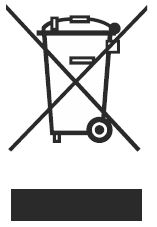
The device is considered electrical and electronic equipment for disposal in terms of the applicable European Directive and may not be disposed of as domestic garbage.
- Dispose of the device through channels provided for this purpose.
- Comply with all local and currently applicable laws and regulations.
- Dispose of empty batteries in the designated collection
Front View Receiver
LED Signal Indicator

Configuration instructions for the Siemens RDH100RF/SET
The transmitter RDH100RF and the receiver RCR100/433 are set to communicate (bonded) with each other at the factory. If they fail it is necessary to re-bond the units due to the loss of communication, please follow the below instructions.
- Reset the receiver by simultaneously pressing the LEARN & OVERRIDE button for 4 seconds.
- Press and release the LEARN button. This sets the receiver to the learn mode.
- Press and release the LEARN button on the back of the transmitter.
- A green flashing or solid LED indicates a good signal, a red flashing or solid LED indicates no signal.
- To test transmission, press the TEST button on the transmitter, and switch the relay on in the receiver regardless of temperature. The RF TEST symbol appears on the thermostat display.
- An orange LED indicates that the relay is on.
NOTE:
You can press the OVERRIDE button on the receiver to manually switch ON/OFF for a faulty room unit or transmission protocol.
NOTE:
You must re-execute the workflow for commissioning the set to reestablish a connection between the room controller and receiver.
Parameter setting
- Parameter setting mode
- Press LEARN on the rear for 5 seconds until “P01” appears.
- Press LEARN again and the parameter value on the second line flashes and is ready for adjustment.
- Adjust the parameter using the setting knob.
- Press LEARN once to confirm the setting.
- Rotate the setting knob clockwise to the next parameter and repeat steps 2 to 4.
- Exit parameter setting mode by rotating the setting knob clockwise to “End” and pressing LEARN button once.

- Parameters:
- P01 Control behavior: 2-position 1K / 2-position 0.5 K / PID fast / PID slow (factory-setting)
- P02 Maximum temperature range
- P03 Minimum temperature range

Mounting and siting notes RDH100RF, RCR100/433
The units should be sited such that transmitted and received signals will be disturbed as little as possible:
- Do not mount the units on metal surfaces
- Do not mount the units near electrical wires or electronic equipment such as PCs, TV sets, microwave equipment, etc.
- Do not mount the units in the vicinity of large metal structures or other construction elements with fine metal meshes like special glass or special concrete
- The distance between the controller/transmitter and receiver should not exceed 20 m or 2 floors
- The local regulations for electrical installations must be complied with
- External preliminary protection with max. C 10 A circuit breaker is required in all cases
- Make sure the RCR100/433 receiver is mounted a minimum distance of 450 mm away from the boiler
- EMI filter (e.g., KEILS EMI CW4L2-3-R) can be used to reduce EMI disturbance
Siemens Switzerland. Ltd declares that the radio equipment types RDH100RF/SET and RDJ100RF/SET are in compliance with Directive 2014/53/ EU. The full text of the EU Declaration of Conformity is available at http://www.siemens.com/download?A6V10223354.
Issued by
Siemens Switzerland Ltd Smart Infrastructure Global Headquarters Theilerstrasse 1a CH-6300 Zug
Tel. +41 58 724 2424
www.siemens.com/buildingtechnologies
© Siemens Switzerland Ltd, 2018 Technical specifications and availability are subject to change without notice.
Contact for regulatory topics:
- (EU) Siemens AG, Berliner Ring 23, DE-76437 Rastatt
- (GB) Siemens plc, Sir William Siemens House, Princess Road, Manchester, M20 2UR
REFERENCE:
DOWNLOAD MANUALS:
SIEMENS RDH100RFSET Room thermostat Operating Instructions
OTHER MANUALS:
SIEMENS RDH100RF/SET Room thermostat Product Specifications Guide
