
Siemens RDG405KN Room Thermostat
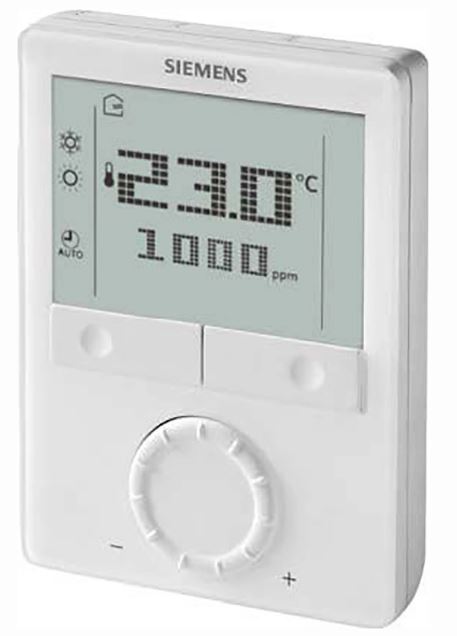
Operating Instructions
- RDG405KN – the room thermostat with KNX communications that allows you to set the ideal room temperature you want. The thermostat provides Comfort, Economy, and Protection mode.
- In addition, it can operate in Auto timer mode according to a schedule via KNX bus.
- You can either rely on the factory settings or make adjustments that suit your individual needs.
- An air quality control function is available.
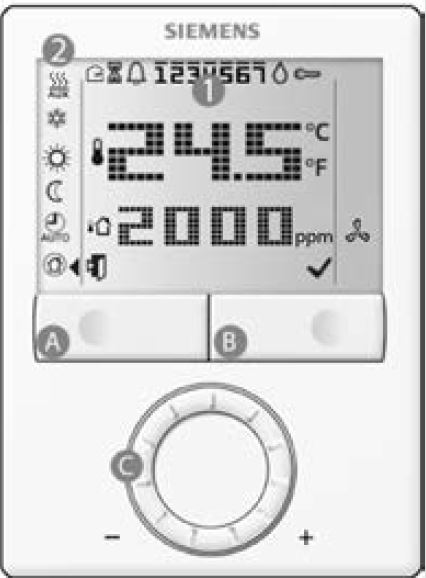
Main display

Changing the room temperature 
- Turn the rotary knob clockwise (+) to increase, or counterclockwise (-) to decrease the current room temperature setpoint. The thermostat changes to Comfort
 .
.
The setting range is from 5…40 °C; it can be limited by parameters P09 and P10. (for parameter settings, see reverse side).
Changing the operating mode of the thermostat
Press the operating mode button repeatedly until the symbol points to the operating mode you desire.
- Protection mode
- In protection mode, the plant stops operating. However, if the room temperature falls below 8 °C, heating is switched on to protect the room against frost.
- The thermostat switches to Protection mode when the window contact (local or on KNX) is active.
The setpoints for Protection mode can be changed by your HVAC installer if desired:
Changes made by installer: Frost protection: _________ ˚C Heat protection: __________˚C
- Comfort mode
- In Comfort mode, the thermostat maintains the room temperature on the setpoint which can be adjusted with the rotary knob
- The thermostat switches to Comfort mode when the presence detector (local or on KNX) is active (room is occupied).
- Auto Timer mode
- In Auto Timer mode, the thermostat automatically switches over between Comfort and Economy mode according to the schedule via KNX bus. If no schedule via KNX is available, then Auto Timer is replaced by Comfort.
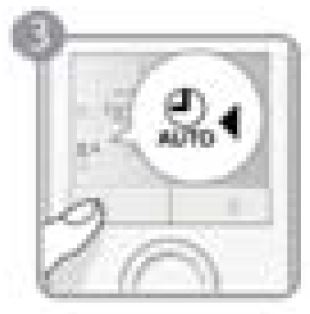
- In Auto Timer mode, the thermostat automatically switches over between Comfort and Economy mode according to the schedule via KNX bus. If no schedule via KNX is available, then Auto Timer is replaced by Comfort.
- Economy mode
- In Economy mode, the thermostat maintains the room temperature at a lower or higher setpoint, thus saving energy and money.
- The thermostat can be set to Economy mode either by pressing the operating mode button if enabled (P02 = 2), or via KNX bus command.
- The Economy setpoints are factory-set to 15 °C for heating and 30 °C for cooling. They can be adjusted via parameters P11 and P12 (for parameter settings, see reverse side).
Important: These setpoints can be set to OFF; which means that the thermostat is not active., i.e. no protective heating or cooling function. Risk of frost!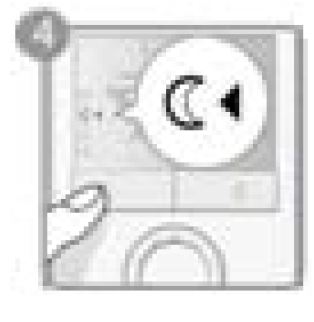
Changing from heating to cooling mode is Not supported with all configurations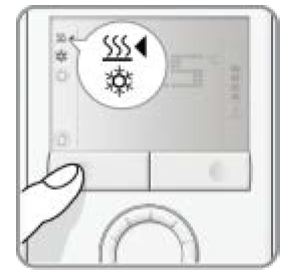
- The changeover from heating to cooling (or vice versa) is made
- either automatically by a changeover sensor, or a changeover switch, or a remote changeover switch via the KNX command
- or manually by pressing the operating mode button.
If the thermostat is configured for “heating only” or “Cooling only”, the changeover is not available (see parameter P01)
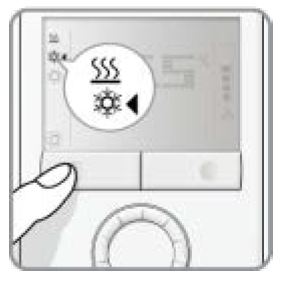
- To select cooling or heating manually (P01=2), press the operating mode button until the symbol points to the mode you desire.
- With automatic changeover or continuous heating/cooling, symbols
 /
/  indicate that the system currently heats or cools.
 - With the manual changeover, symbols / indicate that the system currently operates in heating or cooling mode. Symbols / indicate that the system currently heats or cools.
Fan display
- The
 symbol informs you that the primary fan is active.
Note: Only supported with Synco 700 primary controller.
Timer to extended presence or absence
The Comfort and Economy modes can be temporarily extended by 0.5 to 9.5 hours using the timer.
- To set the timer, press and hold the operating mode button. While holding the button, turn the rotary knob clockwise or counterclockwise as required.
- Turn the rotary knob clockwise to extend Comfort mode. Display: 0…+9:30
- Turn the rotary knob counterclockwise to extend Economy mode. Display:
 0…–9:30
- Turn the rotary knob clockwise to extend Comfort mode. Display:
- Release the operating mode button and the mode is temporarily changed, indicated by
 a symbol.
- After the temporary timer has elapsed, the thermostat will resume operation in an operating mode according to the schedule via bus (if available). Without schedule:
- when extended Comfort mode ends
 new operating mode = Economy
 - when the extended Economy mode ends new operating mode = Comfort
- when extended Comfort mode ends
- If Economy mode cannot be selected via the operating mode button (P02 ≠ 2), the Protection mode will be used for extended absence instead.
- The temporary timer function is aborted whenever a new setting is made
Temporary timer to extend the Comfort mode
- When the operating mode is Economy (commanded by schedule via KNX or by en external signal. e.g. keycard), it can be set back to Comfort temporarily by pressing the operating mode button.
- The symbol will appear.
- Pressing the operating mode button again will stop the timer.
- This function is only available when parameter P02 = 1. Duration: * P68 = 0…360 min, factory setting = 0 min. * Needs to be configured by your HVAC installer
Reminder of clean filter and display of external faults
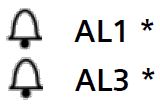
These fault messages tell you an external fault has occurred
 _______________________
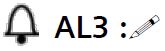 ______________________
Needs to be configured by your HVAC installer
Indoor Air Quality (IAQ) function
- The Indoor Air Quality (IAQ) function is used for air quality control in VAV applications. The function is achieved by controlling the damp valve position according to the CO2 level of the indoor air as well as the temperature.
- The thermostat monitors the CO2 level via KNX or IAQ sensors located in the room or in the extract air duct. If the CO2 setpoint value is exceeded, the thermostat opens the valve in accordance with the minimum position and increases the openness slowly if the CO2 level continues rising. When the CO2 level reaches the predefined maximum value, the thermostat opens the valve to the maximum position until the CO2 level drops.
- Note that the valve position is also controlled according to the temperature. It depends on which is higher, the temperature demand signal or the CO2 level demand signal.
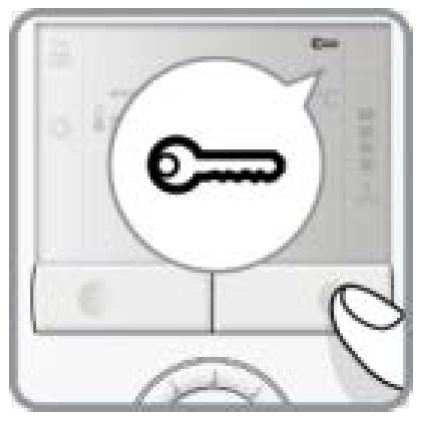
- If the button lock function is enabled (parameter P14 = 2), then pressing the right button for 3 seconds will lock or unlock the buttons respectively. Locked buttons are indicated with the key symbol

- If “Auto-lock” is configured (P14 = 1), the thermostat will automatically lock the buttons 10 seconds after the last adjustment
Commissioning (by qualified HVAC installer)
To adapt the thermostat to your system and optimize the control performance, a number of control parameters can be adjusted. This can be done during the operation, either via the buttons on the thermostat or via a commissioning tool.
Control parameters

If you wish to change control parameters, proceed as follows:
- Press the left and right buttons simultaneously for at least 3 seconds.
- Release them and, within 2 seconds, press the right button again for 3 seconds. The display will show P01.
- Select the required parameter by turning the rotary knob.
- Press the button
 (OK). The current value of the selected parameter starts blinking and can be changed by turning the rotary knob.
 - Press the button(OK) to confirm the adjusted value, or
 (Esc) to cancel the change.
If you wish to adjust additional parameters, repeat steps 3 through 5, or press (Esc) to leave the parameter setting mode
Parameter list
| No. | Description | Default value | Setting range | Adj. ! |
| P01 | Control sequence *** | 1 = cooling only | 0 = Heating only 1 = Cooling only
2 = H/C changeover, manual 3 = H/C changeover, automatic |
|
| P02 | Mode selection via operating mode button | 1 | 1 = Auto** / Comfort / Protection 2 = Auto** / Comfort / Economy /
Protection |
|
| P04 | Selection of °C or °F | 0 = °C | 0 = °C
1 = °F |
|
| P05 | Sensor calibration | 0.0 k | -3…+3°C | |
| P06 | Standard temperature display | 0 = Room temp. | 0 = Room temperature 1 = Setpoint | |
| P07 | Additional user information | 0 = No display | 0 = No display
1 = Room Temperature in °C / °F 2 = Outside temperature (via bus) 3 = Time of day (12h, via bus) 4 = Time of day (24h, via bus) 6 = CO2 ppm 7 = CO2 symbols |
|
| P08 | Comfort basic setpoint | 21 °C | 5 … 40 °C | |
| P09 | Minimum setpoint limitation in Comfort mode | 5 °C | 5 … 40 °C | |
| P10 | Maximum setpoint limitation in Comfort mode | 35 °C | 5 … 40 °C | |
| P11 | Setpoint for heating in Economy mode (WheatEconomy) | 15 °C | OFF, 5 °C…WcoolEconomy | |
| P12 | Setpoint for cooling in Economy mode (WcoolEconomy) | 30 °C | OFF, WheatEconomy…40 °C | |
| P14 | Button lock | 0 = Disabled | 0 = Disabled
1 = Automatic 2 = Manual |
|
| P19 | CO2 setpoint | 1000 ppm | 0 = OFF
0… 5000 ppm |
|
| P20 | CO2 XP | 400 ppm | 10… 2000 ppm |
When no time schedule via KNX exists, then Auto is equal to Comfort.
Not supported with all configurations.
All temperature settings can be made in increments of 0.5 °C.
Please record all changes you make
Siemens Building Technologies
Subject to change
A6V10733816
9 Dec 2015
REFERENCE:
DOWNLOAD MANUALS:
Siemens RDG405KN Room Thermostat Operating Instruction
OTHER MANUALS:
Siemens RDG405KN Room Thermostat Product Specifications Guide