
Rayotec E91 Touch Screen Weekly Programming Thermostat

INTRODUCTION
Weekly programming series LCD digital heating thermostat is weekly circulation, this heating room thermostat can let you set 6 periods with different set temperatures, also you can select manual mode or periods programming control mode. It is used for controlling electrical heating equipment and electric control valves in water-based heating systems.
MODEL NO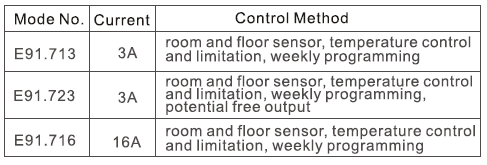
Technical Data
- voltage: see products
- power consumption: 2W
- setting range: 5…90C (upper limitation from 35C-90C adjustable)
- limitation range: 5…60C (factory setting 35C)
- > switching differential: 0.5-10’Cadjustable, factory setting + 1C
- > ambient temperature: -5-50C
- protective housing: IP20
- housing material: anti-flammable PC
User’s Daily Operation
- on/off “”, switch on or switch off
- Press the “” or “” key to enter into temporary control under programming control mode
- Press the “A” or “Y” key to adjust the temperature set value
- Press both the ” ” key for 5 seconds to adjust the current time, press the “G” key to select a required object, press the “AY” key to adjust the day and time, then switch off the thermostat for confirmation
- Press the “m” key to select manual mode or programming control mode
- set temperature and clock are displayed alternatively, measuring temperature is read directly
- lock and unlock, press both “A” and “v” for 5 seconds display “&” means lock ( “8” disappear means unlock)
Function and Display Explanation
 manual control mode
 periods programming control mod
 heating on
 wake up, period 1
 leave (am), period 2
 return (am), period 3
 leave (pm), period 4
 sleep period 6
Periods Programming
Press the menu key for 5 seconds to begin programming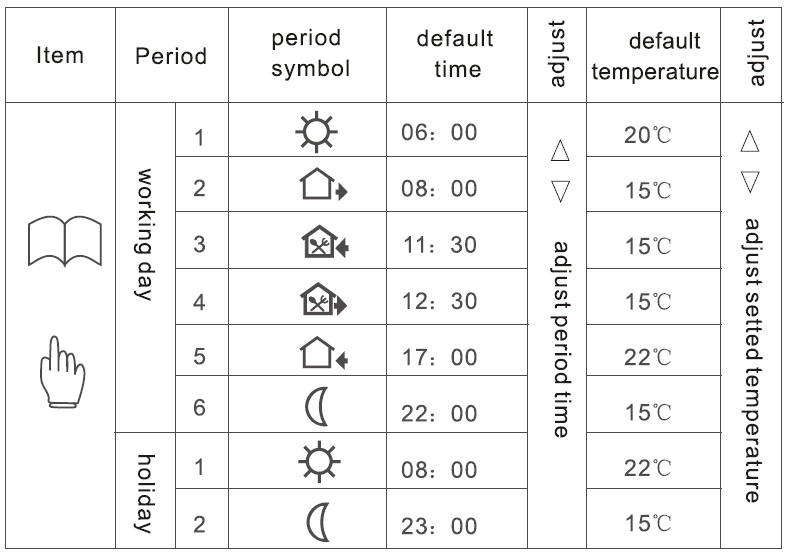
Advanced Setting
technical parameters are operated by professional engineers and technicians who press the m key simultaneously switching on the thermostat to enter into the advanced setting mode (when the thermostat is switched off)
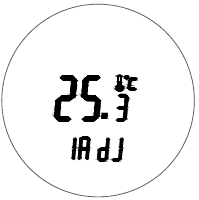
- ADJ measured temperature display and adjustment press the A key or V key to adjust the current measured temperature value adjustable range: + 9.9C then press the menu key to enter into the next advanced setting
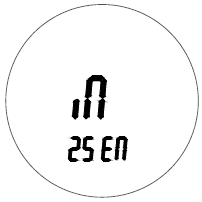
- For SEN sensor selection press the A key or V key to select the sensor working mode IN is an internal sensor, OUT is an external sensor, ALL is both sensors, extemal sensor is the limit sensor then press the menu key to enter into the next advanced setting
- LIT adjusts the limitation temperature value press the A key or key to adjust limitation temperature value limitation range 5-60C then press the menu key to enter into the next advanced setting

- DIF switching differential (band) setting press the A key or Y key to adjust the switching differential setting range 0.5-10C. then press the menu key to enter into next advanced setting
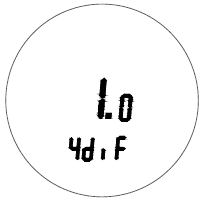
- LTP anti-freezing function on/off under switch off mode press the A key or V key to change the ant-freezing function status then press the menu key to enter into the next advanced setting

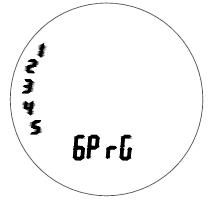
- PRG holiday selection and close weekly programming press the A key or key to select the holiday status 2 days, 1 day, 0 days and dosing mode then press the menu key to enter into next advanced seting
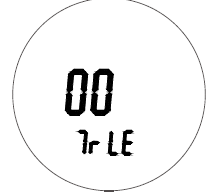
- RLE potential-free output and main output synchronous/asynchronous direction press the A key or V key to change the current output status 00 is synchronous, 01 is asynchronous then press the menu key to enter into the next advanced setting
- DLY potential free time-lapse output time press the A key or V key to change the output time range from 0 to 5 minutes then press the menu key to enter into the next advanced setting

- HIT maximum temperature setting value press the A key or key to adjust the maximum temperature setting value from 35 to 90 then press the menu key to enter into the next advanced setting
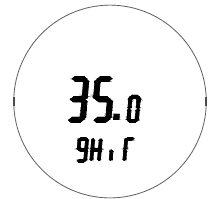
- AFAC reset to factory setting press the Akey for 5 seconds till – – – displayed to recover to factory setting then press the menu key to enter into the 1st advanced setting item press the switch off key to exit and save the advanced setting

Sensor Error Indicator
please select the right working mode of internal, and external sensors, LCD will display Er0 or Er1 if you select the wrong mode or the sensor is a failure(damaged). ErO means there is no internal sensor or the internal sensor is a failure, and Er1 means there is no external sensor or the external sensor is a failure. the thermostat must be checked till the fault is eliminated
Function and display explanation

DIMENSIONS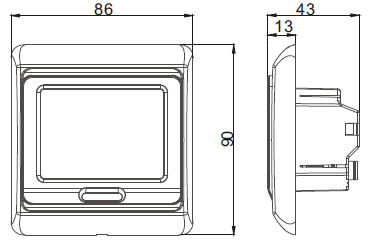
MOUNTING STEPS
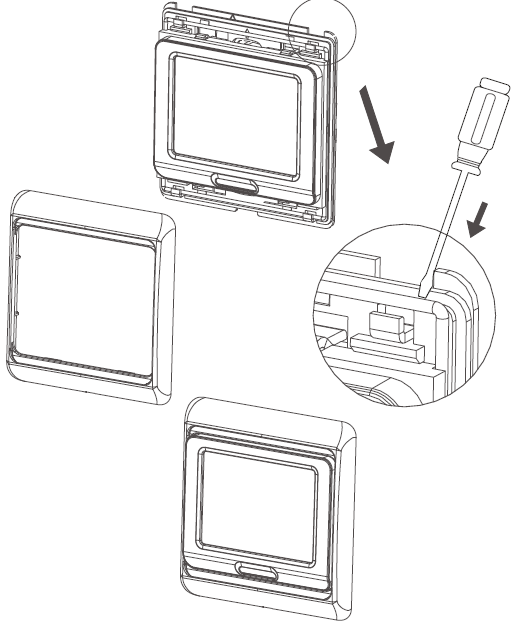
- Disassemble the external frame with a screwdriver
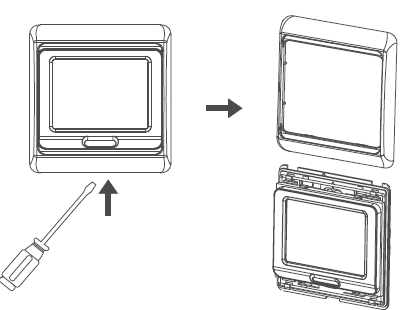
- Disassemble the iron plate with a screwdriver
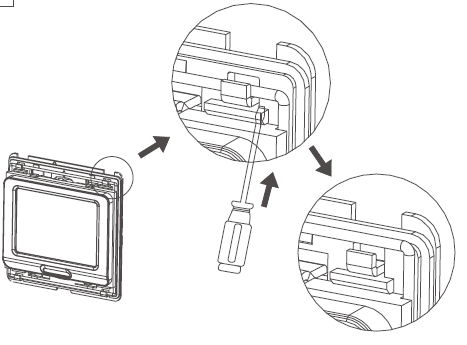 Fix the iron plate to the installation box with a screwdriver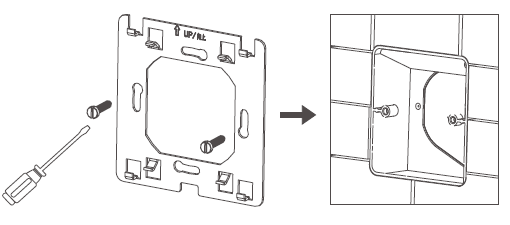
- Wiring cables according to wiring diagram, install a thermostat, fix the iron plate with screwdriver cover external frame
System Wiring Diagram

Reference
Download manual:
Rayotec E91 Touch Screen Weekly Programming Thermostat User Guide
Rayotec E91 Touch Screen Weekly Programming Thermostat User Guide