RadioThermostat T22 PROGRAMMABLE THERMOSTAT

The T22 programmable communicating thermostat operates via a simple keypad. To program or adjust your T22, simply press your finger firmly on the keypad keys. The backlight will automatically light up. You can program the T22 with unique 7 days or use it like a 5-1 – 1 programmable with Saturday and Sunday different from all other days of the week. A program that fits your lifestyle can save energy.
Statement of use: The T22 is 100% Compatible with all popular low-voltage residential HVAC systems; single, and two-stage conventional heating systems (gas/ oil/electric), heat pumps, single or with auxiliary heat (electric or fossil), zoned forced air and zoned hot water (2 or 3 wire), millivolt systems, one or two-stage cooling, and hybrid systems. It cannot be used with line voltage systems (115/230VAC). This thermostat is digital and your desired heat or cool temperatures can easily be set with the +/- buttons. A minimum of 4 minutes off time protects the compressor from damage.
Set Clock
Set time of day –
- From the
 screen, Press
  to set the time. Press and hold to set the time in fast mode.
 - Press to store your settings.
Set day of the week –
- Press
 (SET DAY) once to set the day of the week. The day of the week display advances (Initially SU for Sunday). Press again to step through the days of the week until the correct day is displayed.
 - Press to store your settings.
Energy Saving Program
This thermostat comes preprogrammed with an energy-saving program. This program is recommended for energy efficiency. We strongly recommend that you use this program for one week and see if it works for you . If it does not fit your needs, you can always input a custom program.
- To run the energy-saving program, select HEAT or COOL with the mode switch. The unit is now running the energy-saving program.
- One of the TIME SLOT icons MORN, DAY, EVEN, NITE comes on. This indicates the TIME SLOT active in the energy-saving program. For program details refer to the energy saving program chart.

To Change the Program
NOTE: 60 Second Rule During programming if a button is not pushed within 60 seconds, the unit will go out of the set mode. Everything you have input in this programming will automatically be saved.
- Select either HEAT or COOL by setting the MODE switch.
- Press and hold the
 daily PROGRAM button for 5 seconds.
 - Select the day you want to program by pressing to cycle through the days of the week to the desired day.
- Select the Time Slot (period) you want to program;
 (morning, day, evening, night).
 - Select the desired start time of that Time Slot by pressing to set the time.
This is the starting time of the Time Slot. - Select the desired target temperature for that time slot by pressing the +/- buttons to select the desired temperature for that name Slot. ” c”, ‘–
- Repeat this setting procedure for all four Time Slots of the day.
- Repeat the setting procedure for all days you want to program.
This will copy one day’s programming to the next day. Press COPY once. The information for the current day will be copied to the next day which will appear on the screen. Holding down COPY for over 3 seconds will copy to all 7 days.
- Press” to store your settings.
Keypad Functions
- TIME
Press _ (time backward) or ~ (time forward) to set the current time. Press and hold the arrow for a fast time set (15-minute step). - DAY
Press(SET DAY) to set the day of the week. The day of the week display advances (initially SU for Sunday). Press again to step through the days of the week until the correct day is displayed. - SWING ( HVAC cycling rate)
This feature allows you to set the desired variance in temperature between the T22 setting and the room temperature required before the heating or cooling system will turn on from 0.5· to 2.0· F (.25′ to l ‘ C). For example, if HVAC CYCLING is set to 2.0′ F and the T22 is set to 70′ F, the heat cycle will start when the room temperature drops to 68′ F. Similarly, the cooling system will start when the room temperature increases to 72’ F. The HVAC then runs and will shut off at the target.
To set the SWING rate:
- Press SWING (under the icon).
- Press the +/- buttons to select the desired swing from OS to 2.0′ F.
The HVAC cycling rate will be more at SF and less at 2′ F. Default is 1′ F - Press to store your settings.
° F =C° Set – Press both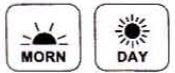 to toggle between ° F =C°.
FILTER CHECK FILTER ALERT
The T22 is programmed to remind you when the HVAC air filter needs changing. It is set to remind you every 90 days. The Check Filter indicator blinks when your filter limit is reached.
To change the time of this reminder:
- Press FILTER (under the MORN icon) to show filter usage to date.
- Press to clear accumulated days. Press the ~ arrow to restore accumulated days.
- Hold FILTER for 2 seconds to set the filter limit with +/- buttons Filter DAYS are displayed on the screen.
- Press” to store your settings.
LOCK
The T22 has a simple LOCK mode to avoid unwanted modifications to the thermostat.
To LOCK:
Press and hold HOME for 3 seconds
The LOCK icon will show on screen, All buttons are locked except HOME.
To UNLOCK:
Touch and hold HOME for 3 seconds. The LOCK icon will go out.
CALIB
Your thermostat was accurately calibrated at the factory to ±1 ° F of the actual ambient temperature.
You do have the option, however, to change the display temperature to match that of a previous thermostat, or to match another thermostat already in your home. The range of change is from _6°F to +6°F or _3°C to +3°C.
To change your Thermostat Calibration: \ I I
Press CALIB (under the EVEN .– icon)
Use the + /- to adjust the displayed temperature up or down, as desired.
The temperature display will show the modified temperature reading that will be displayed on the HOME screen and used as the new room temperature. Press to store your settings.
HOLD
This will make your T22 act like a non-programmable thermostat. It will hold the target temperature you set indefinitely until you turn HOLD off. Take care using the HOLD function as the program is now bypassed. To set a hold target temperature, press HOLD and use the +/- buttons to select your hold temperature. The HOLD icon will display on the HOME screen indicating you have changed the Target Temperature. The system will HOLD this temperature until you return to the manual screen. To turn off hold press HOLD again. HOLD is also canceled when you set the mode to OFF.
TEMPORARY override Touch the + / – buttons to select your desired temporary Target Temperature. The TEMPORARY icon will display indicating you have modified the programmed Target Temperature for the current Time Slot only. It goes back to the program target at the next period (HEAT or COOL). Also once in temporary, when the target is set the same as the programmed target for that Time Slot, the word TEMPORARY will go out.
HOLIDAY PROGRAM
This is a single-day program that repeats day after day until you turn it off. It supersedes the weekly program. To use it press flj1!> HOLIDAY. The default holiday program is shown below. [Default program: HEAT 70°F all day and 62°F at night. COOL 78°F all day and 82°F at night.]
To modify the HOLIDAY program, press and hold the  button for 3 seconds.
- Select the Time Slot (period) you want to program (morning, day, evening, night).
- Select the desired start time of that Time Slot by pressing to set the time.
This is the starting time of the Time Slot. - Select the desired target temperature for that time slot by pressing the +/- buttons to select the
desired temperature for that Time Slot. _ .. _ ,-e, ,., L. - Repeat this setting procedure for all four Time Slots MOO, of the HOLIDAY program.
- Press to store your settings.
NOTE: The default HOLIDAY program is set as 2 periods; all day (same target MORN, DAY, and EVEN) and a different target for NITE.
Other Functions
- SAVE ENERGY Button The “Save Energy” feature on the T22 provides a simple, easy-to-use way to help you manage your energy use. SAVE ENERGY automatically adjusts your target temperature up in COOL or down in HEAT by 4°F. To use Save Energy, press the Save Energy button in the upper left corner of the unit. The screen will now read “Save Energy”. To return to normal operation, press the “Save Energy” button again. This is useful to save energy if you are gone for a short time.
- FAN Switch The fan control is normally in AUTO mode, meaning that the fan operates automatically with the HVAC system and the thermostat. When the fan switch is in ON, the fan will run continuously until switched back to AUTO.
NOTE: Fan ON function is available in the OFF mode to allow simple ventilating. - EMER HEAT If you set your T22 for HEAT PUMP with auxiliary heat, the EMER function is available with a switch under the top cover on the right. If you switch EMER to ON, your HEAT PUMP is disabled and auxiliary heat is your sole source of heat. This manual override stays active until you switch EMER off. Auxiliary heat is more expensive than the heat pump so use EMER only if the heat pump cannot keep up or is defective.
- RESET button The RESET button re-boots the T22 processor. It does not affect the user programs that have been stored in permanent memory.
- Compressor Protection The T22 has a minimum cycle time of 4 minutes to protect your compressor in cool and in heat pump (if you have one). During this time the compressor will not come on until the 4-minute delay is over.
- Simple Screen This display mode limits the amount of information on the screen and limits the functions to just the + and – buttons.
To access the Simple Screen hold down both the + and – buttons at the same time for 10 seconds.
To leave the Simple Screen hold down both the + and – buttons at the same time for 10 seconds.
Customer support: [email protected] 877-607-5824 or www.radiothermostat.com
REFERENCE:
DOWNLOAD MANUALS:
RadioThermostat T22 PROGRAMMABLE THERMOSTAT Operation Guide
