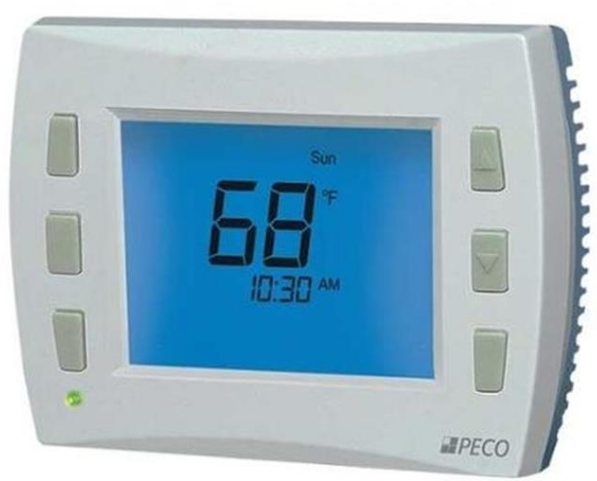
Peco T8168 Programable Thermostat
 Precision Digital Outputs
The T8168 Thermostat delivers precision digital outputs for valves, dampers, relays, and fans. Easy single set point technology provides simple accurate control of temperature settings.
System Configurations
Designed to meet a variety of configuration needs.
Temperature
- 2 Heat/2Cool ON/OFF
- 1Heat/1Cool TWF
- 1Heat/1Cool 0-10 VDC
Fan
- One 0-10 VDC Fan
- Up to Three 24 VAC Fan
- Speeds
Applications
Highly versatile control for a variety of applications.
- Fan Coil
- Conventional HVAC
- Proportional Control
The T8168 includes an easily configurable service menu to allow the fast system set up of requirements to limit operation, match user preferences or meet local codes. Controller Application Support Contact PECO to optimize the feature selection that meets your requirements at [email protected]
KEY BENEFITS
- Remote, Local or Averaged Temperature Sensing
- Control for Relays, Valves, and Dampers
- Non-Programmable or Programmable Operation
- Keypad Lockout with a PIN
- Seasonal Summer-Winter Change Over for Fan Coils
- Fan Coil 2-Pipe/4-Pipe Settings
- Multiple Fault Notifications
- Door Open Shut Down
- Occupancy-based Fan Selection
- Holiday Scheduling
- NO/NC Heat W1 configuration
- Models available with
- Wi-Fi and BACnet
Wiring
| Terminal | Description | |
| 24 VAC-1 | 24 VAC 1 (UNSWITCHED) | |
| 24 VAC-2 | 24 VAC 2 | |
| 24 VAC-2 | 24 VAC 2 | |
| Y1 | COOL 1 | COOL Open (TWF) |
| W1 | HEAT 1 | HEAT Open (TWF) |
| Y2 | COOL 2 or FAN 3 (MED) | COOL Close (TWF) |
| W2 | HEAT 2 | HEAT Close (TWF) |
| G | FAN 1 (HI) | |
| G1 | FAN LO or DAMPER Configurable | |
| YD | 0-10VDC COOL (4-20mA) | |
| WD | 0-10VDC HEAT (4-20mA) | |
| GD | 0-10VDC FAN (4-20mA) | |
| S1 | REMOTE SENSOR, FAULT DETECTION | |
| S2 | PIPE SENSOR | |
| SC | DC /SENSOR COMMON | |
| 4A | Unused | |
| 4B | Unused | |
| 4C | Unused | |
TWF = Three Wire Floating valve operation
PRODUCT SPECIFICATIONS

Output Ratings
- Outputs: Y1, Y2, W1, W2, G, G1
- 24 VAC (20-30 VAC); 50/60 Hz 10 VA
- Outputs: WD, GD, YD
- 0-10 VDC: Loads must be 1.2K ohms minimum
- 4-20 mA: Loads must be 600 ohms maximum
Technical Data
- Temperature Control Range: 50° to 90° F (10° to 32° C)
- Differential: 1° F (0.5°C)
- Input Power: 24 VAC (20-30 VAC) 50/60 Hz (+/- 10%)
- Operating Temperature: 0° to 120°F (-18° to 49°C)
- Operating Humidity: 5% to 95% RH, non-condensing
- Physical Dimensions: 4.3” H x 5.7” W x 1.3”D
- Terminal Connections: 14-24 AWG stranded or solid wire
- Proportional Output Band Width: 2°F (1°C)
- Proportional Stroke Time Default: 2 Minutes (Configurable)
The PECO® Performance PRO™ T8168 APPLICATIONS INCLUDE fan coil, PTAC, and Conventional system with a single, multi-speed, or 0-10 VDC Fan.
Get Started Today
For additional details, please contact PECO Control Systems. 11241 SE Highway 212 Clackamas, OR 97015 503-387-6410
[email protected] pecocontrolsystems.com
© Astronics PECO T8168 Data Sheet 2020.1
REFERENCE:
Download manuals:
Peco T8168 Programmable Thermostat Product Specification Guide
Other manuals:
Peco T8168 Programmable Thermostat Installation Guide

Peco T8168 Programmable Thermostat Product Specifications Guide