NEOMITIS RTE7C PROGRAMMABLE ROOM THERMOSTAT

PACK CONTAINS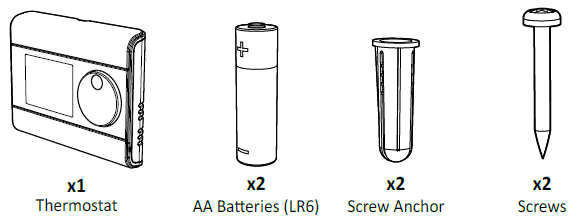
INSTALLATION
Recommended locations for your thermostat.
To ensure that your thermostat provides accurate readings and controls effectively, it must be installed approximately 1.5 m above floor level on an inside wall, away from direct sunshine and any other sources of heat or cold such as radiators, cold draughts, etc.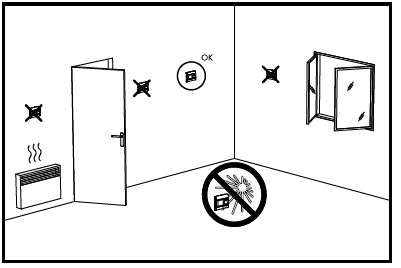
INSTALLING BATTERIES
- Remove the batteries cover which is placed on the front of the thermostat
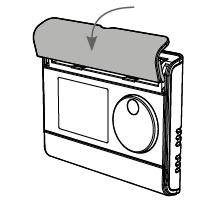
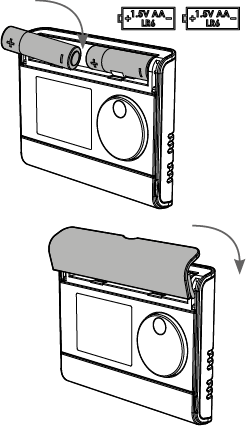
- Insert the 2 batteries AA supplied. Note the correct polarity according to the engraving on the thermostat when inserting the batteries
- Replace the batteries cover
MOUNTING OF WALL MOUNTING PLATE
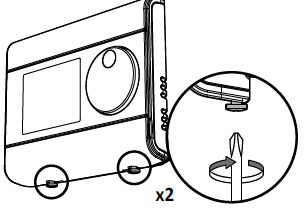
- Unscrew the 2 screws under the thermostat.
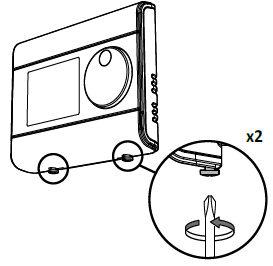
- Remove the wall plate from the thermostat.
- Secure the wall plate with the two screws provided using the horizontal and vertical holes
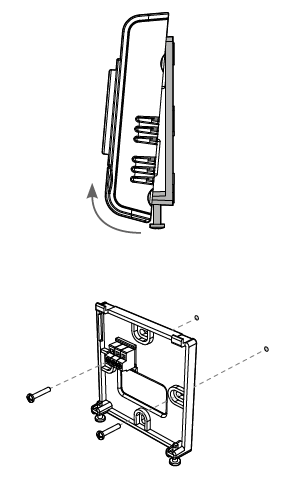
WIRING
All electrical installation work should be carried out by a suitably qualified Electrician or other competent person. If you are not sure how to install this thermostat consult either with a qualified electrician or heating En- gineer. Do not remove or refit the appliance onto the backplate without the mains supply to the system being isolated. All wiring must be in accordance with IEE regulations. This product is for fixed wiring only.
All wiring must be in accordance with IEE regulations. This product is for fixed wiring only.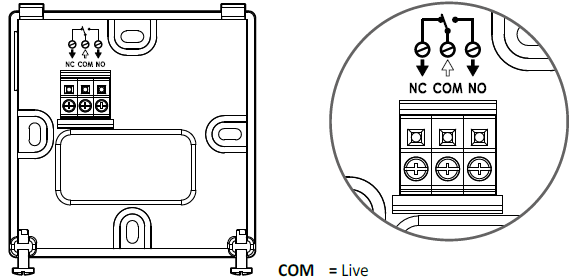
MOUNTING OF THE THERMOSTAT
- Replace the thermostat on the wall mounting plate.
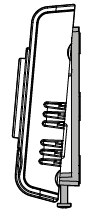
- Secure the thermostat by screwing the both locking screws under the thermostat.
INSTALLER SETTINGS
ADVANCED INSTALLER SETTING
Access
Move the mode slider to the position. Select the Programming slider position and press for 5 seconds
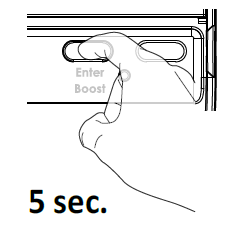 to go into the dedicated installer setting.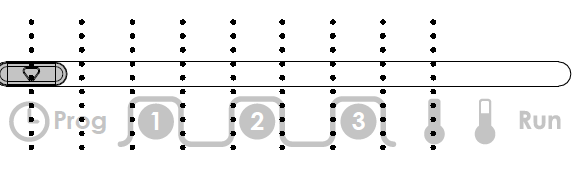
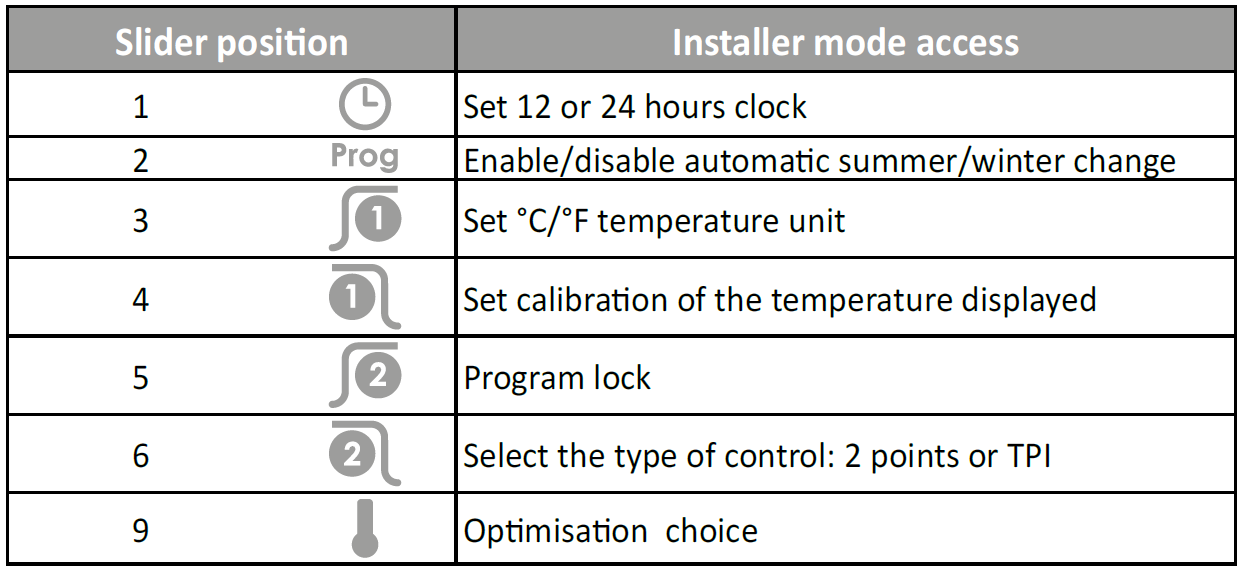
Set °C/°F temperature
- Rotate the dial to change to degree Fahrenheit.

- Then save by pressing ENTER or move the Programming slider

Set 12/24 hours clock
The pre-set value is 12 hours clock.
- Rotate the dial to change to “24 hr”.
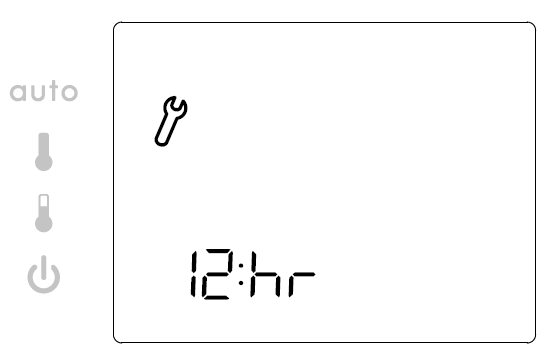
- Then save by pressing ENTER or move the Programming slider
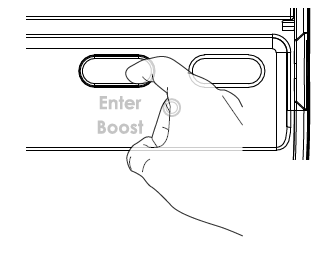
Enable/disable automatic summer/winter change over
-
- The summer/winter change will be performed automatically by the room thermostat.
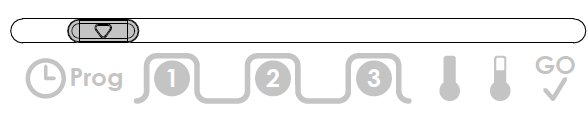
- Press and ho ld for 5 seconds to access the setting mode. ON appears on the display.
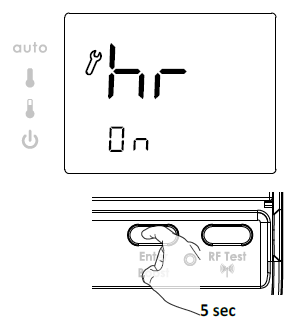
- Rotate dial to the left to select “Off”, to the right to select “On”.
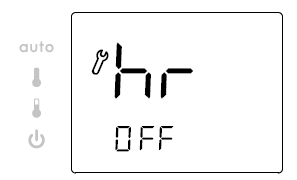
- Then save by pressing move the Programming mode
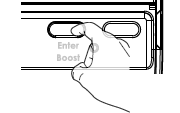
Set calibration
Important: This operation is reserved for professional installers only; any wrong8 changes would result in control anomalies. Change should only be made if the temperature measured (measured by a reliable ther- mometer) is different by at least 1’C compared to the setpoint temperature of the room thermostat. The calibration adjusts the temperature measured by the ambient temperature sensor to compensate for a deviation from+3C to- 3C in increments of 0.1’C.
IMPORTANT: Before carrying out the calibration it is recommended to wait for 4h af ter a setpoint temperature modification to insure that the ambient temperature is stabilized.
The pre-set calibration value is 0.
- Rotate the dial to adjust the calibration to the desired value

- Then save by pressing ENTER or move the Programming slider.
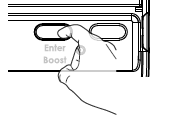
Program lock
The product is unlocked by default, OFF is displayed.
When program lock function is turned on then following functions will be disabled:
- Regardless of physical location, Program Slider will always remain as per RUN mode (except to access Installer settings).
- In Mode Slider AUTO position: Manual override wil not work.
- In Comfort Slider position: mode will remain as per AUTO mode.
- BOOST function is disabled.
- Rotate the dial to ON and locked.
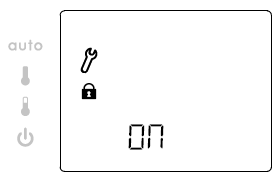
- Then save by pressing ENTER or move the Programming slider.
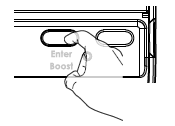
Select 2 points/TPI
- 2 points = ON/OFF regulation.
- TPI = Proportional control algorithm.
The pre-set control algorithm is TPI.
- Rotate the dial to change to 2 points control algorithm
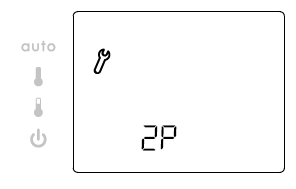 Then save by pressing ENTER or move the Programming slider
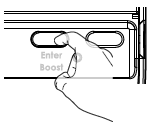
Optimization feature
Overview
Dual function optimization, priority to comfort or energy savings, the choice is yours:
Depending on various parameters: room inertia, ambient temperature, and desired temperature, the thermostat calculates and optimizes the programming for each heating period whether set to Comfort or Savings (Eco):
- In OPTI ECO mode, the thermostat’s inbuilt algorithm optimizes in order to guarantee maximum energy savings throughout the ECO programme. In this mode, a slight drop in the temperature level at the beginning and end of the ECO period is allowed to maximize energy savings. The processor within the thermostat stops the boiler operation at the optimum time to slightly reduce the setpoint temperature before the end of the occupancy period. In this mode, a slight drop in the temperature level at the beginning and end of the comfort period is allowed to maximize energy savings.
- In OPTI COMFORT mode, the thermostat’s inbuilt algorithm optimizes in order to guarantee maximum comfort during the COMFORT programme. The processor within the thermostat starts the boiler operation at the optimum time to achieve the setpoint temperature at the start of the occupancy period. In this mode, the priority is given to anticipating and maintaining the comfort temperature during periods of occupancy.
Optimization choice
- Move the programming slider to the position


- Press and hold ENTER for 5 seconds to access the setting mode.
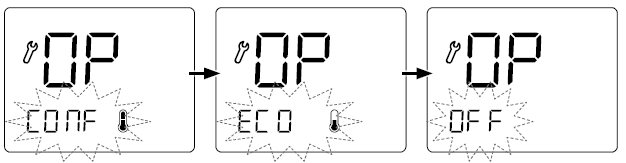
OP appears on the display, the set mode “CONF” and its corresponding icon flash.  Turn the dial and select th desired mode:
- OP CONF = optimization feature activated for
- OPTI COMFORT mode, priority t o c comfort
- OP ECO = Optimisation feature activated for
- OPTI E CO mod e, priority to energy efficiency
- OP OFF = Optimisation feature deactivated

- Press ENTER to save, exit setting optimisation feature and go back to the current mode.
TROUBLESHOOTING
Display disappears on thermostat.
- Check batteries.
- Replace the 2 batteries. Only use alkaline 1.5V AA (LR6) batteries.
- Do not use rechargeable batteries.
The heating does not come on or does not go off.
- Your room thermostat may have been set up close to a source of heat or on a cold wall – put it in a recommended location (see the “Installing” section on page 1 for these locations).
- Check that the communication works between the thermostat and the boiler.
You want to change the operating mode but when you move the mode slider nothing happens.
- If the lock symbol is being displayed, then the thermostat is locked.
- Unlock the thermostat by following the instructions for doing so in the “program lock” section (see page 2).
The thermostat is in Auto Mode but programs are not being executed by the boiler:
- Ensure that the thermostat is in good working condition.
- Change the batteries.
The thermostat does not control properly.
- Thermostat sensor may be influenced by a source of heat or cold.
- Check that the communication works between the thermostat and boiler.
- If the problem persists, contact your installer
TECHNICAL SPECIFICATIONS
- Power supply: 2 alkaline 1.5 V AA (LR6) ba tteries.
- Battery life: approx. 2 years.
- Relay outputs: 5(2)A
- Rated impulse voltage: 4000V.
- Micro disconnection: Type 1B.
- Pollution degree: 2.
- Automatic action: 100,000 cycles.
- Class II.
Note: It is recommended to replace annually as part of the normal system service and before leaving the property empty for a prolonged period.
Environment:
- Operation temperature: 0°C to +40°C.
- Manual temperature setting range: from +5°C to +30°C.
- Storage temperature: from -10°C to +60°C.
- Humidity: 80% at +25°C (without condensation)
- Protection rating: IP30. section (see page 2).
- The thermostat is in Auto Mode but programs are not being executed by the boiler:
- Ensure that the thermostat is in good working condition.
- Change the batteries.
- The thermostat does not control properly.
- Thermostat sensor may be influenced by a source of heat or cold.
- Check that the communication works between the thermostat and boiler.
- If the problem persists, contact your installer.
UKCA declaration of conformity: We, Neomitis Ltd, hereby declare under our sole responsibility that the products described in these instructions comply with statutory instruments 2016 No.1101 (Electrical Equipment safety Regulations), ), 2016 No.1091 (Electromagnetic Compatibility Regulations) , 2012 n°3032 (ROHS) and following designated standards:
- 2016 No.1101 (Safety): EN 60730-1:2011, EN 60730-2-7:2010/ AC:2011, EN 60730-2-9:2010, EN 62311:2008
- 2016 No.1091 (EMC): EN 60730-1:2011 / EN 60730-2-7:2010/AC:2011 / EN 60730-2- 9:2010
- 2012 n°3032 (ROHS): EN IEC 63000:2018
Neomitis Ltd: 16 Great Queen Street, Covent Garden, London, WC2B 5AH UNITED KINGDOM – [email protected]
EU declaration of conformity
We, Imhotep Creation, hereby declare under our sole responsibility that the products described in these instructions comply with the provisions of Directives and harmonized standards listed below: –
- Article 3.1a (Safety): EN60730-1:2011/ EN60730-2-7: 2010/EN60730-2-9: 2010/ EN62311:2008
- Article 3.1b (EMC): EN60730-1:2011/ EN60730-2-7: 2010/ EN60730-2-9: 2010
- RoHS 2011/65/UE, amended by Directives 2015/863/UE & 2017/2102/UE: EN IEC 63000:2018
- Imhotep Creation: ZI Montplaisir – 258 Rue du champ de courses – 38780 Pont-Evêque – France – [email protected] Neomitis Ltd and Imhotep Creation belong to Axenco Group.
Control class and energy contribution, according to ERP 2009/125/EC and related regulations
Class IV – PID Room Thermostat, for use with on/off heating devices. Electronic room thermostat that controls both the cycle time of the thermostat and the ratio between on and off periods during the same cycle of the heating device, depending on the room temperature. PID control reduces the average water temperature, improves the accuracy of room temperature control, and increases system efficiency. The symbol, affixed on the product indicates that you must dispose of it at the end of its useful life at a special recycling point, in accordance with European Directive WEEE 2012/19/EU. If you are replacing it, you can also return it to the retailer from which you buy the replacement equipment. Thus, it is not ordinary household waste. Recycling products enables us to protect the environment and to use less natural resources.
NEOMITIS
- NEOMITIS® LIMITED – 16 Great Queen Street, Covent Garden, London, WC2B 5AH UNITED KINGDOM
- Registered in England and Wales No: 9543404
- Tel: +44 (0) 2071 250 236
- Fax: +44 (0) 2071 250 267
- E-mail: [email protected]
REFERENCE
DOWNLOAD MANUAL
NEOMITIS RTE7C PROGRAMMABLE ROOM THERMOSTAT INSTALLATION INSTRUCTION
OTHER MANUALS:
NEOMITIS RTE7C PROGRAMMABLE ROOM THERMOSTAT OPERATING Instruction

NEOMITIS RTE7C PROGRAMMABLE ROOM THERMOSTAT INSTALLATION INSTRUCTION