
HONEYWELL CM27i Programming Thermostat
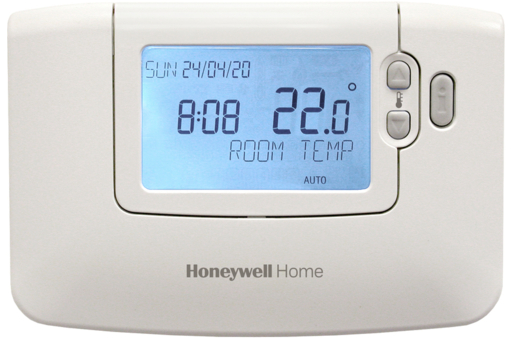
OPERATING YOUR THERMOSTAT
AUTOMATIC OPERATION
Move the slider to the AUTO position for automatic operation. The Thermostat will now control at the programmed temperature levels.
TEMPERATURE INQUIRY
In normal operation the temperature displayed is the room temperature. To check the program setpoint, press the TEMPerature  button. The display will blank briefly then display the temperature setpoint.
button. The display will blank briefly then display the temperature setpoint.TEMPERATURE OVERRIDE
During normal operation, the temperature setpoint can be adjusted on a temporary basis by pressing the Temperature  button. The temperature override will be cancelled at the next setpoint change.
button. The temperature override will be cancelled at the next setpoint change.MANUAL OPERATION
To operate as a simple thermostat with a fixed setpoint throughout the day, move the slider, to the MANual position. Adjust the manual temperature setpoint by pressing the TEMPerature or button.
FROST PROTECTION (heating systems only)
If your home is to be unoccupied for long periods you can select frost protection. This will protect your home by bringing the heating on if the room temperature falls to the frost setpoint. Move the slider to the  position. The Frost setpoint can be adjusted between 5°C and 10°C by pressing the TEMPerature button.
position. The Frost setpoint can be adjusted between 5°C and 10°C by pressing the TEMPerature button.HOLIDAY OPERATION
- When you go away on holiday your Thermostat can be set to keep your home at a constant low temperature while you are away and return to normal control on the day you return.
- Set the slider to the operating position you require on returning from holiday (AUTOmatic or MANual).
- Press the
 button to display the holiday days counter and temperature. The days counter can be adjusted by pressing the
  button.
 - The holiday temperature is set using the TEMPerature button. At midnight the holiday counter will be reduced by one until the selected number of days have passed.
- The Thermostat will then return to normal control as set by the slider position.
HEATING/COOLING CHANGEOVER (air systems only)
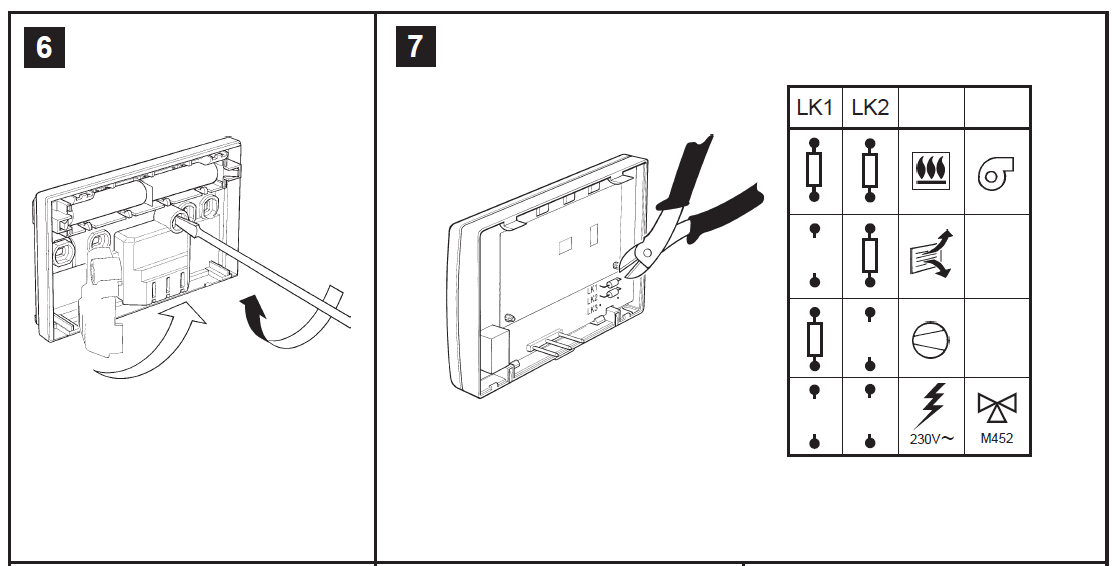
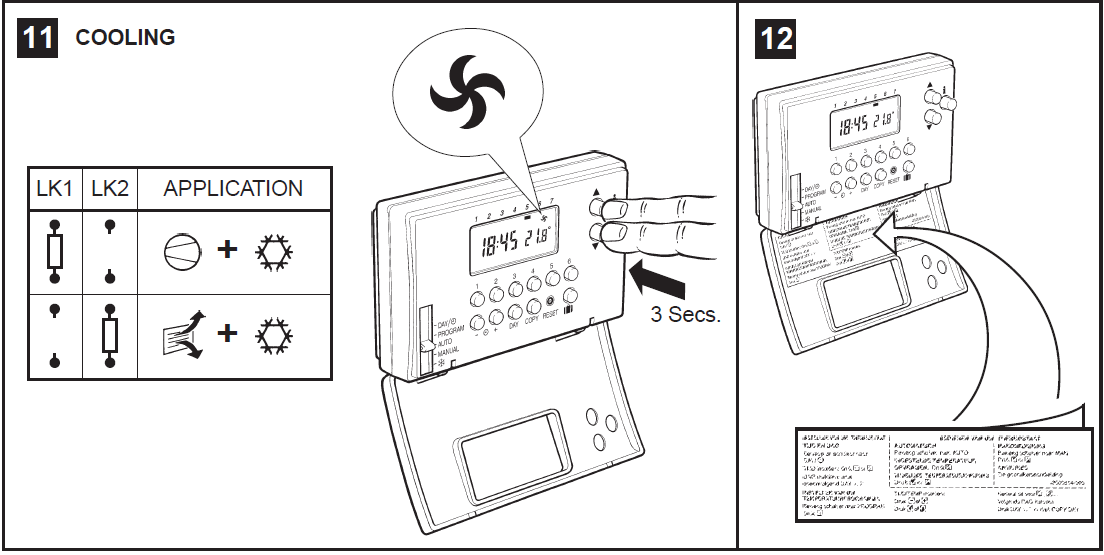
In air conditioning systems where it is possible to change from heating to cooling the Thermostat control action can also be changed. To change the control action, hold down the TEMPeraturebuttons together for about 3 seconds. The flame symbol will flash indicating that the change is in progress. On completion of the change the fan symbol will flash until the buttons are released. Repeating this procedure will change the control action back to heating control
In air conditioning systems where it is possible to change from heating to cooling the Thermostat control action can also be changed. To change the control action, hold down the TEMPerature
buttons together for about 3 seconds. The flame symbol will flash indicating that the change is in progress. On completion of the change the fan symbol will flash until the buttons are released. Repeating this procedure will change the control action back to heating control
24 HOUR or 12 HOUR AM/PM CLOCK DISPLAY
Your Thermostat can operate with 24 hour or 12 hour am/pm clock formats. To change the format, ensure the slider is in the AUTOmatic position then press the and buttons together for 3 seconds. All the displayed times will automatically be changed to the new format. Repeating this procedure will change the clock display back to the original format.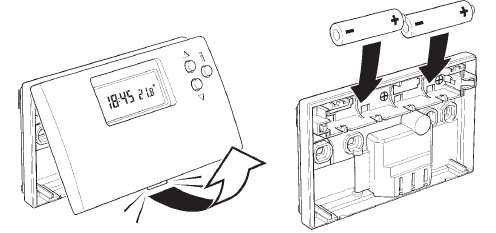
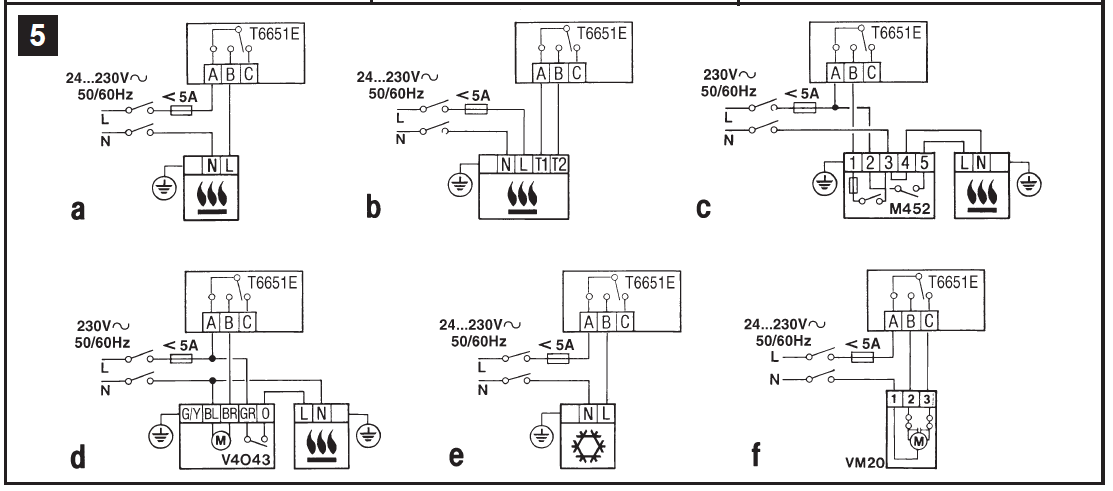
Installation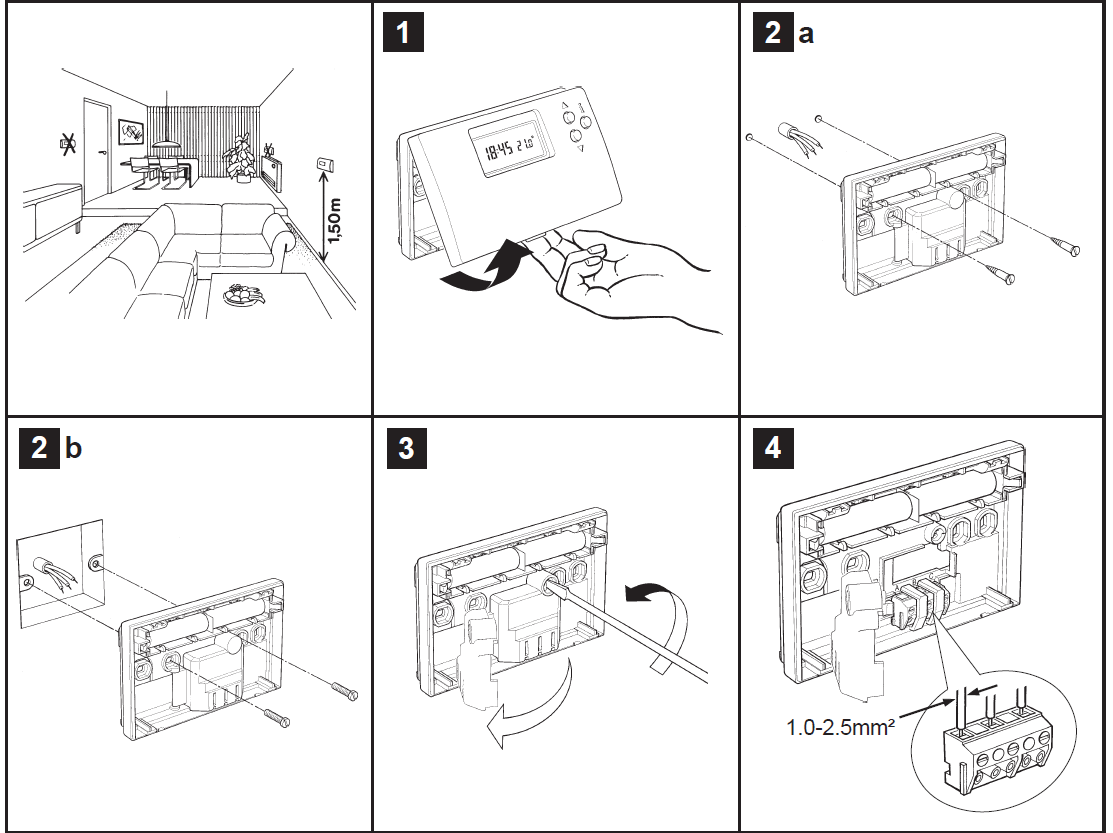
SETTING YOUR THERMOSTAT
SETTING THE CORRECT TIME AND DAY
To set the correct time and day, open the flap on the front of the Thermostat.
To set the correct time and day, open the flap on the front of the Thermostat.
- STEP I Move the slider to the DAY/ position. The time and day marker on the display will now be flashing to indicate they can be changed.
- STEP 2 To change the time, press the or button until the correct time is displayed. Each press of the button will change the time by one minute and stop the display from flashing. Holding the button down for more than a few seconds will change the time slowly at first, then quickly.
- STEP 3 To change the day, press the DAY button until the day marker is positioned under the correct day – Day 1 is Monday. Each press of the button moves the marker by one day.
- STEP 4 Moving the slider to the next position completes the setting of the time and day.
- SETTING THE TEMPERATURE PROGRAM
- The heating program has 6 level changes each day. These can be set between 3.00am and 2.50am (on the next day) to allow you to maintain the evening temperature after midnight, if required. Each temperature setpoint can be set between 5°C and 30°C, and adjusted in 0.5°C steps.
- STEP 5 Move the slider to the PROGRAM position. The first temperature change time and setpoint for Monday will now be flashing on the display to indicate they can be changed.
- STEP 6 Use the or button to adjust the first temperature change time in steps of 10 minutes. Holding the button down will change the time quickly.
- STEP 7 Use the TEMPerature or button to adjust the first temperature setpoint in 0.5°C steps. Holding the button down will change the setpoint quickly.
- STEP 8 Press the program button to display the second temperature change time and selpoint. Set these by pressing the or button and TEMPerature or button.
- STEP 9 The remaining temperature changes for Monday can be displayed by pressing buttons through , and adjusted by using the or button and the TEMPerature or button.
- STEP 10 You now have a choice to set the program for the next day:-
- Choice 1
- Press the DAY button to step the day marker to DAY
- The program for Tuesday can then be set as described in steps 6 to 9.
- Choice 2
- Press the COPY button to copy Monday’s program into Tuesday.
- To set several days of the week to the same program, press the COPY button repeatedly.
*NOTES*
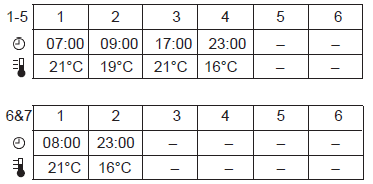
- The built-in program uses only 4 of the 6 available temperature change times, as indicated by the numbers 1, 2, 3 and 4 on the display.
- Additional change times can be set by pressing the program and buttons. Unwanted change times can be deleted by holding the appropriate program button ( through ) down for a few seconds.
- The temperature change times must be set in the correct order (1 to 6). If you attempt to change this order, the display will flash the next (or previous) change time number.
- This is to warn you the next/previous change time will be adjusted if you continue to press the or button.
REVIEWING YOUR PROGRAM
By using the DAY and program to buttons you can review the program you have set and make any modifications which may be necessary Moving the slider to the next position completes setting of the program.
By using the DAY and program to buttons you can review the program you have set and make any modifications which may be necessary Moving the slider to the next position completes setting of the program.
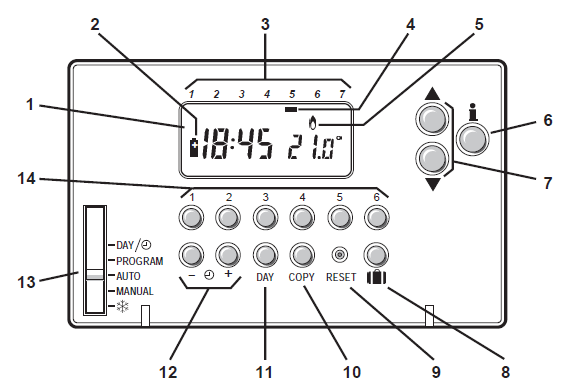
Display
- LCD Display
- Battery Low Indicator
- Days
- Day Marker
- Burner ON
- Temperature Enquiry Button
- Temperature Change Buttons
- Holiday Button
- Reset Button
- Copy Day Button
- Day Button
- Time Change Button
- Setting Slider
- Program Buttons
BUILT-IN PROGRAM
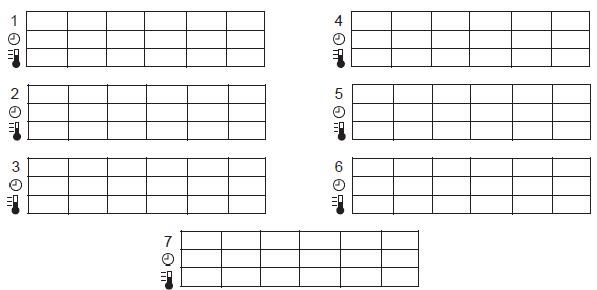
PERSONAL PROGRAM
Reference
Download Manual:
HONEYWELL CM27i Programming Thermostat User Manual
OTHER MANUAL:
Honeywell CM27i Programmable Thermostat User Guide