Harmoni 50 Electronic Thermostat
Introduction
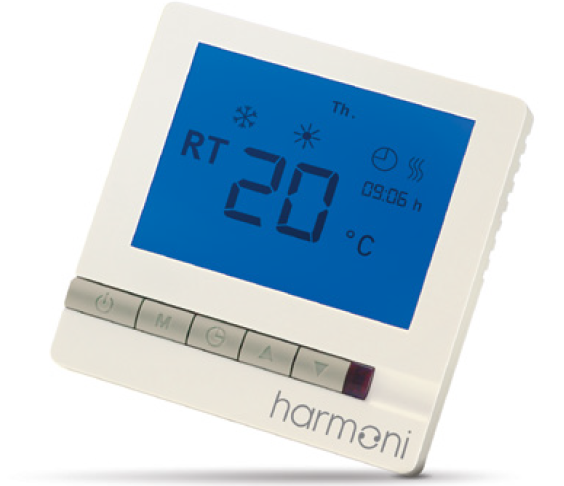
harmoni 50 is an electronic programmable timer thermostat used for controlling electrical underfloor heating elements. The thermostat is designed for fixed installation only. It can be used for both direct heating of the entire room and for comfort heating of the floor. Listed below are some of the thermostat’s main features:
- A touchscreen display with backlight.
- Easy-to-follow menu-driven programming and operation.
- An installation wizard with room/floor type specific set-up.
- Support for multiple frame systems.
- Compatible with numerous 3rd party NTC sensors.
- Settings can be copied from one thermostat to another/others using a single generated code
Technical Specifications
- Electrical safety and electro-magnetic compatibility for this product is covered by the compliance with the EN/IEC Standard, Automatic electrical controls for household and similar use:
- EN/IEC 60730-1 (general)
- EN/IEC 60730-2-9 (thermostat)
Safety Instructions
Make sure the mains supply to the thermostat is turned off before installation.
Important: When the thermostat is used to control a floor heating element in connection with a wooden floor or similar material, always use a floor sensor and never set the maximum floor temperature to more than 35°C.
Please also note the following:
- The installation of the thermostat must be done by an authorised and qualified installer according to local regulations.
- The thermostat must be connected to a power supply via an all-pole disconnection switch.
- Always connect the thermostat to continuous power supply.
- Do not expose the thermostat to moisture, water, dust and excessive heat.
Mounting Instructions
- Please observe the placement guidelines below.
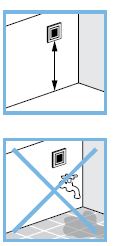
- Place the thermostat at a suitable height on the wall (typically 80–170cm from the floor).
- The thermostat should not be placed in wet rooms, place it in an adjacent room instead.
- When installing the thermostat outside the room it should be in ‘floor sensor only’ mode.
- Always place the thermostat according to local regulations on IP classes.
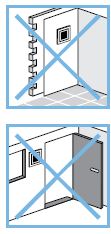
- Do not place the thermostat on the inner side of an exterior wall.
- Always install the thermostat at least 50cm from windows and doors
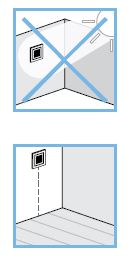
- Do not place the thermostat in a place that is exposed to direct sunlight.
Important: A floor sensor enables a more accurate temperature control and is recommended in all floor heating applications and is compulsory under wooden floors to reduce the risk of overheating the floor.
- Place the floor sensor in a conduit in an appropriate place where it is not exposed to sunlight or draft from door openings.
- Equally distant and >2cm from two heating cables.
- The conduit should be flush with the floor surface; countersink the conduit if necessary.
- Route the conduit to the connection box.
- The bending radius of the conduit must be a minimum of 50mm
Follow the steps below to mount the thermostat.
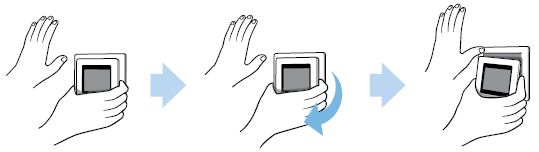
- Open the thermostat.
- Important: Do NOT press on the display screen when removing the front part.
- Press your fingers under the side of the front part and gently pull it away.
- Connect the thermostat according to the connection diagram.
- The screen of the heating cable must be connected to the earth conductor of the power supply cable by using a separate connector.
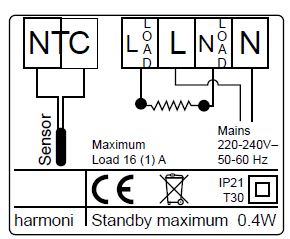
- The screen of the heating cable must be connected to the earth conductor of the power supply cable by using a separate connector.
- Mount and reassemble the thermostat.
- Fix the thermostat to a socket or an exterior wall box using the screw holes in each side of the thermostat.
- Reattach the frame.
- Click the display module back in place.
Settings
Initial Settings 3.1
- Initial settings must be specified when the unit is activated for the first time.
- LANGUAGE. The language is set to English by default.
- SET TIME. Press the hour numbers using the < and > arrows to set the hour. Press to confirm.
- Press the minute numbers using the < and > arrows to set the minutes. Press to confirm.
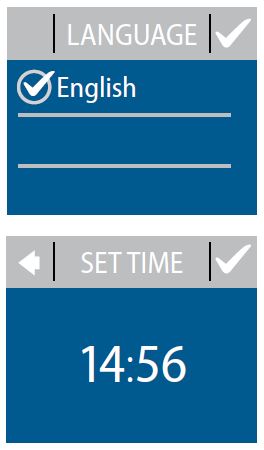
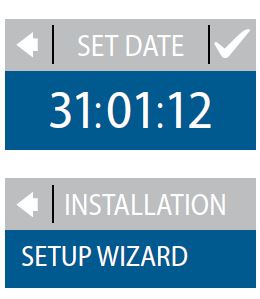
- Press again to go to the SET DATE screen Press the day, month and year to set the date using the < and > arrows, pressing to confirm. When the date is correct, press on the SET DATE screen to confirm.
- Press SETUP WIZARD and go to Step 6 on page 14.
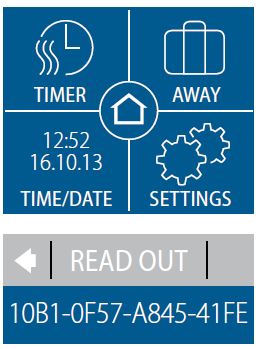
Have you already set up another thermostat?
- If you have already set one thermostat, you can easily copy the same settings to another one (or more). Go to the original thermostat and press SETTINGS. Press INFO then READ OUT. Write down the generated code then go directly to Step 13 on page 16.
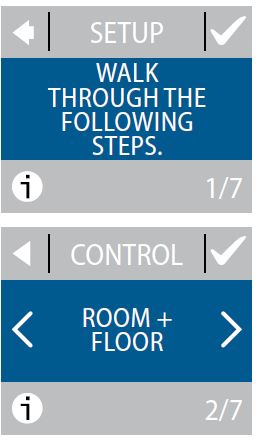
- On the SETUP information screen press to start.
- CONTROL. Use the < and > arrows to select whether only a floor sensor or a combination of room and floor sensors should be used. Press to confirm.
- Note: A ‘room only’ option may also be available. See Maximum Floor Temperature on page 20.
 SENSOR TYPE. Use the < and > arrows to select the installed floor sensor type (measured resistance & corresponding temperature are shown in brackets). Press to confirm.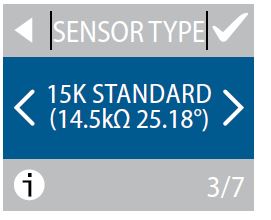
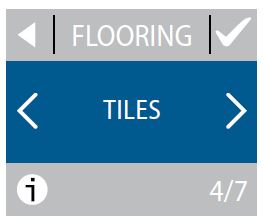
- FLOORING. Use the < and > arrows to select the flooring type. Press to confirm.
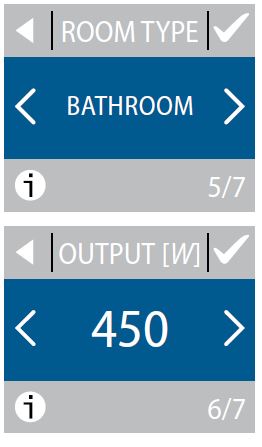
- ROOM TYPE. Use the < and > arrows to select the room type. Press to confirm.
- OUTPUT [W]. Use the < and > arrows to set the approximate load of the heating element. If an external relay is used or the installed output is unknown, select the ‘–’ option. Press to confirm
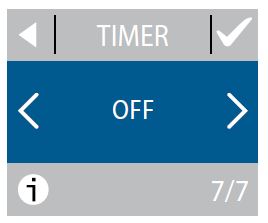
- TIMER. Use the < and > arrows to select whether the timer should be activated or not. Press to confirm and end the initial thermostat setup. Skip Step 13.
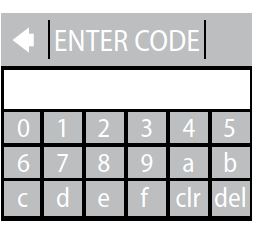
- Press SETTINGS then INSTALLATION. Press ENTER CODE. Key in your generated code (no spaces or hyphens).
- Press to end the initial thermostat setup. If no check mark ( ) appears, the generated code is incorrect.
Forecast
When Forecast is turned on, heating will start earlier so the required temperature is reached at the specified time. For example, if your comfort temperature is set to 22°C and the timer is set to 6am, the temperature will be 22°C at 6am. However, if Forecast is switched off, heating won’t start until 6am and will take a while to reach 22°C. The Forecast feature also optimises heating stop when switching from comfort to economy temperature.
How to turn the Forecast feature on and off.
- Touch the thermostat display to activate it, then press menu
- Press SETTINGS in the bottom right corner of the menu. Press OPTIONS
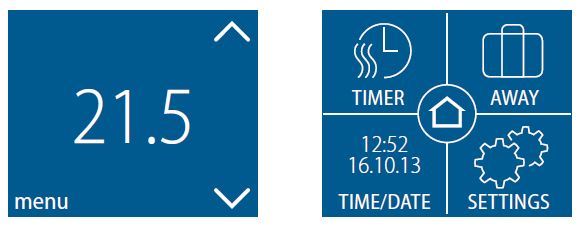
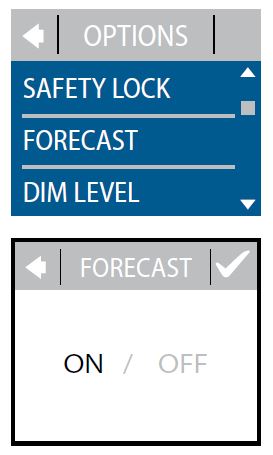
- Press FORECAST.
- Press ON to optimise heating start/stop. Or press OFF to simply let the heating start/stop at the specified time. Press to confirm
Window Open
How to turn ‘window open detection’ on or off.
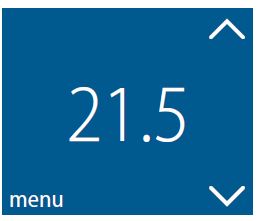
- Touch the thermostat display to activate it. Press menu.
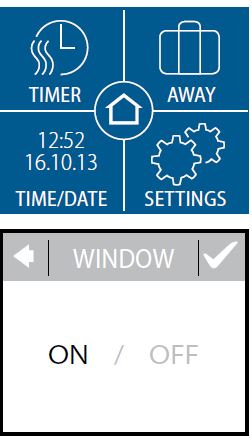
- Press SETTINGS in the bottom right corner of the menu. Press OPTIONS.
- Press WINDOW OPEN.
- Press ON to temporarily turn off heating in case of a sudden temperature drop in the room or OFF to let the thermostat heat up, also during sudden temperature drops in the room. Press to confirm.
Maximum Floor Temperature
How to set the maximum floor temperature.
- Touch the thermostat display to activate it. Press menu.
- Press SETTINGS in the bottom right corner of the menu. Press INSTALLATIONS and MANUAL SETUP.
- Press MAX. FLOOR. Use the < and > arrows to set the allowed maximum floor temperature. Press to confirm.
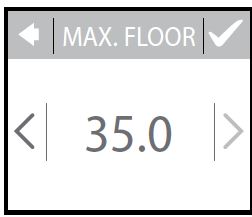
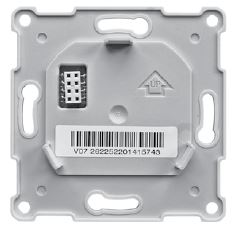
If you break the small plastic seal on the back of the display module (eg, using a screwdriver), it’s possible to set the maximum floor temperature to 45°C. It would also be possible to use only a room sensor. However, this isn’t recommended due to an increased risk of overheating the floor.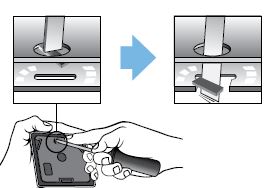
Enable/Disable Timer
How to enable and disable the timer.
- Press the button on the side of the thermostat.
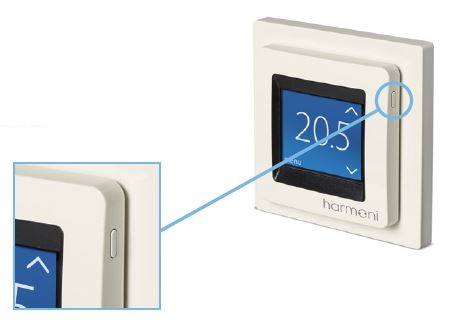
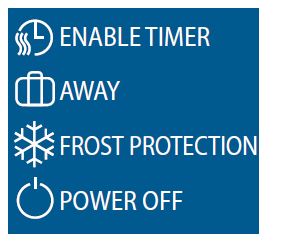
- Press ENABLE TIMER to turn the timer function on, or DISABLE TIMER to turn the timer function off
Symbols
The symbols shown below may appear in the upper left corner of the temperature display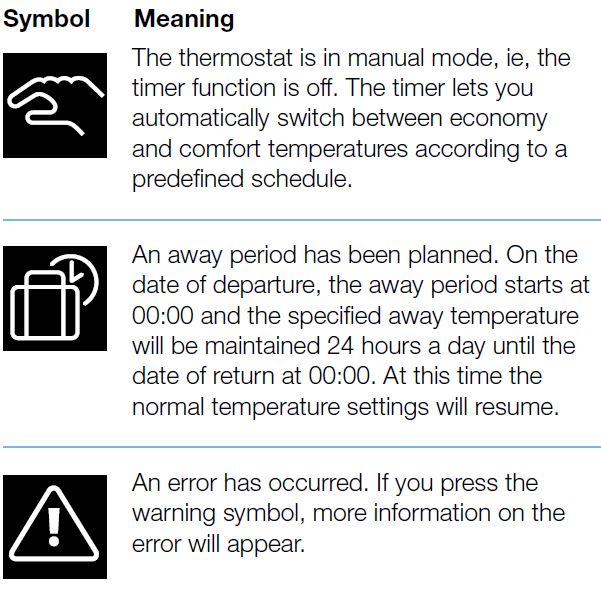
Disposal Information

Warranty
The harmoni 50 thermostat comes with a 5-year warranty as standard.

harmoni
- Edison House
- Edison Close
- Ransomes Europark
- Ipswich
- Suffolk IP3 9GU
- United Kingdom
- T: 01473 559088
- F: 01473 559076
- E: [email protected]
- www.harmonithermostat.co.uk
REFERENCE
DOWNLOAD MANUAL
Harmoni 50 Electronic Thermostat Installation Guide
OTHER MANUALS:
Harmoni 50 Electronic Thermostat Product Specifications Guide