
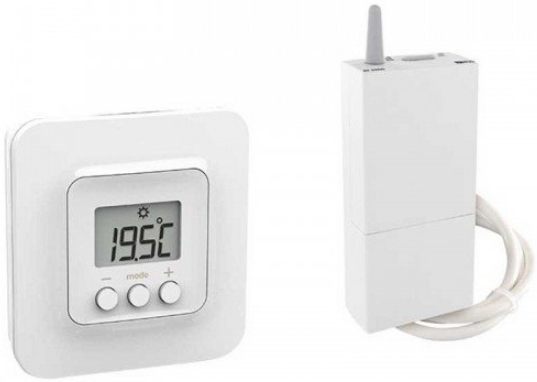
Delta Dore Tybox 5701FP Wireless Room Thermostat
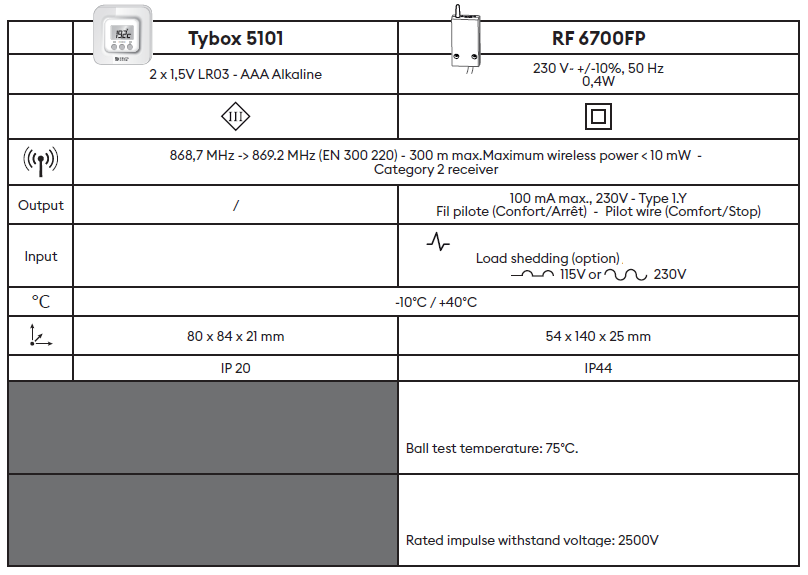
SPECIFICATIONS

Detailed instructions
For detailed instructions: scan the QR code.
- Installation guidelines
- Pairing of a door/window magnetic contact,
- Pairing with the Tydom app
- Advanced features
- Help…
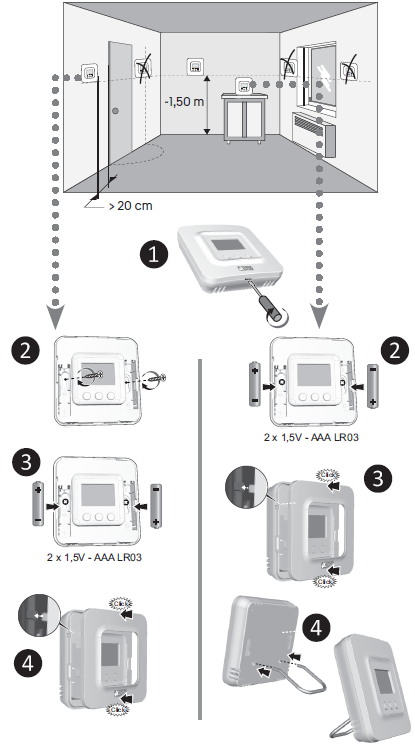
Installation
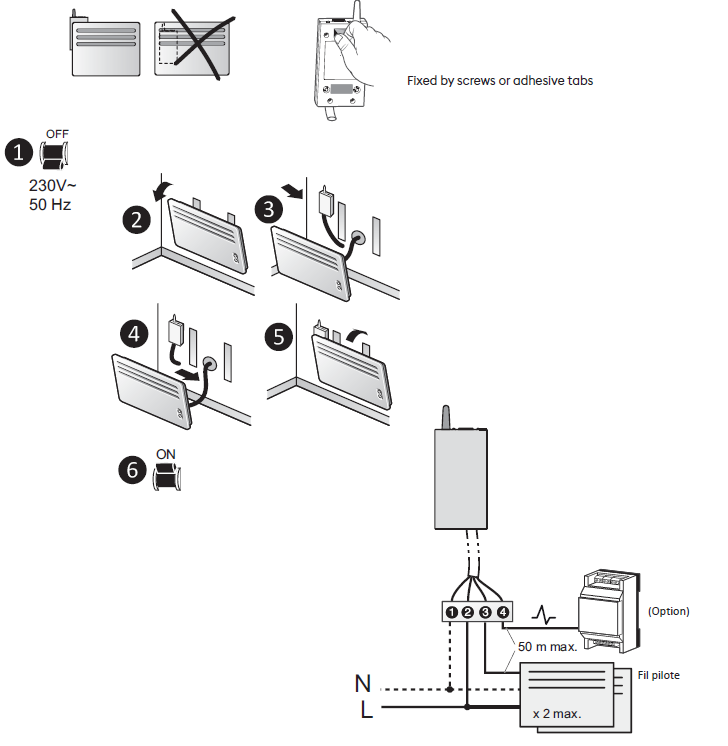
- Blue
- Brown
- Black
- Grey
Radio association
The first time you power up, the green LED on the receiver flashes rapidly, indicating that it has not been paired.

- To pair it, press the receiver button for 3 seconds, until the red LED flashes. Release the button.
- On the Tybox, simultaneously press both the mode and + buttons for 3 seconds.. The screen will display rF00. Release the buttons.
- Press briefly on +. The screen flashes until rF is displayed, depending on the number of paired receivers
- (e.g. : rF01 for a single receiver, rF02 for 2 receivers etc…).
- Check that the LED on the receiver is no longer flashing.
To exit the mode, simultaneously and briefly press the mode and + buttons. Pairing a door/window magnetic contact / Pairing the Tydom app Consult the additional instructions accessible via the QR code at the start of these instructions.
Settings

- Press any button to activate the display screen.
- Press mode for 10 seconds, until CF01 is displayed.
- Press + or – to adjust the setting, or press mode to move to the next menu
- CF01: Correction of the measured temperature
- CF02: Button lock
- CF03 : 00. Leave the setting at 00.
Use
IMPORTANT: The radiator must be in automatic mode (AUTO, PROG, …), with its Comfort temperature set to the maximum
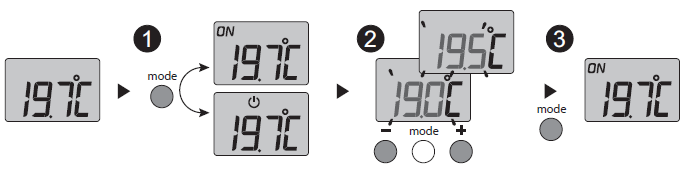
- Press any button to activate the display screen. The current mode is displayed: ON = ready for operation,
 = Stop. To change it, press mode.
- From ON mode, press + or – to display the temperature setting and modify it.</2>
- Press mode or wait 5 seconds to exit.
When switching from mode to ON mode, the setting returns to its default value: 20°C.
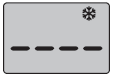
- Indicates that the system is in Frost
- Protection mode (7°C, cannot be modified).
- Example: open window
- On the receiver
- Green LED illuminated = power supply OK
- Red LED illuminated = heating request pending
Reference
Download Manual:
Delta Dore Tybox 5701FP Wireless Room Thermostat Quick start guide
Other Manual:
Delta Dore Tybox 5701FP Wireless Room Thermostat Installational Guide
Delta Dore Tybox 5701FP Wireless Room Thermostat Quick start guide