
Delta Dore Tybox 5300 Wireless Room Thermostat
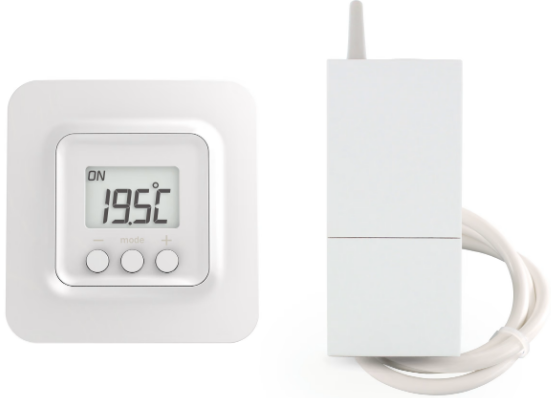
Detailed instructions
The X3D transmitter and the receiver are delivered pre-paired.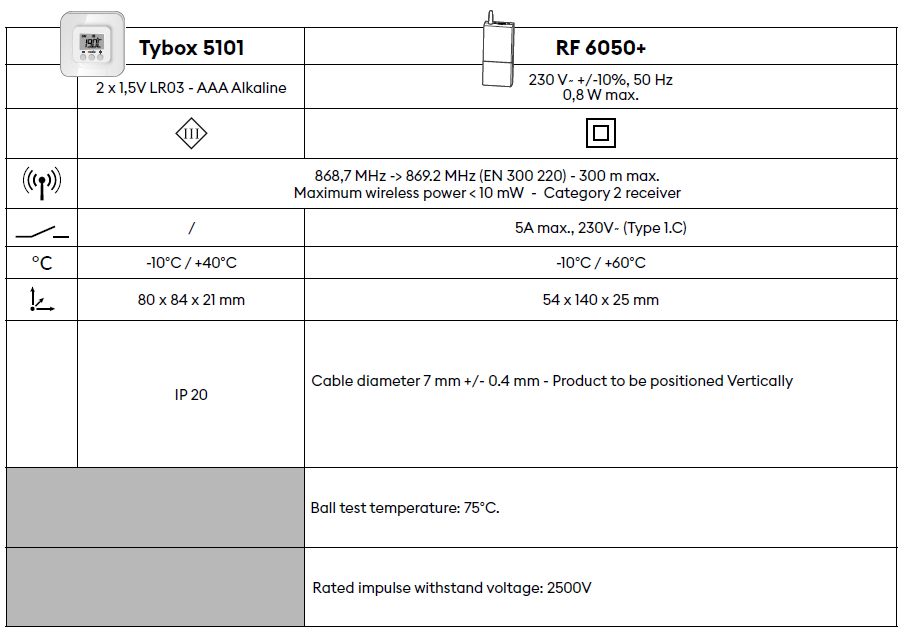
For detailed instructions: scan the QR code.
- Setup,
- Pairing with a door/window magnetic contact,
- Pairing with the Tydom app
- Advanced features
- Help…
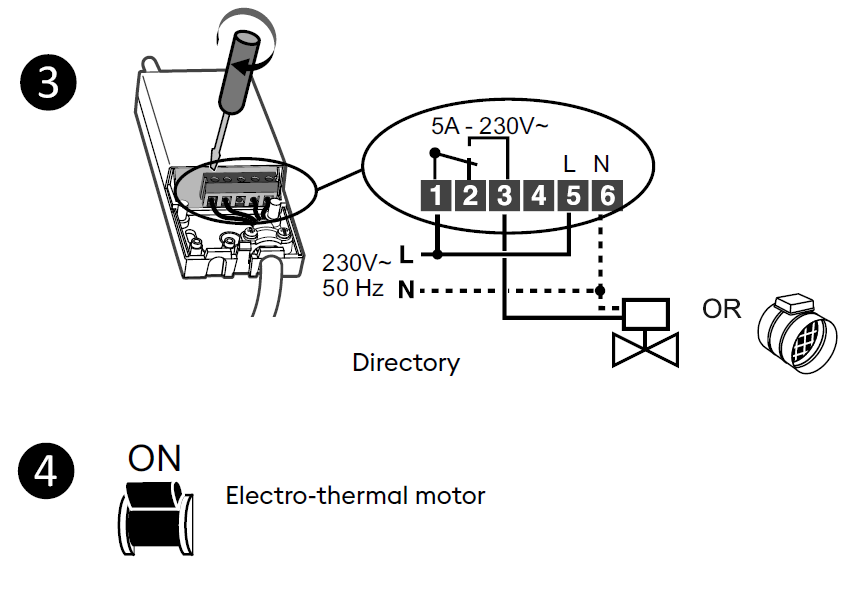
Installation
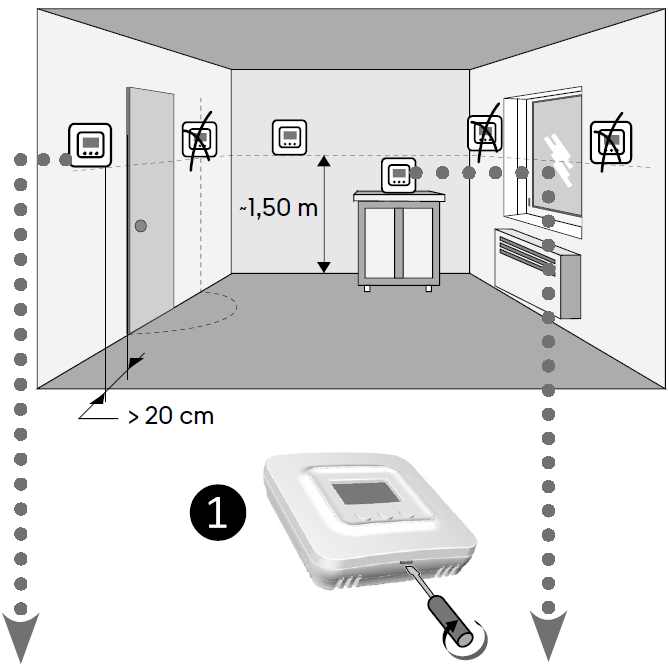

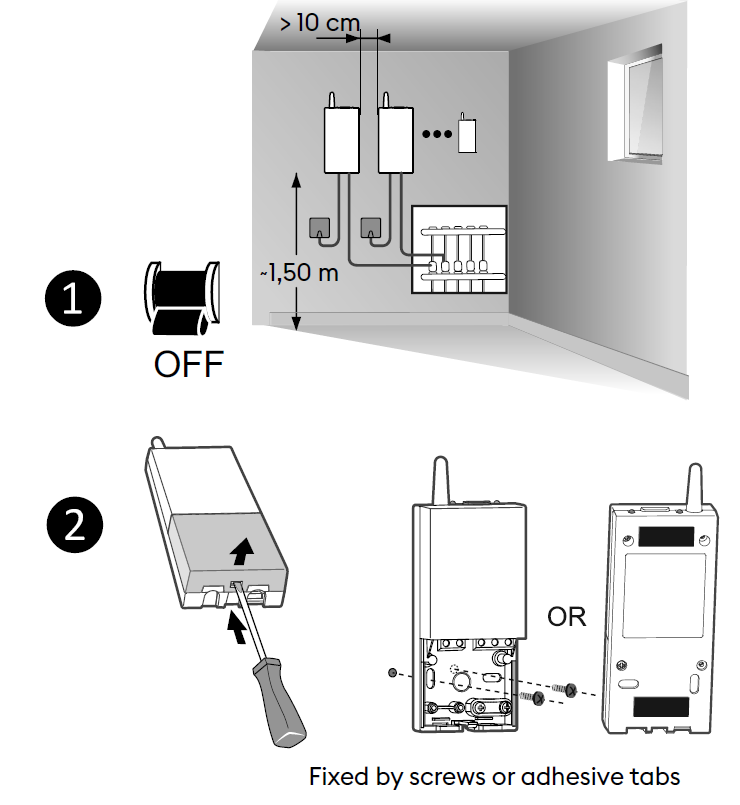
Description
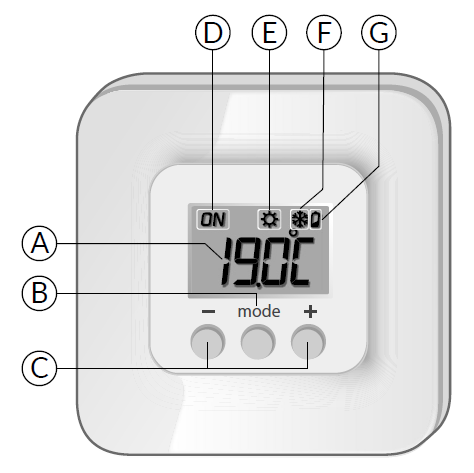
- A. Temperature display
- B. Select the mode
- C. Adjustment buttons
- D. Current request
- E. Heat mode
- F. Cool mode
- G. Battery level symbol
Set point settings
Heating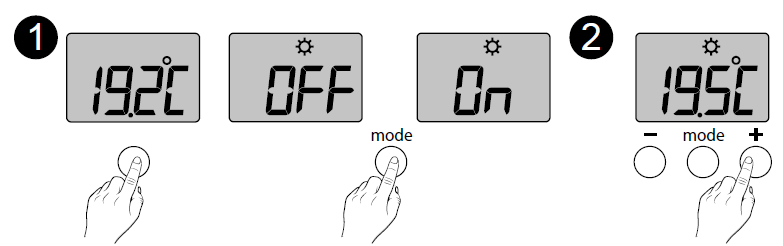
- Press any button to activate the display. The current mode is displayed: On = Thermostat running, OFF = Stop. To switch from one mode to another, press mode.
- From On mode, wait a few seconds to display the set-point temperature and change it using + or -. Validation after 2 seconds if no buttons are pressed.
Cooling
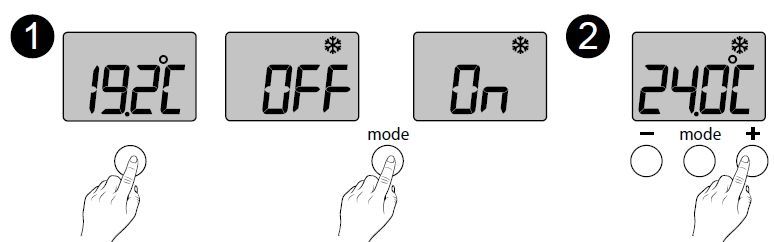
Heating – Cooling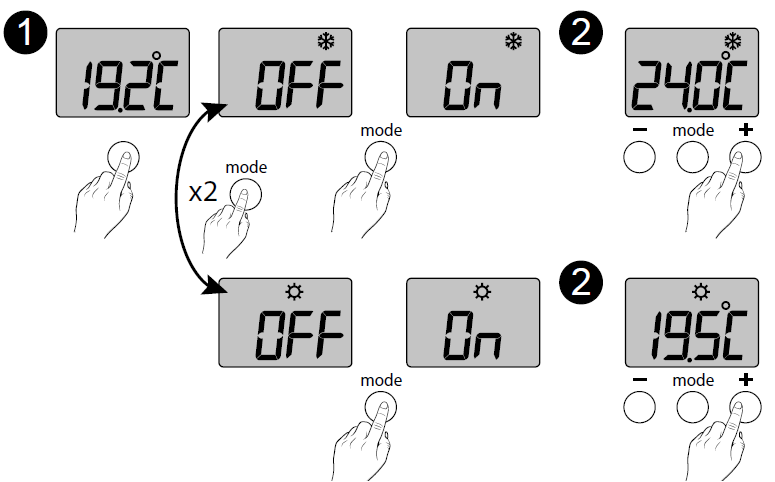
- Press any button to activate the display. To switch from Heating ( ) to Cooling ( ), press mode twice. The current mode is displayed: On = Thermostat running, OFF = Stop. To switch from one mode to another, press mode.
- From On mode, wait a few seconds to display the set-point temperature and change it using + or -. Validation after 2 seconds if no buttons are pressed.
Reference
Download Manual:
Delta Dore Tybox 5300 Wireless Room Thermostat Quick Start Guide
Other Manual:
Delta Dore Tybox 5300 Wireless Room Thermostat Installational Guide
Delta Dore Tybox 5300 Wireless Room Thermostat Quick Start Guide