Convectair CA-900-002 Programmable Thermostat
Quick start
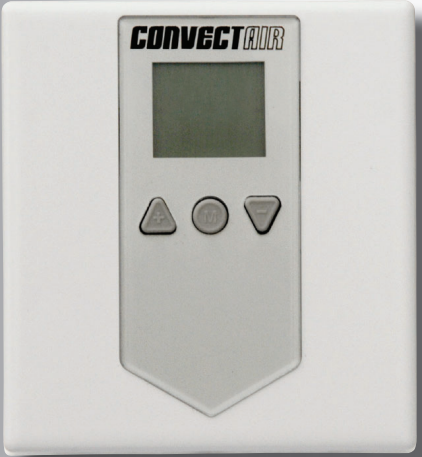
The Apéro Wall-Mount Controller (AWC) replaces a wall thermostat using the existing wires. It makes it possible to remotely adjust the temperature of one or more CONVECTAIR Apéro Digital heaters (model 7359).
Warning
The Apéro Wall-Mount Controller works ONLY with CONVECTAIR Apéro Digital heaters (model 7359).
Power supply: 240 V
Disconnect power at the circuit breaker panel prior to installation.
Installation and connection
See diagrams on pages 6 and 8
Start-up
Once the connections are made, restore power to the breaker. The AWC will show 21 °C and the installation will be functional in Comfort mode (page 12).
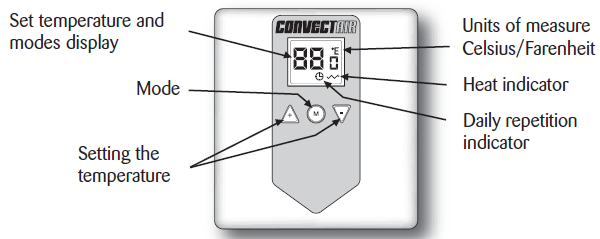
Setting the temperature
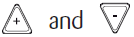 increases or decreases the desired temperature.
To change mode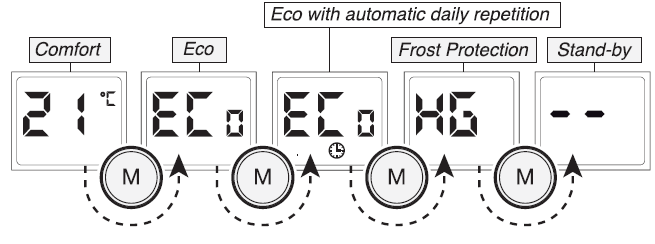
Select a unit of temperature °C or °F
In Stand-by mode, simultaneously press 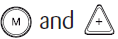 for 3 seconds (page 12)
Lock or unlock the controls
In the desired mode, simultaneously press for 3 seconds (page 16)
Description
The Apéro Wall-Mount Controller (AWC) makes it possible to control the thermostat of one or more Apéro 7359 electric heaters located in the same room. The Apéro Wall-Mount Controller (AWC) should never be used as a control center for the entire house. It can control up to four heaters and has a maximum capacity of 4000 W (240V).
Installation
Choosing the location of the Apéro Wall-Mount Controller :
The Apéro Wall-Mount Controller must replace an existing wall thermostat in the same room as the Apéro 7359 electric heaters. It should be installed on a wall at a height of approximately 1.5 m (5 feet) above the floor.
Fastening and connecting the Apéro Wall Controller :
- There is a risk of damage to the product if the power is not disconnected before installation.
- To prevent electric shock, disconnect the power to the conducting wires at the circuit breaker panel prior to installation. CONVECTAIR recommends that the devices be installed by a qualified electrician, in accordance with national and local codes.
- Make sure that the Apéro Wall Controller air vents are free from obstructions.
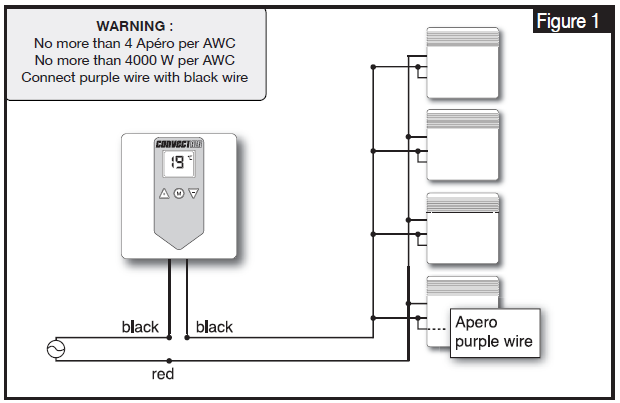
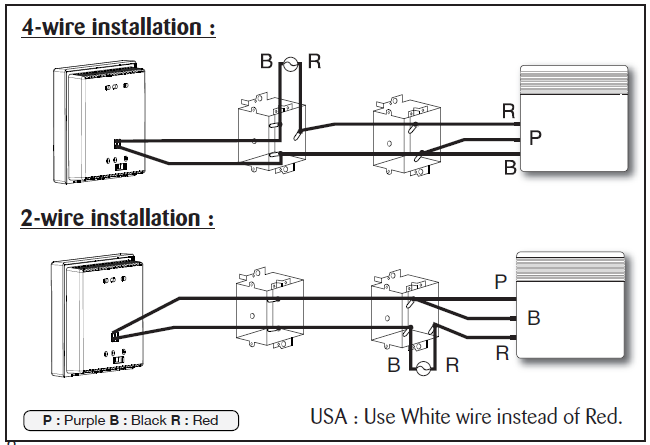
- Make the appropriate connections according to the figures below, depending on the type of installation (2-wire or 4-wire), using the provided wire connectors. For an aluminum wire connection, be sure to use CO / ALR connectors. The Apéro Wall-Mount Controller wires have no polarity and the direction of the connection has no effect
WARNING :
It is imperative to connect the purple and black wires of the Apéro device together, otherwise, the device will not respond to the Apéro Wall-Mount Controller.
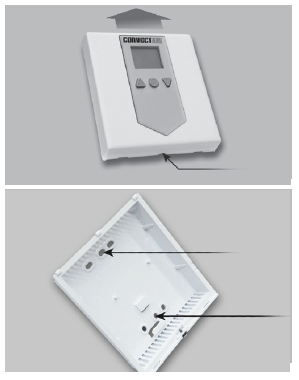
- Slightly unscrew the captive screw and slide the front of device upward to remove it.
- Using two supplied screws, secure the bottom of the Apéro Wall-Mount Controller to the junction box.
- Replace front of the device and tighten the screw.
- Make sure the Apéro is/are connected according to the diagrams on page 8 and turn on the power.
- When an Apéro heater is connected to the Apéro Wall-Mount Controller, it can only be controlled by it. To check the temperature setting, press a key on the Apéro. The screen will show «AU» and the set temperature, which is the same as displayed on the Apéro Wall-Mount Controller.
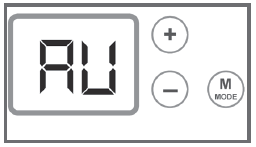
- Adjust the Apéro Wall-Mount Controller to your preferences (see next section)
Operation
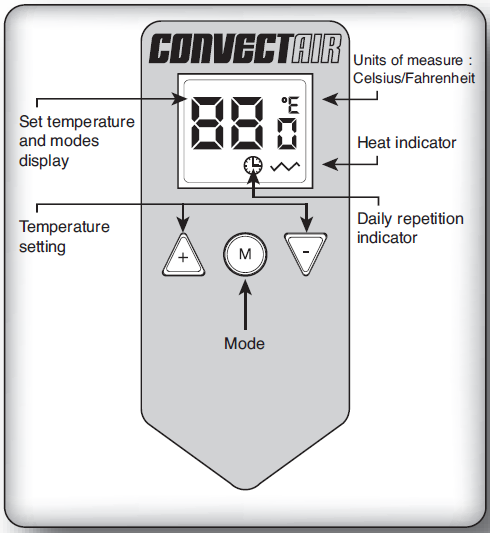
Operating mode
The following five operating modes can be selected:
- Comfort
- Eco (setback of the temperature)
- Eco with daily automatic repetition
- Frost Protection
- Stand-By (turning off the heat)
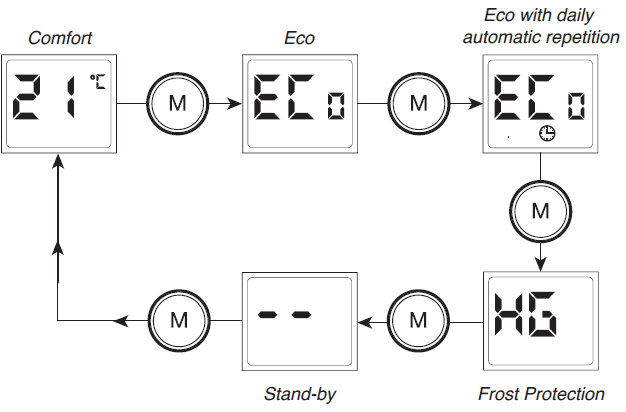
Starting or stopping the Apéro Wall-Mount Controller :
- To start, press. The display shows the desired comfort temperature.
- To stop the device, press until Stand-by is reached
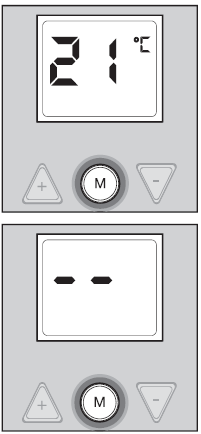
Note: The Apéro Wall-Mount Controller memorizes your settings.
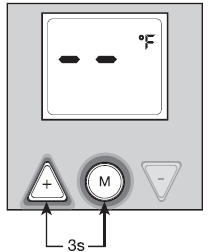
Select unit of temperature in °C or °F :
- In Stand-by mode
- Press simultaneously for 3 seconds.
- The display shows the desired unit of measure in 3 seconds.
- Press again to display the set temperature
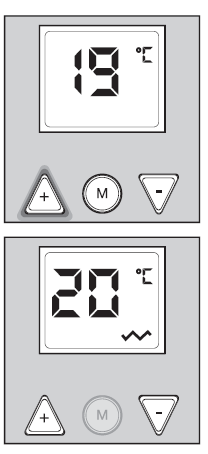
Adjusting the set temperature/ Comfort mode :
- With
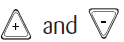 , the set temperature can be increased or decreased by 1° increments.
 - Close windows and doors in the room and wait a few hours for the temperature to stabilize at the desired value.
- If the temperature reached is not suitable, increase or decrease the set point.
- Wait a few more hours to check the value of the comfort temperature
Eco mode:
If you are away from home for a short time (2 hours or more), it is recommended to use this operating mode for maximum savings. This economy setting lowers the temperature of the room by 3.5°C (7°F). (To modify the economy setting, see Section 7)
To do so :
Press until the display reads «Eco».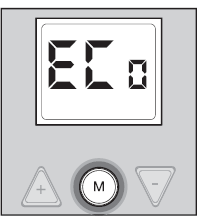
Eco Mode with automatic daily repetition :
The automatic daily repetition mode automatically repeats the setback temperature period each day (Ex: at night). Once this period has ended, the Apéro Wall-Mount Controller will resume Comfort mode. To do so: At the hour you wish to switch to Eco, press until the display shows Eco and the clock symbol . The setback duration is set at 8 hours by default.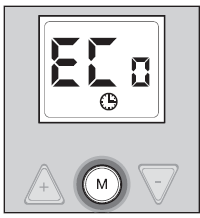
Temperature setting in Eco and Eco with daily repetition modes :
- In Eco or Eco , mode, press to see Eco temperature.
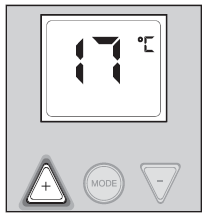
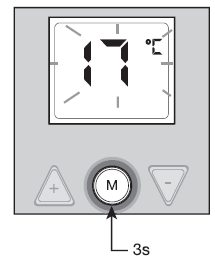
- To set the Eco temperature: press for 3 seconds and the temperature on the display will flash.
- Press to obtain desired Eco temperature.
- Press to accept
Programming the setback temperature cycle of the Eco and Eco with daily repetition modes :
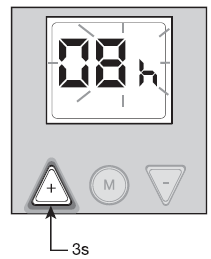
You can adjust the length of the setback temperature cycle from «- -» to 99 hrs for the Eco mode and 1 hr to 23 hrs for the Eco mode with automatic daily repetition. By default, the Eco mode is permanent, «- -» and the Eco mode duration is 8 hours. To program another length
- In the Eco mode to be programmed, press
 for 3 seconds, the display will flash indicating the current length or «- -» if the Eco mode is permanent.
 - Adjust length with.
- Press to accept.
Frost Protection Mode :
If you are away from home for a long period of time (+ 24 hours), this operating mode keeps the room temperature at approximately 7°C (45°F). You will therefore benefit from maximum savings.
To do so :
Press until display reads Frost Protection «HG».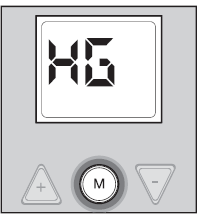
Lock/Unlock controls :
Whatever the selected mode, press simultaneously during 3 seconds. Press any button and «FF» will be displayed. To unlock, simultaneously press again during 3 seconds.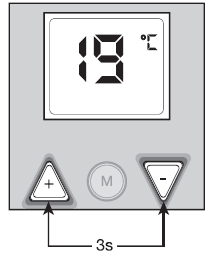
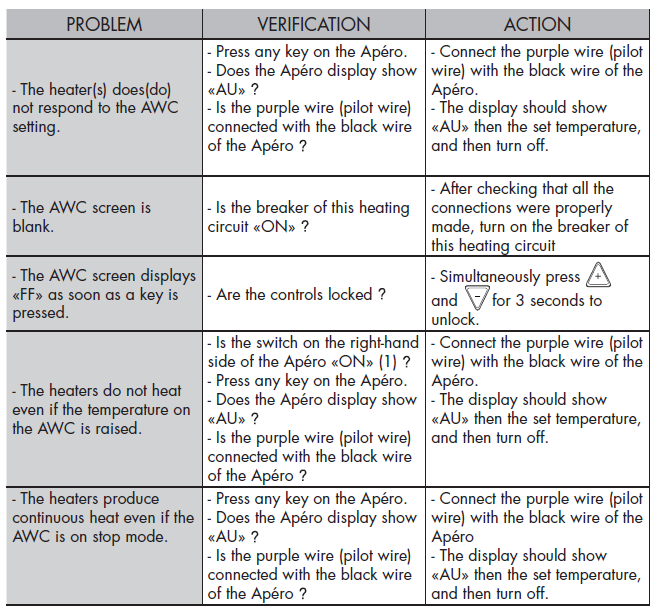
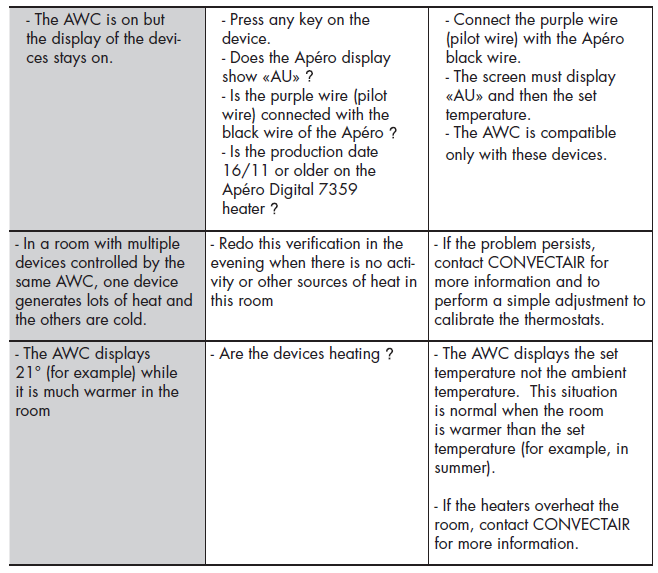
Troubleshooting
Technical specifications
- Power Supply : 240VAC (60Hz) 2
- Operating Conditions: From – 10 °C to 35 °C From 20 to 90 % relative humidity.
- Storing conditions: From -20°C to 80°C From 20 à 90 % relative humidity
- Certification: +CSA,
 C US, Canada, and USA.
Warranty
YEARS against all defects
The CONVECTAIR Apéro Wall-Mount Controller has a 2-year warranty on all parts against defects in materials and workmanship. It begins on the date of purchase by the consumer and according to its specific conditions. All details are provided with each device. Please keep your proof of purchase and/or installation invoice.
Service Centers :
For a Service Center near you, contact CONVECTAIR at 1-800-463-6478
CONVECTAIR
- 30 Carré Sicard, Sainte-Thérèse (Québec) CANADA J7E 3X6
- Tel.: (450) 433-5701 Fax : (450) 434-3166
- E-mail: [email protected]
- Website: www.convectair.com
Reference:
Download Manual:
Convectair CA-900-002 Programmable Thermostat User Manual
