
Comfortheat MTD3 Programmable Thermostat
Introduction
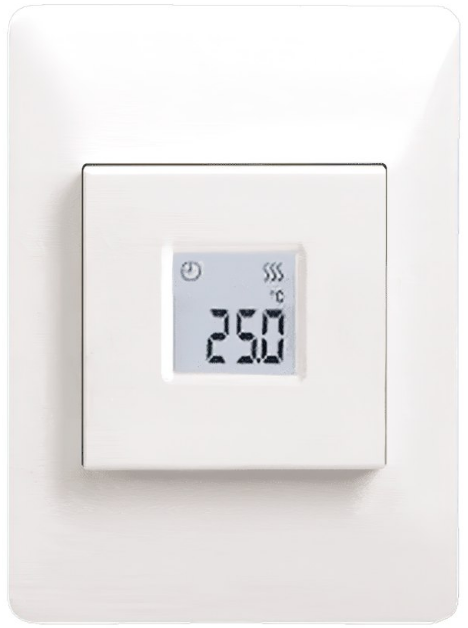
Thank you for buying our MTD3 thermostat. We hope you will enjoy the ease of use offered by the well-known user interface and design. This high-quality thermostat is designed to have minimum impact on the environment and will at the same time provide you with long-lasting heating comfort. The thermostat will switch on your heating system at preset times each day of the week. The thermostat is preset with up to four events for each day of the week. Lowering the temperature when your home is unoccupied will reduce your energy costs without reducing comfort. The thermostat comes with preset heating schedules suitable for most homes. The MTD3 thermostat has a temperature setting range of 0-40°C, a night setback, frost protection and limit temperatures that ensure your comfort and protect your property from temperature excesses. The front cover can be flipped down. The on/off switch is located behind the front cover, on the left side of the front, up = on / down = off. On the right there are three buttons. A top button, a middle button and a bottom button. The middle button is used to access the menu and confirm changes and settings made in the menu. The top and bottom buttons are used to navigate through the menu and change parameters and settings. To access the menu, activate the thermostat by pushing any of the three buttons. Then press down the middle button for five seconds. Note: If you press down the middle button for ten seconds, the thermostat will perform a factory reset and all settings will then be reset to factory settings. This thermostat can be used as a controller for electric room heating pursuant to EN50559.
Icons
Meaning
 Scheduled operation
 Night setback
 Frost protection mode
 Heating is activated
 Child lock is engaged
 Fahrenheit is chosen as temperature scale
 Celsius is chosen as temperature scale
 The thermostat is in regulator mode APP: C
APP
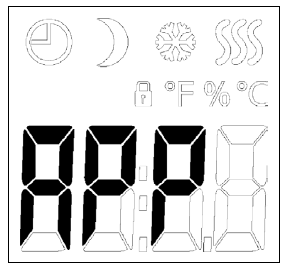
APP: Sensor Application 1/2
- Access the menu.
- Scroll through the menu until you come to APP.
- Press the middle button to enter the SENSOR APPLICATION setting.
- Use the top or bottom button to select the application that fits your installation.
- Confirm your choice with the middle button.
This option allows you to choose which sensor is used to control the heating system. If a factory reset is performed, the thermostat will auto detect an external sensor.
- A: With this setting, the internal room sensor inside the thermostat, controls the heating system.
- F: With this setting, the external floor sensor controls the heating system.
- C: With this setting, the thermostat operates as a regulator and no sensors are used. The setting is a percentage of the full load in steps of 1%. Note that Floor Protection is not active when using the thermostat as a regulator.
- AF: With this setting, the internal room sensor controls the heating system subject to maximum and minimum limits for floor temperature. The maximum temperature limit protects wooden floors from excessive heat. The minimum temperature limit prevents the floor from becoming uncomfortably cold when heating is not needed, such as in a bathroom. Note that this function will increase energy consumption. Floor limit temperatures are set in the “Li : Floor Temperature Limit” menu.
APP: Sensor Application 2/2
- AE: With this setting, an optional external room sensor (connected to the floor sensor terminals) controls the heating system
Menu structure
APP: A; F; C; AF; AE
SCA: Temperature Scale
Access the menu.
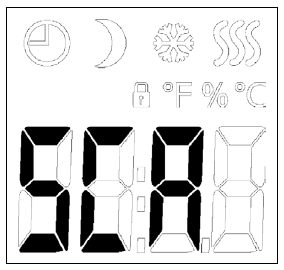
- Scroll through the menu until you come to SCA.
- Press the middle button to enter the scale settings.
- Use the top and bottom buttons to set the limit for the highest temperature the thermostat may use as its setpoint temperature.
- Confirm your choice with the middle button.
- Use the top or bottom button to set the limit for the lowest temperature the thermostat may use as its setpoint temperature.
- Confirm your choice with the middle button.
Operating temperatures:
- SChi: Maximum temperature scale can be set between minimum temperature (SCLo) and 40°C.
- SCLo: Minimum temperature scale can be set between 0°C and the maximum temperature (SChi).
- (If “Sensor Application” is set to “Floor”, a maximum temperature of 27°C can protect wooden floors from drying out. For detailed information, please ask your flooring supplier
Menu structure:
- SCA:
- SChi: 0,0 °C – 40.0 °C
- SCLo: 0,0 °C – SChi
Li: Floor Temperature Limit
Access the menu.
- Scroll through the menu until you come to Li.
- Press the middle button to enter the Limit settings.
- Use the top and bottom buttons to set the limit for the highest temperature the thermostat may reach.
- Confirm your choice with the middle button.
- Use the top and bottom buttons to set the limit for the lowest temperature the thermostat may reach.
- Confirm your choice with the middle button
- This option allows you to set the minimum and maximum limits for the floor temperature.
Floor temperature limits:
Floor temperature limits allow you to set the highest (Lihi) and lowest (LiLo) permissible floor temperature during room temperature control with the sensor application AF. If the floor temperature rises above the maximum temperature limit, the thermostat will deactivate the heating system to maintain the temperature below the set maximum. If the floor temperature drops below the minimum temperature limit, the thermostat will activate the heating system to maintain the temperature above the set minimum. Note that this feature is only applicable in sensor application AF
Menu structure:
- Li:
- Lihi: LiLo – 40 °C
- LiLo: 0 °C – Lihi
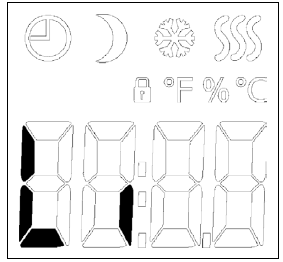
TP: Temperature Read-out
Access the menu.
- Scroll through the menu until you come to TP.
- Press the middle button to enter the temperature read-out.
- Either the floor sensor temperature, the room sensor temperature, or both are shown depending on the sensor application setting
- Use the middle button to skip to the next sensor type and skip to the menu.
- Depending on which sensors are connected and which sensor application is chosen, temperatures from the floor sensor and the internal room sensor can be monitored here.
- Display settings are not applicable if the sensor application is set to C.
Menu structure:
- TP:
- FLo: Actual measured floor temperature
- ro: Actual measured room temperature (Options available may vary depending on version)
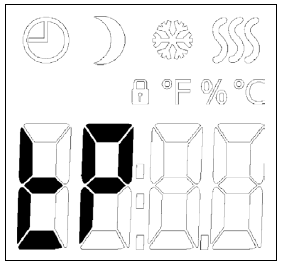
LCD: Display Settings
- Access the menu.
- Scroll through the menu until you come to LCD.
- Press the middle button to enter the temperature scale setting.
- Use the top and bottom buttons to toggle between the different options.
- Confirm your choice with the middle button.
- Use the top and bottom buttons to toggle between the different options.
- Confirm your choice with the middle button.
This option allows you to select which data you want to be shown in the idle display.
- SCA = Temperature scale setting:
- C = Celsius
- F = Fahrenheit
- (nU = numerical 0-100%)
- diS = Displayed in idle display:
- SP = Setpoint temperature
- tP = Measured temperature
- CL = Clock
Menu structure:
- LCd
- SCA: C; F; nu
- diS: SP; tP; CL
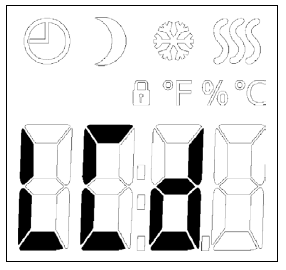
ADJ: Adjust
- You can calibrate the sensor with +/- 10°C in steps of 0.1°C in the following way:
- Access the menu.
- Scroll through the menu until you come to ADJ.
- Press the middle button.
- Use the top and bottom buttons to adjust the sensor with the value with which you want to increase/decrease the temperature.
- Confirm your choice with the middle button.
This option allows you to calibrate the measured room temperature. You should calibrate the sensor if the temperature reading differs from the actual temperature. The measured temperature must be entered. Note that with sensor application F, the temperature is measured in the floor, this temperature would be higher than the ambient temperature. Adjust is not applicable if the sensor application is set to C.
Menu structure:
- AdJ:Measured temperature +/- 10°C
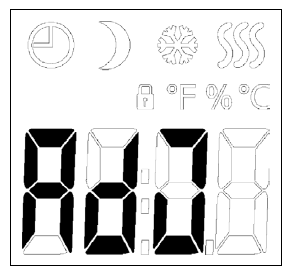
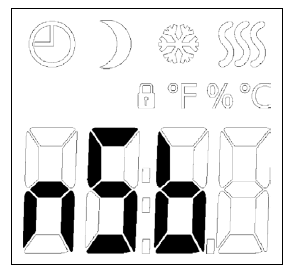
NSB: Night Setback
- Access the menu.
- Scroll through the menu until you come to NSB.
- Press the middle button to enter the night setback setting.
- Use the top and bottom buttons to adjust the value by which you want to decrease the temperature when NSB is activated.
- Confirm your choice with the middle button.
This option allows you to set the temperature by which the temperature should be reduced when NSB is activated. NSB is activated either by the event schedule or with a signal from an external timer connected to terminal S. When the NSB signal is active, a half moon icon is shown in the display together with the reduced setpoint temperature. The function is factory set to 5°C but can be set to values between 2-8° in steps of 0.5°C. If the application is set to C and ”Night setback” is selected, the night setback is set in relative values. The setpoint specifies (in percent) the time the unit is to remain active in a PWM cycle, which is usually 20 minutes, while the reset degrees figure is specified as a percentage of the setpoint. The setpoint multiplied by the reset degree gives the activation degrees figure. Example: If the setpoint is set to 60% and night setback is set to 25%, the activation degrees figure will be (0.60 x 0.25 = 0.15) = 15%.
Menu structure:
- nSb: 2.0 – 8.0
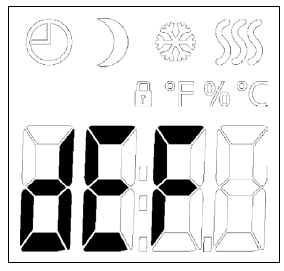
DEF: Frost Protection
- Access the menu.
- Scroll through the menu until you come to DEF.
- Press the middle button to enter the frost protection settings.
- Use the top and bottom buttons to set the temperature you want to be the setpoint temperature when DEF is activated.
- Confirm your choice with the middle button
This option allows you to set the parameters for a possible frost protection function. An external signal can activate the frost protection function, the thermostat will then maintain a fixed floor/ room temperature. The function is factory set to 8°C but can be set to values between 5-10° in steps of 0.5°C. If the application is set to C and ”Frost protection” is selected, the frost protection is set in absolute values in percent.
Menu structure:
- dEF: 5.0 °C – 10.0 °C
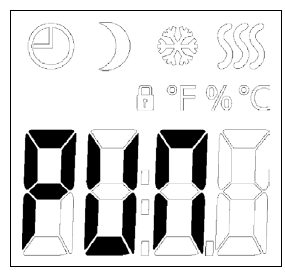
PWM
Pulse Width Modulation 1/2
- Access the menu.
- Scroll through the menu until you come to PUN.
- Press the middle button to enter the PWM settings.
- Use the top and bottom buttons to toggle between the different pulse width modulation modes.
- Confirm your choice with the middle button.
- Use the top and bottom buttons to set the hysteresis or duty cycle.
- Confirm your choice with the middle button.
With this setting, you can change the duration of the heating periods.
- Off: Simple “on/off” regulation, where the relay is closed when the measured temperature is below the setpoint and opened when the measured temperature is above the setpoint. A hysteresis (diF) is used to avoid too frequent relay switching.
- On: The relay is closed or open depending on the average temperature measured in a fixed period of time (15 – 60 minutes). Depending on the temperature deviation, the duty cycle of the “on time” is increased or decreased, giving longer or shorter time periods when the heating is active.
Pulse Width Modulation 2/2
Auto: Similar to “PWM On”, but the PWM period is increased or decreased depending on the minimum and maximum temperature measured during a PWM period. This will increase the lifetime of the relay by reducing the number of relay switches, and still ensure the comfort of the user by keeping the temperature swings below an acceptable level
Menu structure:
- PWM: oFF; on; AUt
- oFF: diF: 0,3 – 10,0
- on: CYC: 15 – 60
- AUt: CYHi: 10 – 60
- CYLo: 10 – 30
PLI
Power Limit 1/2
This thermostat complies with EN 50559 (VDE 0705- 559) for electrical floor heating. The regulation applies to electrical floor heating with a maximum floor weight of 4 kN/m². To ensure that hotspots due to unintentionally covering up the surface are avoided, the heating function can be time-limited as per EN/DIN. Note that this function is not applicable to other heating applications such as wall and/or ceiling heating if it can be foreseen in advance that unintentional covering up of floor area might occur In this case it would be important to assess the correct period of time for which the floor heating must be time-limited. The heating can be limited by a set number of minutes per hour. The thermostat will then divide the given number of minutes per hour into 3 periods, depending on the thermostat’s actual PWM cycle. Example: If obstacles could be present that cover up the floor, then the heating might need to be limited by a number of minutes so as to avoid hotspots on the floor. If you want the thermostat to provide heat a maximum of 90% of the time, then the thermostat should be limited by 10%. Ten percent of one hour is 6 minutes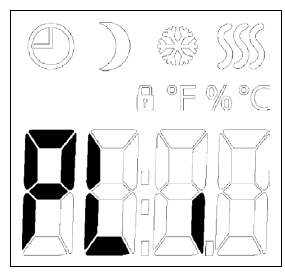
Power Limit 2/2
Access the menu.
- Scroll through the menu until you come to PLi.
- Press the middle button to enter the pulse limit settings.
- Use the top and bottom buttons to set the number of minutes with which you want the heating to be deactivated per hour.
- Confirm your choice with the middle button
Enter 6 minutes in the PLI menu in order to reduce the heating by 10%. Equation to calculate number of minutes that could be entered in the PLI menu – when an average heating effect is desired:  Note! If the result of the equation is negative then nothing should be entered. The function is factory set to 0 minutes but can be set to values between 0-30 minutes in steps of 1 minute.
Menu structure:
- PLi: 0 – 30
TIME
Time and Event Settings 1/2
- The MTD3 has a timer function that keeps track of the current weekday and time of the day.
- It is possible to select different event schedules for the MTD3.
- The events differ in the number of days that use 4 events (with a reset period during both night and daytime) and 2 events (only using a reset period for the night).
The different event schedules of the MTD3 has the following definitions:
- OFF: Events are disabled and the comfort temperature is maintained 24/7
- 5 : 2: Monday – Friday with 4 events,
- Saturday & Sunday with 2 events
- 6 : 1: Monday – Saturday with 4 events,
- Sunday with 2 events
- 7 : 0: Monday – Sunday with 4 events
- 0 : 7: Monday – Sunday with 2 events
Time and Event Settings 2/2
- Access the menu.
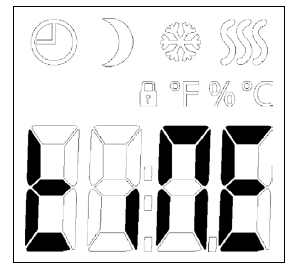
- Scroll through the menu until you come to tiNE.
- Press the middle button to enter the time and event settings.
- Use the top and bottom buttons to toggle between the different schedule modes.
- Confirm your choice with the middle button.
- Use the top and bottom buttons to set the current day.
- Confirm your choice with the middle button.
- Use the top and bottom buttons to set the current hour.
- Confirm your choice with the middle button.
- Use the top and bottom buttons to set the current minutes.
- Confirm your choice with the middle button.
Time schedule for the events
Menu structure:
- tiME:
- NodE: oFF; 5:2; 6:1; 7:0; 0:7
- dAY: Non; tuE; UEd; thu; Fri; SAt; Sun
- hour: 0-23
- Nin.: 0-59
SW: Software Version
This option provides a read-out containing the software number.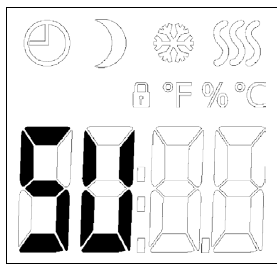
- Access the menu.
- Scroll through the menu until you come to SU.
- Press the middle button to enter the software read-out.
- Press the middle button to exit the read-out.
Menu structure:
- SW: Read-out
Done: Exiting the Menu
This is the exit from the menu. Note that there is a time out function. If no button is pressed for 30 seconds, the thermostat will return to the main screen. Note that settings are saved when the menu is exited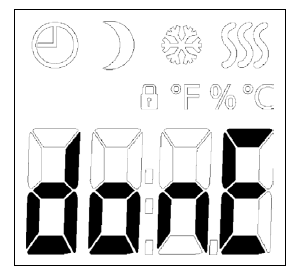
When in the menu:
- Scroll through the menu until you come to Done.
- Press the middle button to exit the menu.
Menu structure:
- donE: Return to main screen
Troubleshooting
Troubleshooting and Additional Information
Error codes
- E0: Internal fault.
- Heating is shut off.
- E1: Built-in sensor fault.
- The sensor application is changed to C (regulator).
- E2: Externally wired floor sensor or externally wired room sensor fault.
- (The sensor is either damaged, has short-circuited or disconnected).
- The sensor application is changed to C (regulator)
- If AF is used – the sensor application is changed to
- A (internal room sensor).
- E5: Internal overheating.
- Internal overheating. If the E5 error persists, please contact your installer.
- Note that the backlight is lit if any fault is detected.
- If there is no reaction when any button is pushed, except from the backlight.
- Check for the padlock icon, the child lock might be activated
Child Lock
- The child lock can be activated directly if the thermostat is idle, or if the thermostat’s backlight is activated, but never from within the menu.
- Activate the child lock by holding the top and bottom buttons simultaneously until the padlock icon is shown in the display.
- The padlock icon indicates that the child lock is activated.
- Deactivate the child lock by holding the top and bottom buttons simultaneously, until the padlock icon is no longer shown in the display.
Factory reset
- Activate the thermostat by pushing any of the three buttons.
- Hold the middle button for ten seconds.
- (Keep holding the button even when the menu is entered).
- Note that all user-made settings are deleted.Support
- For support, please contact your installer or place of purchase.
- Do not contact the manufacturer.
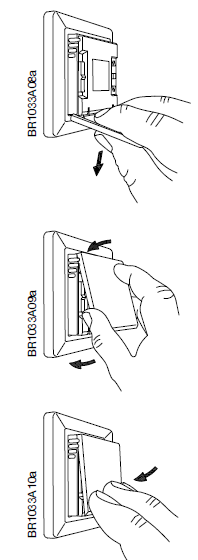
Change of Front Cover
- Open the front cover
- Hold the front cover with the index, middle and ring finger on the top side of the front cover as close as possible to the thermostat.
- Pull the front cover downwards.
- Align the top of the new front cover with the top of the thermostat.
- Press at the bottom of the new front cover, applying pressure where the taps are located.
REFERENCE:
DOWNLOAD MANUALS:
Comfortheat MTD3 Programmable Thermostat User Manual
OTHER MANUALS:
Comfortheat MTD3 Programmable Thermostat Operating Manual
Comfortheat MTD3 THERMOSTAT General Wiring Diagram