
Bravo Tstat9 Colling or Heating Thermostat
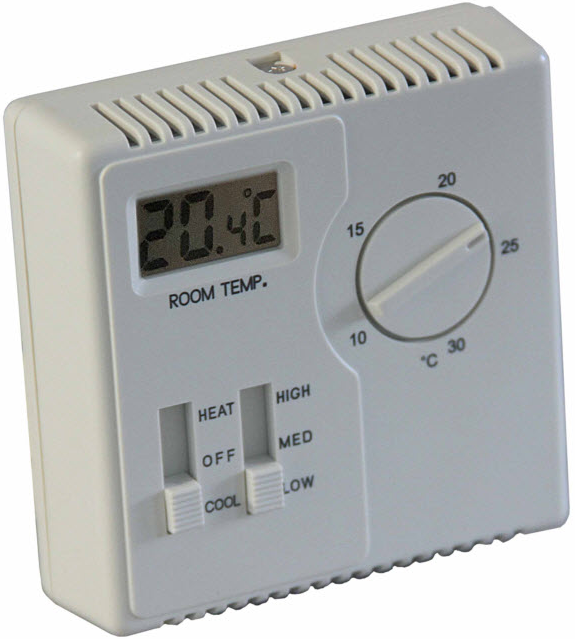
Description
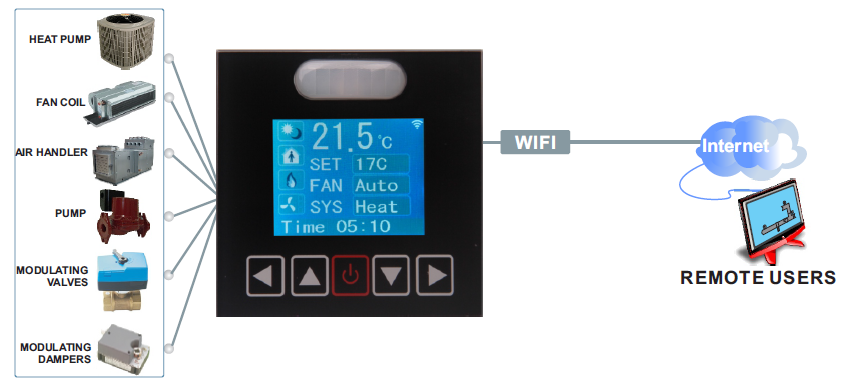
This full-featured thermostat is designed for cooling and heating systems in residential and commercial buildings. The thermostat can be configured for or used with air handlers, fan coils, VAV, modulating valves, and practically any HVAC application. All models support bacnet and Modbus protocol which allows easy integration with the big name control systems like Niagara, Siemens, and Honeywell. Johnson Controls, Delta, Reliable, and Kreuter to name a few There are five relay outputs. These outputs can be configured using the free software. There are more than 300 settings with many options for each of the settings so its possible to configure these devices for almost any application. Once the unit is configured, save the config file for copying to other controllers and backing up project settings. Options are available for occupancy sensor,wifi, and humidity/enthalpy Tstat 9 derivative products have light sensor function by default except for basic Tstat9
Highlights
- Modbus TCP/IP protocols over WIFI.
- Well-documented register list for easy integration with other systems.
- 5 relay outputs, each rated at 100~220V, 5 amps.
- Color LCD display
- Easily configure the thermostat for practically any application.
- Clock with infinite life super cap battery backup.
- Uses 32-bit Arm CPU with 12-bit analog readings.
- Fits in regular 3in*3in*1.4in(88mm*88mm*35mm) electrical box
Typical Application
Specifications
- Outputs 5 relay outputs
- Operating range -30~70°C(-22~158°F) / 0 to 99% RH
- Supply voltage 100~220VAC, 50-60Hz
- Power consumption 200mA
- Relay contacts 5 relays, 5A @ 220VAC
- Plastic Housing Flammability rating UL 94 file E56070
- Enclosure rating IP31
- Protocols Modbus TCP/IP
- Temperature sensor 10K thermistor ±0.5°C
- Setup Software Free, no licensing, open source
Size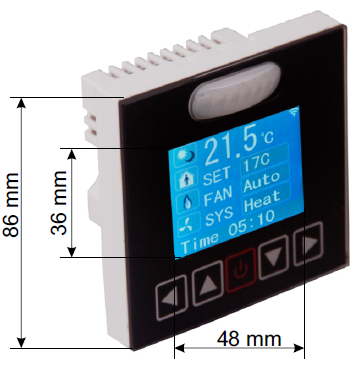
Wiring Diagram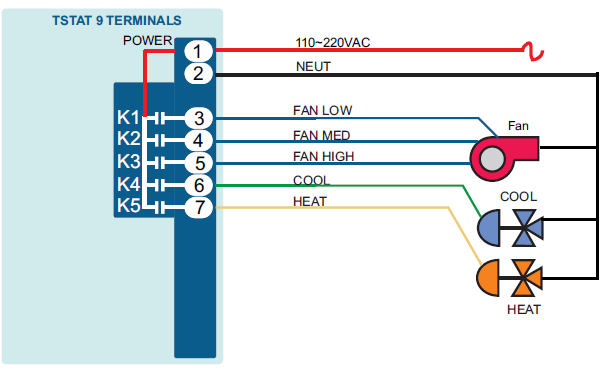
Approvals
- Plastic Enclosure PA66 UL 94 V0 file E56070
- PCB FR-4 Epoxy Glass Cloth UL E479892
- Terminal Block PA66 UL 94V-0
Software
- 5 digital outputs
- Industry-standard Modbus protocols
- User screen displays
- Day at home, work time, night at home, sleep, holiday
- 3 PID controllers
Bacnet Objects
Part Number Scheme 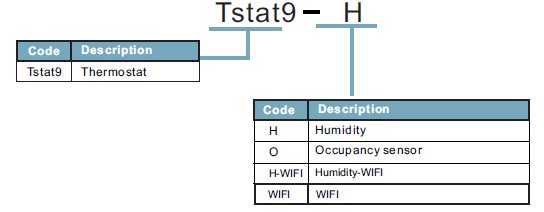
Advanced Menu Item Details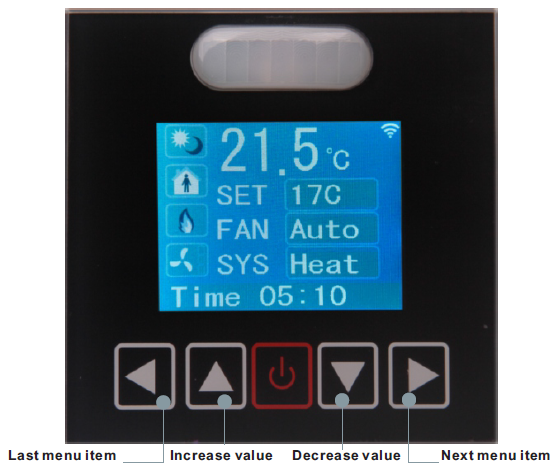 They have several advanced menu items which can be adjusted in the field to suit the application and tune the operation of the thermostat. Generally speaking, all the parameters are set up at the factory on an order-by-order basis and will give satisfactory results out of the box

LCD Screen Display
- When you press
 it will decrease or increase the set point value. The value will flash two times, then it will confirm the setting automatically.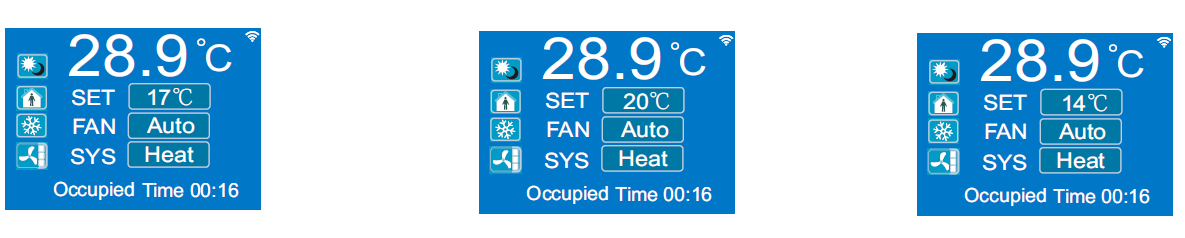
- In the normal mode, press both and at the same time. Hold for several seconds,it will switch to the menu mode. Press to scroll through the menu options such as ‘Add’, ‘CAL’, ‘bAU’, ‘UNITS’ and many others. To change the values at a particular menu, press ,the chosen value will be stored automatically. To change the unit’s address,scroll through the menu until you reach ‘Add’. Press to increase or decrease the unit’s address from 1 to 254

T3000 Operation
- Connect Tstat9 to PC by RS485, start T3000 software
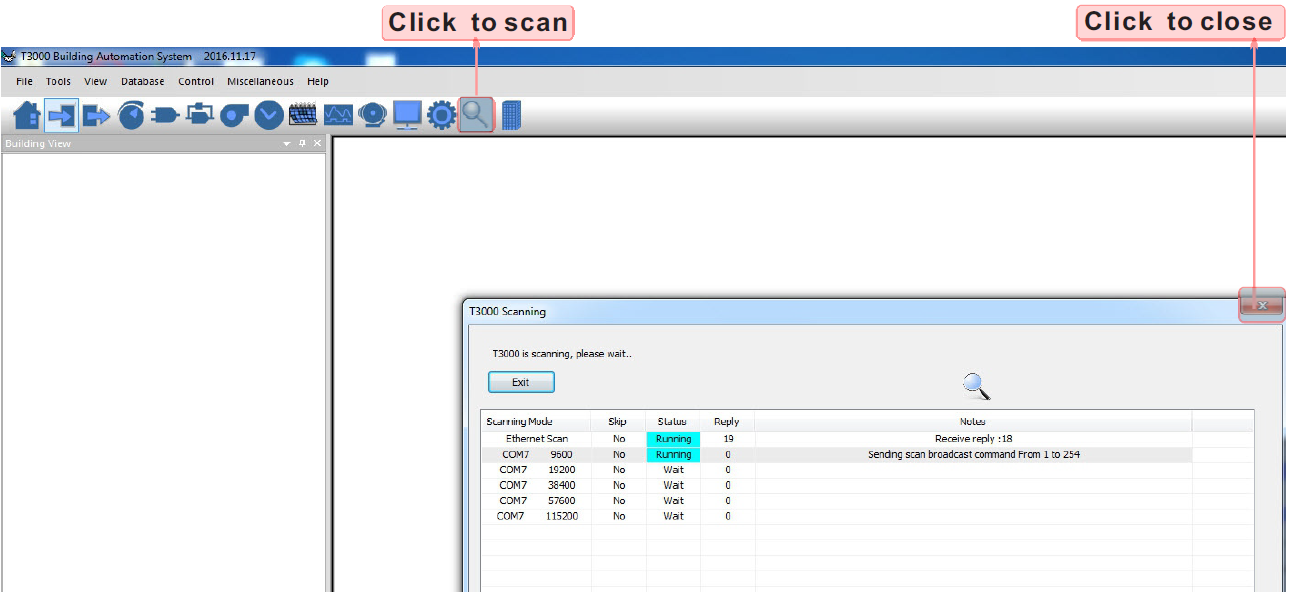
- Click the
 button to scan, the following view will appear and close it as the picture indicates.When discussing Tstat9,close the view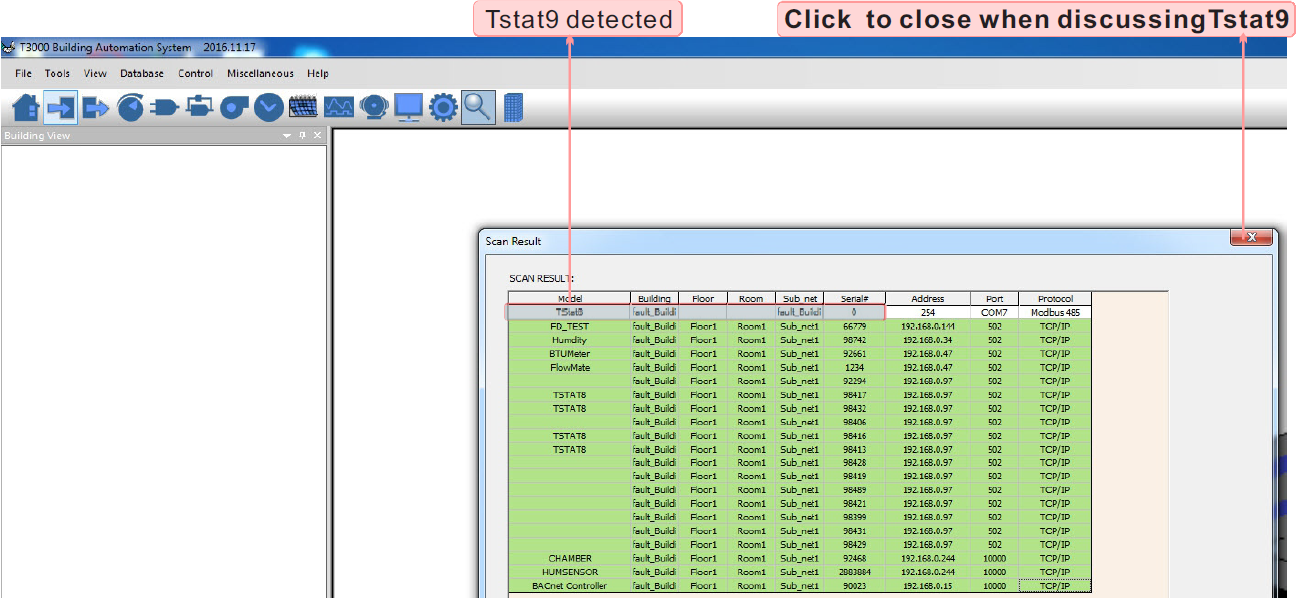
- Click Tstat9 log,then click “input” ,
 the T3000 will show all the information of it.To change name or choices,click as below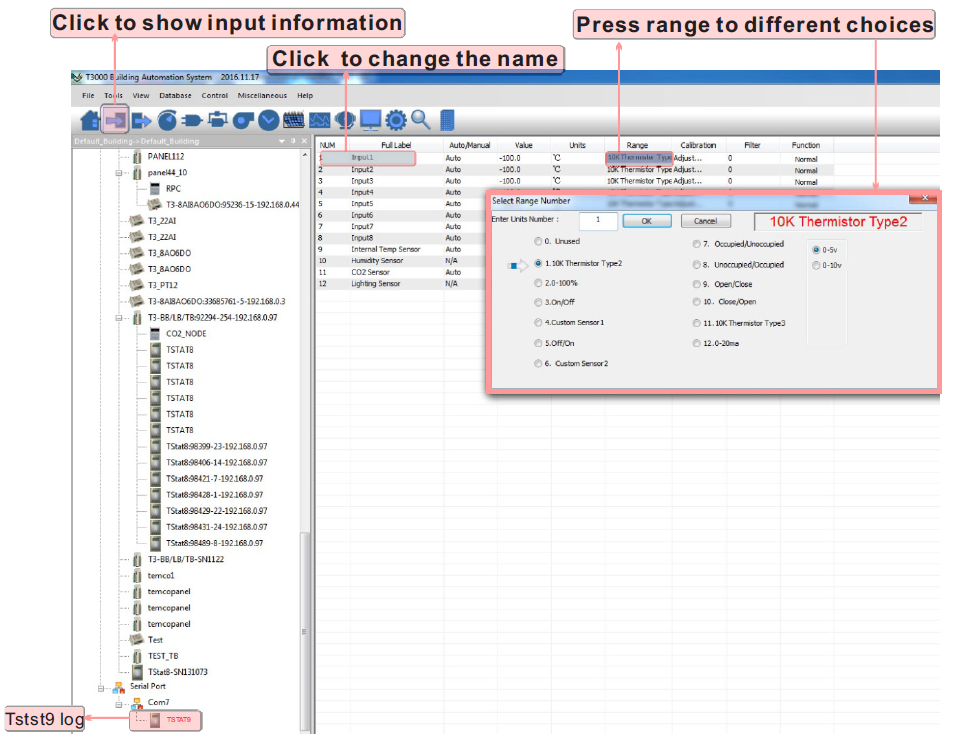
- Click
 to do settings,you can see a tab below about setpoint and temperature.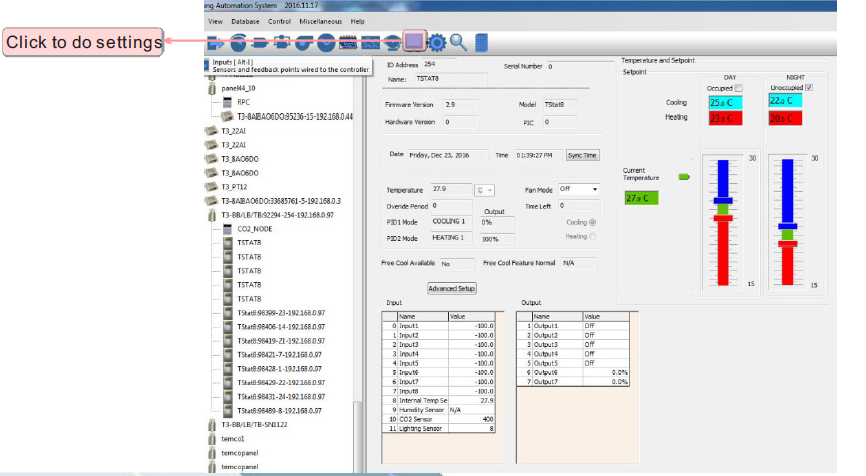
- Click to
 do settings, you can see a tab below about parameter.Click PIDs tables,you can find PIDs set Dialog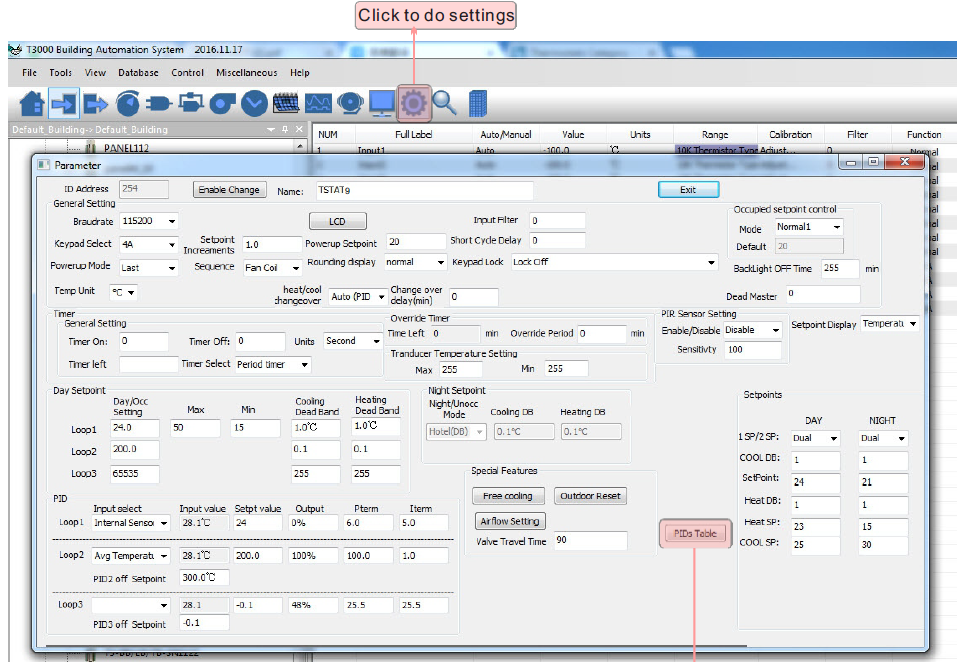

REFERENCE:
DOWNLOAD MANUALS:
Bravo Tstat9 Colling or Heating Thermostat User Manual