BEOK TGP508 WIFI TOUCH SCREEN THERMOSTAT
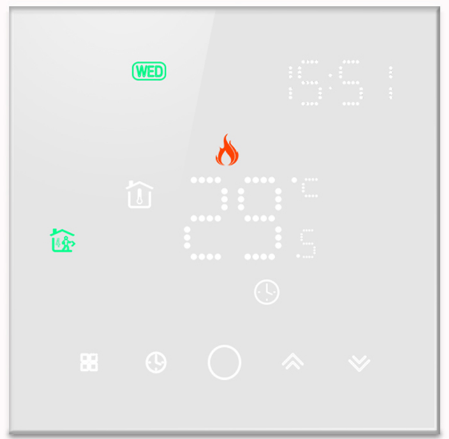
Introduction
Welcome
Thank you for your trust and support. By adopting higher-end technology and more perfect technology, your new thermostat will provide you with the right temperature environment every day in the future, making your life more comfortable and your living environment more stylish and beautiful. For detailed instructions on the installation and use of this thermostat, please read this manual carefully. Please contact a professional to install the thermostat for you and install and use the product to the extent permitted by law
Application
An intelligent digital temperature controller is a floor heating system suitable for room temperature control and household temperature control. It controls the operating state of the floor heating equipment by comparing the ambient temperature with the set temperature, which improves comfort and achieves energy saving. This digital temperature controller adopts microcomputer control technology and is equipped with full-screen display touch buttons, which is elegant in design and easy to use. The thermostat has manual automatic, programmable, and state memory functions.
Technical data
- Temperature sensor: NTC
- Power consumption:<1W
- Load current:3N16A
- Temperature accuracy:± 1 “C
- Voltage: AC100-240V 60Hz
- Temperature setting:5-60 “C
Product packaging
- Thermostat host —-1 PC
- Qualification certificate —-1 PC
- Sensing line (optional) —-1 PC
- Manual — — – — 1 PC
- Screw —-2PCS
Product Model
- GA Plumbing 3A
- GB Electric Heating 16A
- GC linkage, gas boiler 3A
- GE: Plumbing 3A + linkage, gas boiler 3A
User Notes
- Please read this manual carefully. Improper operation may damage the product or cause dangerous conditions.
- The installation personnel must be well-trained and experienced service technicians.
- After installation, please read this manual carefully and operate the product according to the instructions.
Caution: Risk of electric shock or equipment damage.
Wiring Diagram
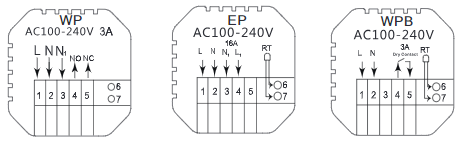
installation procedure
This product is installed with a standard 86 control switch (in compliance with European regulations)
- Connect the power box according to the wiring diagram
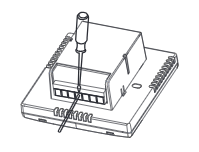
- Separate the power supply limn the control board Cable
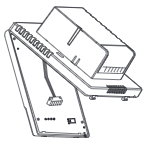
- Screw the power supply into the box of 86
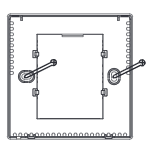
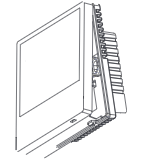
- Connect the power board to the control board line , and align the buckle at 30 degrees to complete the installation.
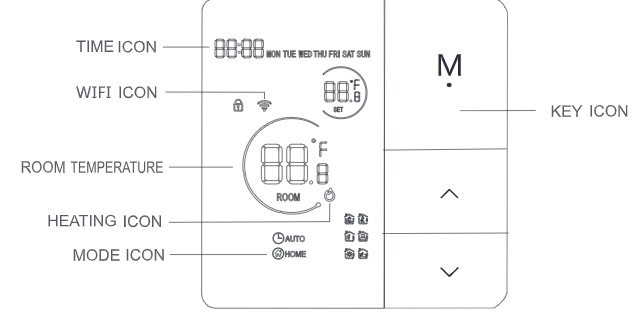
Description of display & Icon
Operating Instruction
- Power on/off: Long press M for 3 seconds on/off the thermostat.
- Press the M key to switch between manual and automatic modes.
- Press
 for 3 seconds to add or cancel the child lock.
 - WI Fl link: When the thermostat is on, long press the
 button for 5 seconds and the thermostat display will come out Now the WIFI Icon flashes, at this time the thermostat into the state of code.
 - Long press the key and A key to enter the clock setting, press the M key to switch Settings Item, and press keys to adjust the value of each parameter.
- Note: the time of the WIFI model will Automatically get internet time
- In the shutdown state.Long press key Detech the ground temperature.
Time programming Instructions
Long press M key and  key Enter the programming settings. Short press M key Switching options, Press the key Adiust the parameters of each option. Long press M key Exit saving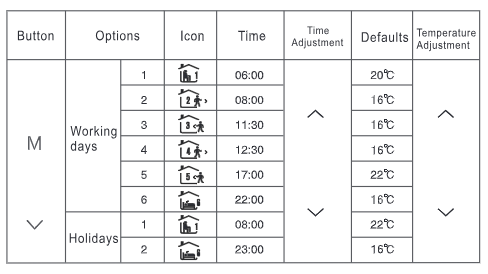
Advanced options
- When POWER OFF, press the M key and the key for 3 seconds to enter the adVanced option setting.
- Press M to enter the next option, press to adjust, and Long press M to exit the height Level option
| Button |
,. |
||||||
|
M
V |
|
lh.J | 06:00 |
V |
20’1:: |
V |
|
| @, | 08:00 | 16’1:: | |||||
| G?* | 11:30 | 16’1:: | |||||
| @>
,. |
12:30 | 16’1:: | |||||
| ,I..!.<.* | 17:00 | 22’1:: | |||||
|
,l.i!,,.i |
22:00 | 16’1:: | |||||
|
lh.J |
08:00 | 22’1:: | |||||
| f.:i | 23:00 | 16’1:: | |||||
About WIFI connection
Before using the WIFI thermostat for the first time, you should set the WIFI signal and configuration through your smartphone or tablet to allow communication between your connected devices. WIFI link: For the Bluetooth thermostat, please turn on your Mobile phone’s Bluetooth
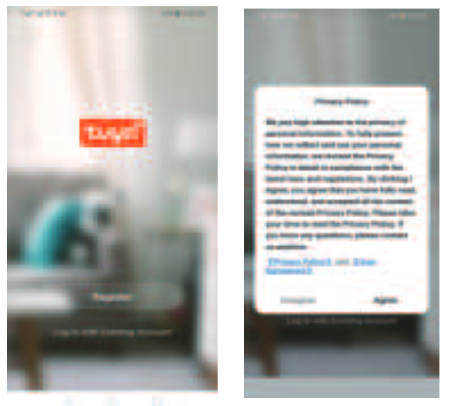
- Download the APP Search for “Tuya” in the App market or scan below QR Code to download

- Register Account If you don’t have an APP account yet, you can choose to register or log in via SMS verification code. Click “Create a new account”, and you will enter the Tuya Smart Platform Privacy Policy page. After you click Agree, you will officially enter the mobile phone registration page
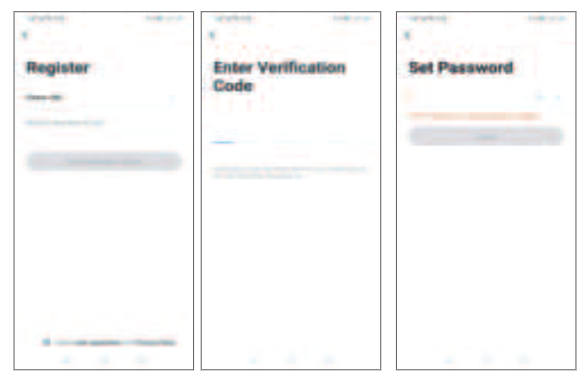
- The system automatically determines the current country/region. You can also select the country/region manually. Alter entering your mobile phone number or email address, click “get verification code”, Enter the received verification code, then enter the password, and click ‘finish” to register successfully
- Add device Click “add device” or•+• on the top right of the APP homepage to enter the “add device” page. Currently, there are two ways to manually add a device and search device.
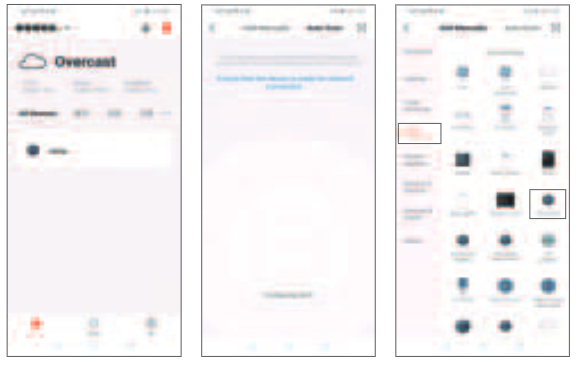
- Find the thermostat product (WIFI model) in the device list. In the specified network mode, the indicator flashes (slowly flashes), and then click the confirm button on the page. Select the device’s work area to connect to the WIFI o1 the internet and enter the WIFI password. Click ‘ok” to enter the matching network process
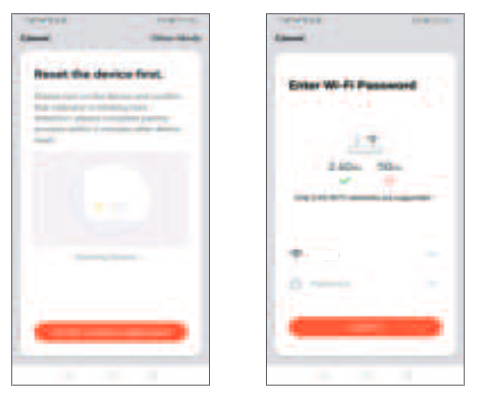
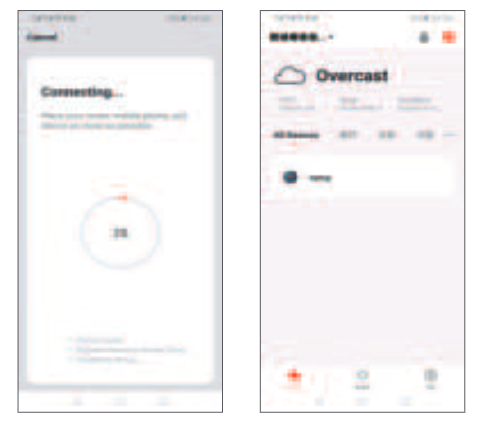
- If the default mode distribution network is selected, the distribution process APP is shown in Figure 1 below, and the distribution network successfully displays the interface shown in Figure 2. The name of the device can be changed or the location of the room can be selected
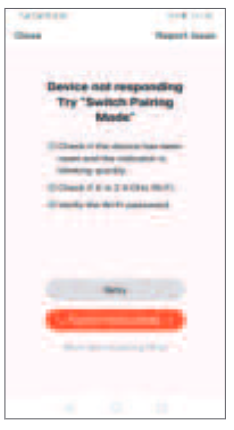
- If the distribution network fails, the APP will display lhe page shown in the figure below. You can choose to add or view the help again. Note: if the connection fails, please confirm whether the temperature control device has entered the code matching state, refer to Hem- 6 o1_ the_ operation -man-
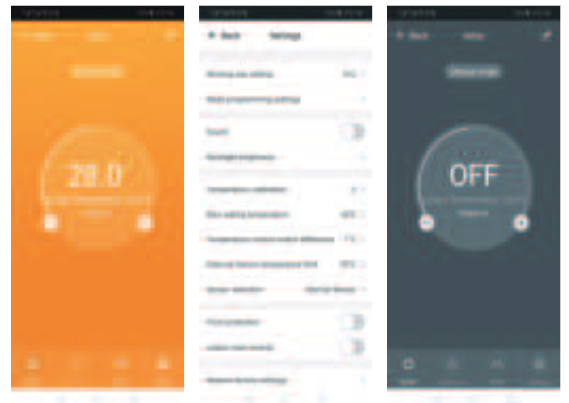
- Display of temperature controller APP interface
REFERENCE
DOWNLOAD MANUALS:
BEOK TGP508 WIFI TOUCH SCREEN THERMOSTAT User Manual