BEOK HY05RF Wireless Room Programmable Thermostat
INTRODUCTION
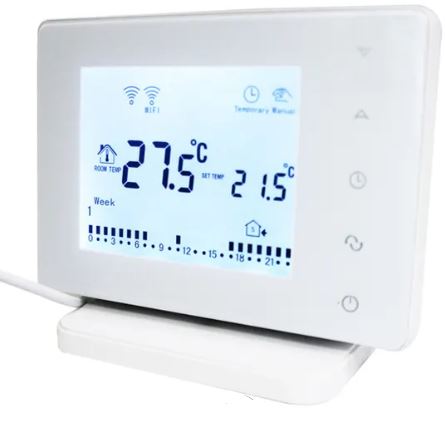
The adaptable and user-friendly BEOK HY05RF Wireless Room Programmable thermostat is designed to manage the heating and cooling systems in your house or place of business. To maximize comfort and energy efficiency, it has programmable capabilities that let you create customized temperature regimens. The thermostat’s wireless capabilities give you freedom in where you may put it in the area you wish to manage. The BEOK HY05RF thermostat provides effortless temperature control and improves your entire heating and cooling experience thanks to its user-friendly interface and cutting-edge capabilities.
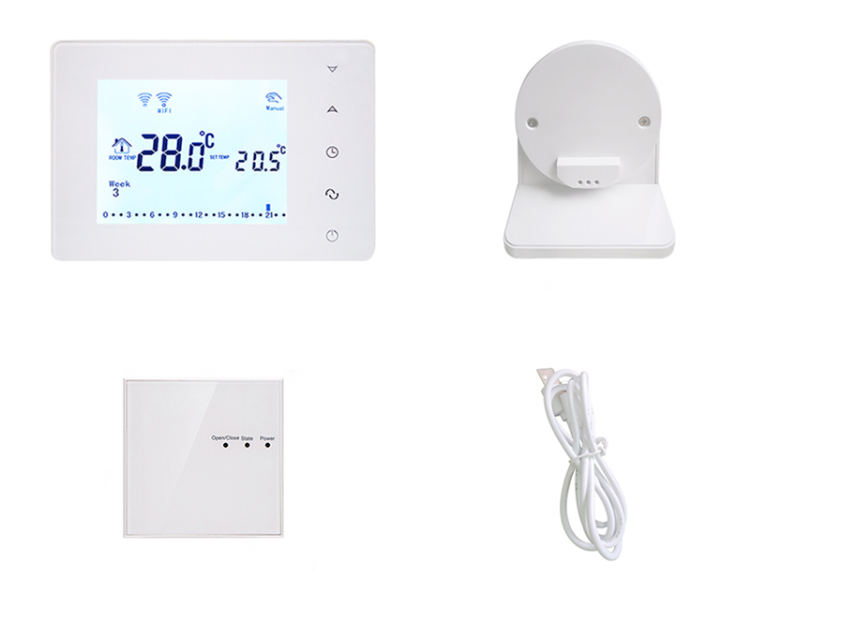
INCLUDING BOX
SPECIFICATION
|
Power Supply
|
2 AA* 1.5V alkaline batteries
|
|
Display accuracy
|
0.5°C or 1°F
|
|
Probe sensor
|
NTC(10k)1%
|
|
Contact capacity
|
5A/250V(BW);16A/250V(RF);3A/250V(MRF)
|
|
Working environment temperature
|
0~50°C/32~122°F
|
|
Range of temperature adjustment
|
5~35°C/41~95°F
|
|
Range of temperature display
|
0~40°C/32~104°F
|
|
Output
|
Switch relay
|
|
Insulating condition
|
Normal environment
|
|
Running program
|
Set per 1 week as a cycle
|
|
Frequency
|
433/470MHZ/868MHZ RF/MRF
|
|
Installation
|
Wall mounted or on battery seat
|
|
Size
|
130*90*27 mm
|
|
Application
|
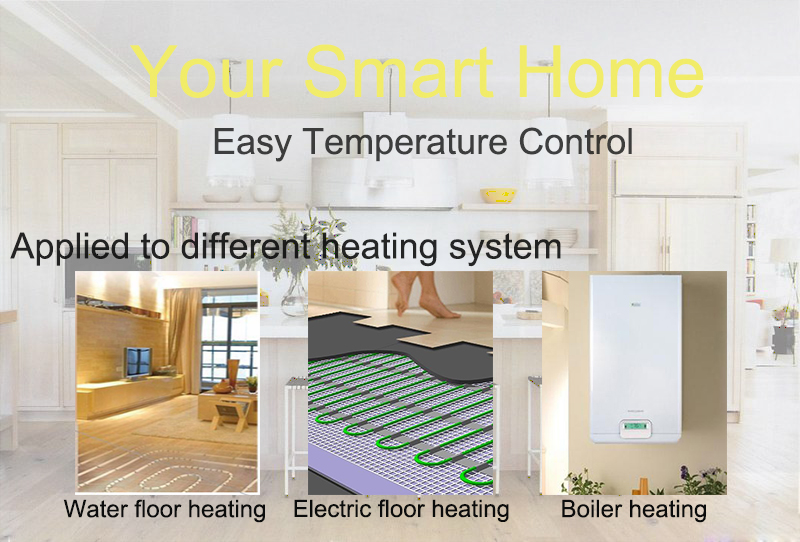
Electric floor heating system; Water floor heating system; Wall-hung boiler heating system
|
|
Programmable
|
5+2,6+1,7days programmable
|
|
Mode
|
Wireless, touch screen, digital
|
|
Display
|
°C and °F display switchover
|
|
Color
|
White, Black
|
Detailed Images
Merchandise Description
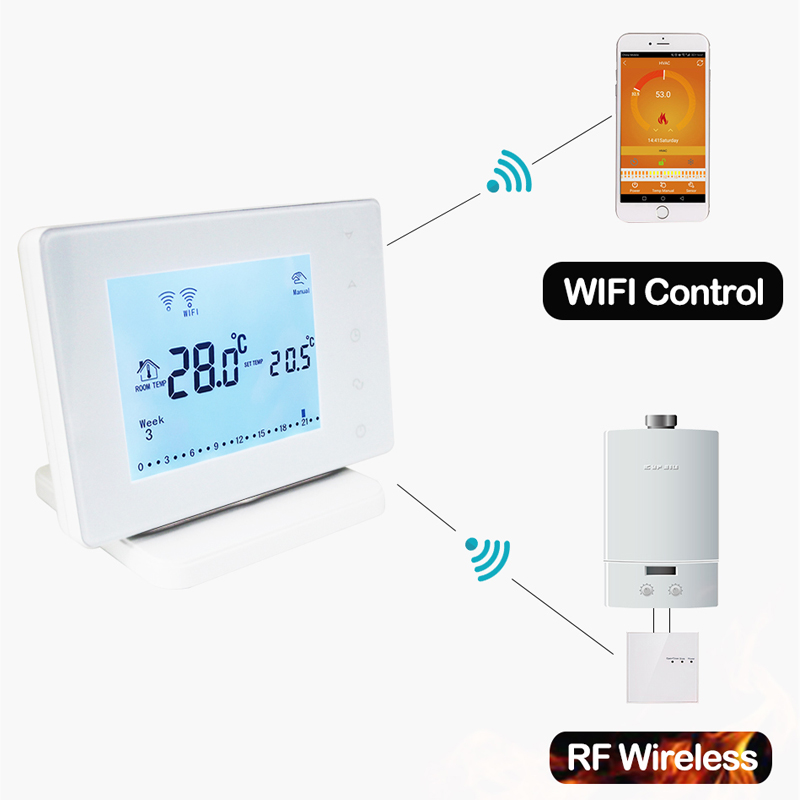
The HY05RF WIFI series thermostat is often used in residences, offices, hotels, hospitals, and schools. It is an RF wireless thermostat that may be used with electric underfloor heating, water heating, or gas boiler systems. It comes with a controller and a receiver.
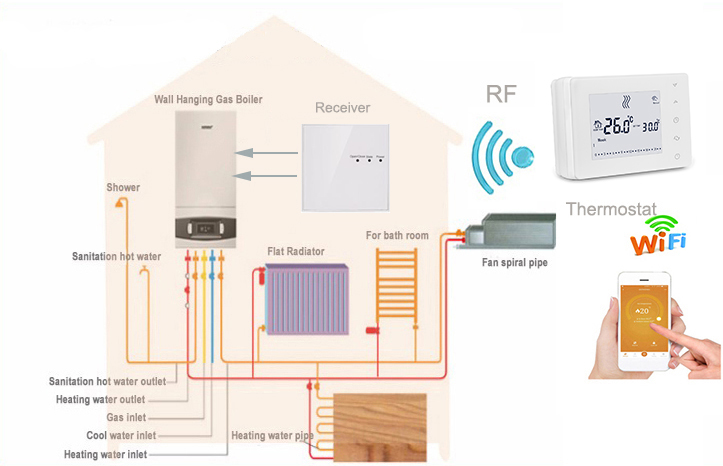

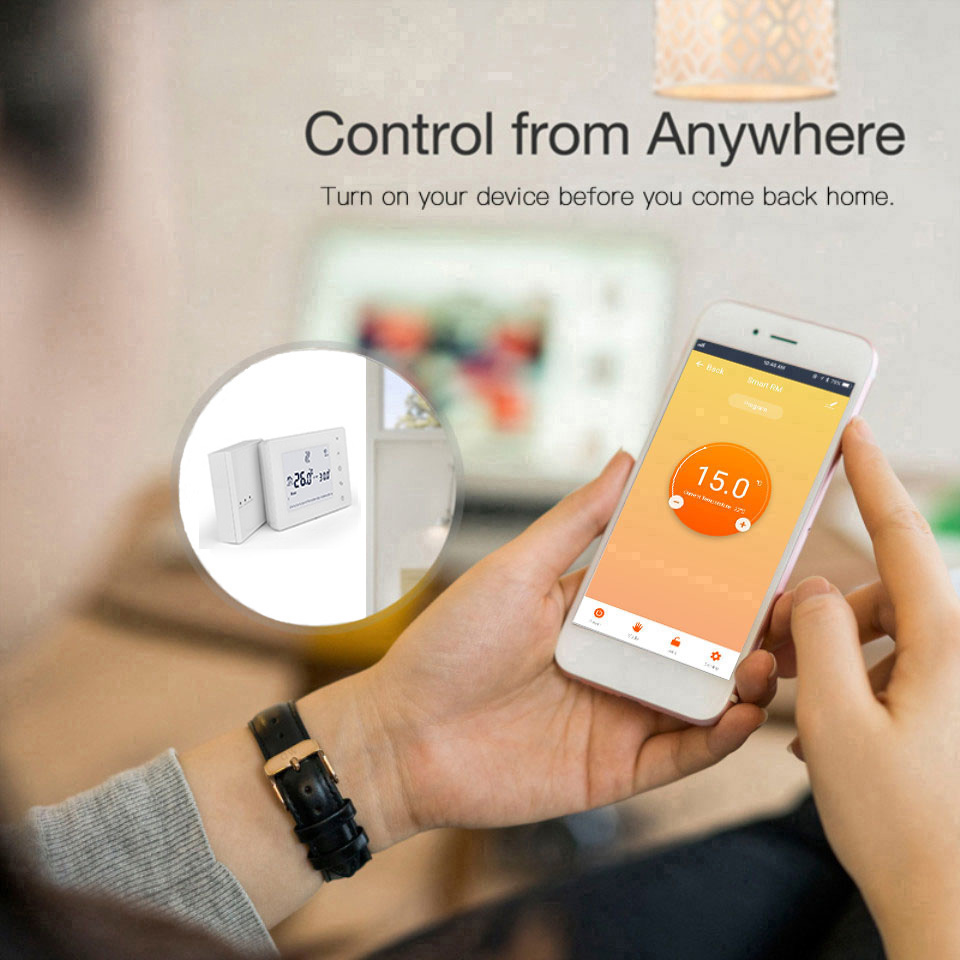
Function of Feature
- Apps are available for download through Google Play and the App Store.
- Compatible with Google Home and Amazon Alex
- wireless control with a 300-meter communication range;
- A programmable weekly feature;
- The Child Lock feature;
HOW TO OPERATE
The BEOK HY05RF Wireless Room Programmable Thermostat is operated as follows:
- Setting up the thermostat:
- Be careful to follow the manufacturer’s directions when mounting the thermostat on the wall.
- Verify that the thermostat is linked to a power source or that the batteries are properly installed.
- Set the Timer:
- To access the clock setting mode on the thermostat, press the “Menu” or “Clock” button.
- To change the hour and minute, use the “+” and “-” buttons or use the up and down arrows. To save the settings, click the “OK” or “Confirm” button.
- Set the thermostat:
- To access the temperature controls, click the “Menu” or “Temperature” button.
- To change the desired temperature, use the “+” and “-” buttons or the up and down arrows. In order to preserve the temperature settings, press the “OK” or “Confirm” button.
- Programming:
- To enter programming mode, press the “Menu” or “Program” button. Using the up and down arrows or the “+” and “-” keys, adjust the temperature to your preference for each time of day (morning, day, evening, night).
- To advance to the next time period, use the “Next” or “Forward” button. To save the programming settings, click the “OK” or “Confirm” button.
- Automatic Override:
- Use the up and down arrows or the “+” and “-” buttons to alter the temperature to your preferred setting if you wish to temporarily override the preset values. The following scheduled time period will not be affected by this manual override.
- Other Purposes:
- Additional features of the BEOK HY05RF thermostat might include fan control, mode selection (heating/cooling), or vacation mode.
- To comprehend and make use of these functions, see the user handbook. cellular connectivity If your thermostat has a wireless connection, you may need to couple it with a receiver or a control hub in accordance with the directions provided by the manufacturer.
Note that depending on the particular model of the BEOK HY05RF thermostat, the precise button names and functionalities may differ significantly. It is advised to refer to the manufacturer’s user manual for comprehensive instructions unique to your thermostat model.
FAQS
The BEOK HY05RF Wireless Room Programmable Thermostat is what it sounds like.
The wireless room thermostat BEOK HY05RF enables you to schedule and manage your home’s heating and cooling systems.
How does the BEOK HY05RF thermostat’s wifi capability operate?
You may wirelessly operate the thermostat using the BEOK HY05RF’s radio frequency (RF) connection to connect with the receiver unit.
Is it possible to set up several temperature schedules on the BEOK HY05RF thermostat?
In order to meet your comfort and energy-saving demands, the BEOK HY05RF can be programmed to enable you to establish various temperature regimens throughout the day. Does the touchscreen display on the BEOK HY05RF exist?
Yes, the touchscreen display of the BEOK HY05RF makes it simple to browse and adjust the thermostat.
Are all heating and cooling systems compatible with the BEOK HY05RF? The majority of common heating and cooling systems, including gas boilers, electric heaters, and air conditioners, are compatible with the BEOK HY05RF.
The BEOK HY05RF thermostat allows me to manage various zones. Yes, the BEOK HY05RF supports multiple zones. To enable individual control in various parts of your house, additional receiver units must be paired with the thermostat. Do the BEOK HY05RF’s internal temperature sensors exist?
It is true that the BEOK HY05RF contains an internal temperature sensor that gauges the room’s ambient temperature.
Can I use a smartphone app to remotely regulate the thermostat?
The BEOK HY05RF is not compatible with smartphone apps. It depends on the thermostat and receiver unit having a wireless connection.
If so, does the BEOK HY05RF have one?
Yes, the BEOK HY05RF has a vacation mode that enables you to create a temporary plan for the temperature while you are gone from home for a long time.
Does the BEOK HY05RF’s LCD have a built-in backlight?
Yes, the BEOK HY05RF has an integrated backlight that improves visibility and makes it simple to view the display in dim lighting.
Can I change the BEOK HY05RF’s pre-programmed settings?
Yes, you may manually change the temperature or go to manual mode on the BEOK HY05RF to temporarily override the preset parameters.
Is there a filter change reminder on the BEOK HY05RF?
The BEOK HY05RF does not come with a built-in reminder to replace the filters. You’ll have to manually keep track of filter modifications.
What is the BEOK HY05RF thermostat’s wireless range?
The BEOK HY05RF’s wireless range might change based on the surroundings, however, it normally provides an interior range of up to 50 meters.
Is there a frost protection function on the BEOK HY05RF?
In order to avoid freezing, the BEOK HY05RF does include a frost protection mechanism that makes sure the temperature doesn’t drop below a particular point.
Is installing the BEOK HY05RF simple?
The intricacy of your setup and your heating system will affect how the BEOK HY05RF is installed. To guarantee appropriate installation and setup, it is advised to check the installation instructions or seek expert help.

BEOK HY05RF Wireless Room Programmable Thermostat User Manual