AZEL D-28F Non-Programmable Digital Thermostat
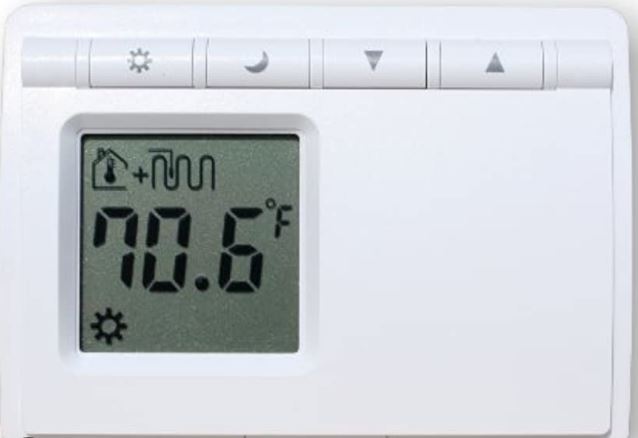
Description
D-28F digital thermostat is specifically designed for Radiant Floor Heating Systems. It is so flexible that it can be used to control either ambient(air) temperature (A Mode) or floor temperature (F Mode) or a combination of air temperature with floor temperature limit(AF Mode). An auxiliary remote sensor is provided to measure slab temperature in order to control the floor temperature within desired maximum and minimum limits.
Installation
- Look for a location which has a constant temperature in the house and it is no near the door entry of heater or air conditioning outlet. The mounting height should be about five feet above the floor.
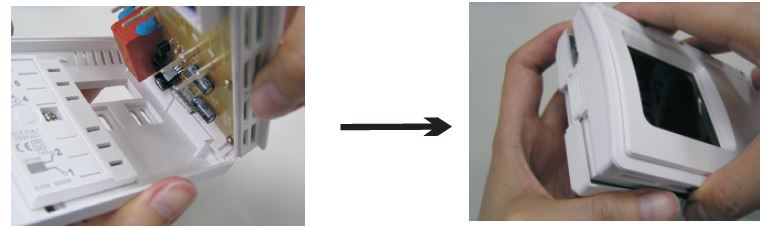
- Open top housing as illustrations below :
- Press down the lever on the left hand side of the enclosure and open the unit by lifting the front cover.

- Before installing the thermostat on the wall, it must be configured by using the jumpers at the back for the front cover.

- Remove the screw on the back plate and take off the protective terminal cover
- Follow the wiring diagram on Figure 1. Insert the wires into the terminal blocks and use a screwdriver to tighten the screws on top of the terminals.
- Use the screw to fix the terminal cover back to the back plate.
- If your system is other than this type, please consult with your local dealer or a professional electrician
- Install the back plate on the wall.
- Put the front cover back to the back plate by aligning two hooks on the right hand side of the inner enclosure. Make sure there is a click sound when two parts are snapping together
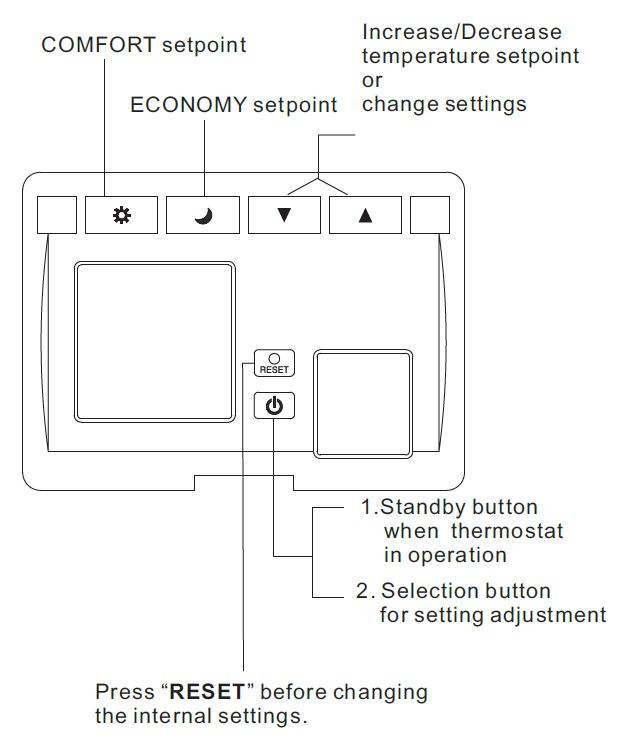
- Press RESET before starting the operation of the thermostat
Heating/Cooling Mode: Use the Heat/Cool Mode Jumper to select the system operating mode. Heating should be selected for A/F/AF Mode and Cooling can only be selected for A mode. Functions of floor heating will be disabled if cooling mode is selected.
General Operating Mode
A mode: controls and displays the ambient temperature. Do not connect the floor sensor. Insert the jumper to enable the room sensor and LCD will show ambient (air) mode symbol as shown below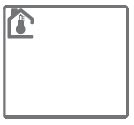
F mode: controls and displays the floor temperature. Floor sensor should be connected. Remove the jumper to disable the room sensor and LCD will show Floor Heating mode symbol as shown below
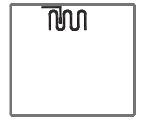
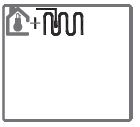
AF mode: controls and displays the ambient temperature with maximum floor limit. Floor sensor should be connected. Insert the jumper to enable the room sensor and LCD will show Ambient/Floor Limit Heating symbol as shown below:
WIRING DIAGRAM
Setting and Operation
In general, press both Up and Down buttons at the same time for 5 seconds to enter Adjustment Mode. “Set” will be flashing on the bottom of the LCD. Then follow the flashing symbol and use Up/Down Button to change the setting. Press to go to the next adjustment.
A (Ambient Temperature Control) Mode Setting:
- Press both Up and Down buttons at the same time for 5 seconds to enter adjustment mode.
- Press Up or Down button to select °C or °F
- Press to access the COMFORT
 setpoint and press Up or Downbutton to change the setting. Default: Heat: 21°F(70°C); Cool: 75°F(24°C)
 - Press to access the ECONOMY
 setpoint and press Up or Down button to change the setting. Default: Heat: 16°F(60°C); Cool: 80°F(27°C)
 - Press to access the Differential setting and use Up or Down button to change the setting. 0.4/0.8/1.2/1.6/2°F, 0.2/0.4/0.6/0.8/1°C Default: 0.8°F/0.4°C
- Press once to go back to the normal operating mode and use COMFORT setpoint.
Note: There is a three-minute delay for the thermostat to start its operation after installation if Cool Mode was selected.
F (Floor Heating Control) Mode Setting:
- Press both Up and Down buttons at the same time for 5 seconds to enter adjustment mode.
- Press Up or Down button to select °C or °F
- Press to access the “Hi Limit” setpoint (maximum floor temperature) and use Up or Down button to change the setting. Default: 85°F(29°C)
- Press to access the “Lo Limit” setpoint (minimum floor temperature) and use Up or Down button to change the setting. Default: 59°F(15°C)
- Press to access the COMFORT floor temperature setpoint and press Up or Down button to change the setting. Default: 78°F(26°C)
- Press to access the ECONOMY floor temperature setpoint and press Up or Down button to change the setting. Default: 70°F(21°C)
- Press to access the switching Differential and press Up or Down button to select one of the 4 values: 1.2/2/4/6°F, 0.6/1/2/3°C Default: 2°F/1°C
- Press again to go back to the normal operating mode and use COMFORT setpoint.
AF (Ambient/Air Temperature Control with Floor Maximum Temperature Limit) Mode Setting:
- Press both Up and Down buttons at the same time for 5 seconds to enter adjustment mode.
- Press Up or Down button to select °C or °F
- Press to access the COMFORT setpoint and press Up or Down button to change the setting. Default: Heat: 21°F(70°C)
- Press to access the ECONOMY setpoint and press Up or Down button to change the setting. Default: Heat: 16°F(60°C)
- Press to access the “Hi Limit” setpoint (maximum floor temperature) and use Up or Down button to change the setting. Default: 85°F(29°C)
- Press to access the Differential setting and use the Up or Down button to change the setting. 0.4/0.8/1.2/1.6/2°F, 0.2/0.4/0.6/0.8/1°C Default: 0.8°F/0.4°C
- Press once to go back to the normal operating mode and use COMFORT setpoint.
Manual Temperature Setting
To change the setpoint instantly, press Up or Down button during the normal operating mode to override the COMFORT or ECONOMY setpoint. The symbol will be displayed on LCD besides the current temperature
Operation in General
- When the thermostat is calling for heat, Flame Symbol appears on the LCD
- When the thermostat is calling for cool, Snow Flake Symbol appears on the LCD
- During the normal operating mode, press to run the COMFORT MODE setpoint. Press to run the ECONOMY MODE setpoint
- If Cool Mode is selected with sensor probe connected, “Err” will be displayed on LCD
- Press to disable the control output. Press again to enable the output.
Replacing Battery
When the battery is low, LCD is flashing between “Lo” and “88.8″. Change the battery as soon as possible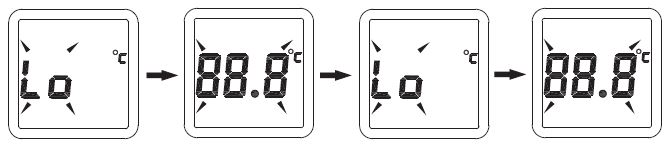
SPECIFICATIONS
- Display Format: Liquid Crystal Display(LCD)
- Power Input : Battery 1.5 VDC AA x 2 with Battery-Low indicator & protection
- Selectable display in °F or °C
- Temperature control range: Room: 40-95°F(5-35°C)
- Floor Temperature Control Range: 40-113°F(5-45°C)
- Temperature Display Range: 14-122°F(-10-50°C) with accuracy ± 0.2°F(0.1°C). Note: No decimal indicator above 100°F
- Maximum Floor Temperature Limit.(F & AF Mode): 68-113°F(20- 45°C) Default: 85°F(29°C)
- Minimum Floor Temperature Limit(F Mode only): 40-68°F(5-20°C)
- Default: 59°F(15°C). Note: In AF Mode, only Maximum Limit is available
- Contact Rating: 10A
- Floor limits switching differential: 4°F(2°C). Factory Preset (not user adjustable)
- Freeze protection: factory preset. In effect when thermostat is
- OFF by Power Button. A & AF Mode 40°F(5°C). F Mode: 50°F(10°C)
- Short Cycle Protection: 3 minutes delay start, available in coolmode only
- Dimension: 125W x 90Hx 35D mm
- Switching Differential: A/AF Mode: 0.4/0.8/1.2/1.6/2°F, 0.2/0.4/0.6/0.8/1°C Default: 0.8°F/0.4°C. F Mode: 1.2/2/4/6°F, 0.6/1/2/3°C Default: 2°F/1°C
- Sensor Probe: 10ft wire lead
- Material: Non flammable plastic
AZEL
- For more product information, please visit: www.azeltec.com
- P.O. Box 53138
- 10 Royal Orchard Blvd.
- Thornhill, Ontario, Canada L3T 7R9
- Ph: 905-223-5567 Fax: 905-223-3778
- Email: [email protected]
Reference
Download Manual:
AZEL D-28F Non-Programmable Digital Thermostat INSTRUCTION MANUAL

AZEL D-28F Non-Programmable Digital Thermostat INSTRUCTION MANUAL