
ARISTON 3319468 SENSYS HD Wi-Fi Thermostat

OVERVIEW
The SENSYS HD system interface offers simple and efficient room temperature adjustment and domestic hot water control. The SENSYS HD system interface is compatible with Ariston NET.

Thanks for choosing Ariston NET, the system designed and manufactured by Ariston to provide a whole new experience in using a domestic heating and hot water system. With Ariston NET you can switch on, switch off and check the temperature of heating and domestic hot water at any time and anywhere via a smartphone or PC. It constantly monitors energy consumption to cut your gas bills and notifies you in real time of any heat generator malfunctions. Also, when the teleassistance service is activated, the service centre will be able to solve most problems remotely.
For further information, go to the Ariston Net website: https://www.ariston.com/uk/Homeowner/ariston_net_connectivity
SAFETY RULES
WARNING
The following manual is an integral and essential part of the product and must always be kept with care and attached to the product, even if it is transferred to another owner or user, or when it is used with a different application.
Do not use the product for any purpose other than that specified in this manual. The manufacturer is not liable for damage resulting from improper use of the product or failure to install it as instructed herein. All maintenance on the product must be carried out exclusively by qualified staff using solely original spare parts. The manufacturer is not liable for damage resulting from failure to observe this instruction, which may compromise the safety of the installation.
WARNING
The appliance can be used by children older than 8 years and by people with reduced physical, sensory or mental abilities, or who lack adequate experience and the necessary knowledge, provided that they are supervised or have been instructed on how to use the appliance safely and on understanding the attendant risks. Children must not play with the appliance. Any cleaning and maintenance which should be performed by the user must not be done by unsupervised children.
WARNING
- Failure to comply with this warning entails the risk of injury to persons, which in some circumstances may be fatal.
- Failure to comply with this warning may result in serious damage to property and plants or injury to animals.
- The manufacturer is not liable for damage resulting from improper use of the product or failure to install it as instructed herein.
- Do not perform operations that involve removing the appliance from its installation location.
- Damage to the device.
- Do not climb onto chairs, stools, ladders or unstable supports to clean the device.
- Personal injury caused by falling from a height or shearing (stepladders shutting accidentally).
- Do not use any insecticides, solvents or aggressive detergents to clean the appliance.
- Damage to plastic or painted parts.
- Do not use the appliance for any purpose other than normal domestic use.
- Damage to the device caused by operation overload.
- Damage to objects caused by improper use.
- Do not allow children or inexperienced people to operate the appliance.
- Damage to the appliance due to improper use.
- During the cleaning, maintenance and connection operations, it is necessary to isolate the appliance from the mains supply by removing the plug from the socket.
- Personal injury due to electrocution.
 PRODUCT IN COMPLIANCE WITH EU DIRECTIVE 2012/19/EU
Concerning the treatment of waste electrical and electronic equipment (WEEE)
The barred wheeled bin symbol appearing on the appliance or on its packaging indicates that the product must be collected separately from other waste at the end of its useful life. The user must therefore deliver the decommissioned product to an appropriate local facility for separate collection of electrotechnical and electronic waste. Alternatively, the appliance to be scrapped can be delivered to the dealer when purchasing a new equivalent appliance. Electronic products for disposal measuring less than 25 cm can also be delivered free of charge to electronic equipment dealers having a surface area of at least 400 m2, without having to purchase other products. Proper separated collection of the decommissioned appliance for its subsequent recycling, treatment, and eco-compatible disposal helps to prevent negative effects on the environment and human health, besides encouraging reuse and/or recycling of its constituent materials.
PRODUCT DESCRIPTION

| TECHNICAL DATA | |
| Dimensions | 134 mm x 96 mm x 21 mm |
| Power supply | BUS BridgeNet® 8 to 24V max |
| Current draw | ≤35mA |
| Operating temperature | -0° to 50°C |
| Storage temperature | -10° to 45°C |
| Humidity | 20% RH to 80% RH |
| Temperature reading precision | +/- 0.5°C |
| Bus cable length and cross-sectional area | max. 50 m ø min. 0.5 mm² |
| NOTE: IN ORDER TO AVOID INTERFERENCE PROBLEMS, USE A SHIELDED CABLE OR TWISTED PAIR CABLE. | |
| PRODUCT TECHNICAL SHEET | |
| Supplier name | ARISTON |
| Supplier identification model | SENSYS HD |
| Temperature control class | V |
| Energy efficiency contribution (%) for space heating | +3% |
| Addition of an Ariston External Sensor /Internet Weather (Sensys NET HD): | |
| Temperature control class | VI |
| Energy efficiency contribution (%) for space heating | +4% |
| In a system with 3 zones with 2 Ariston Room Sensors: | |
| Temperature control class | VIII |
| Energy efficiency contribution (%) for space heating | +5% |
INSTALLING THE PRODUCT
The device detects the room temperature, therefore several factors should be taken into account when choosing an installation site. Position the device far from heat sources (radiators, sunlight, fireplaces, etc.) and from draughts, doorways and windows which could affect the temperature readings. It should be installed approximately 1.5 metres above the floor level.
WARNING
- Installation should be performed by a qualified technician.
- Before making any connections, shut off the electricity power supply to the heat generator via its external two-position switch. Install the product in a room with a normal level of pollution.
| WALL INSTALLATION | |
| Connect the pair of wires to the terminal block to connect to the heat generator via BUS | 
|
| Fix the base plate contained in the installation kit to the wall |
|
| Position the device onto the base plate and push it delicately downwards. | 
|
| CONNECTION TO THE SYSTEM
The sending, receiving and decoding of signals occurs through the BridgeNet® BUS protocol, which puts the heat generator and the system interface into contact with each other |
|
|
Connect the pair of wires running from the BUS connector to the system interface terminal. The electrical connection of the device is not polarised. NOTE: IN ORDER TO AVOID INTERFERENCE PROBLEMS, USE A SHIELDED CABLE OR TWISTED PAIR CABLE. NOTE 2: Connect only one system interface to the BUS network |
 |

INITIAL CONFIGURATION
WARNING: To guarantee safety and correct operation of the system interface, it must be commissioned by a qualified technician in possession of the skills as required by law.
| CONFIGURATION PROCEDURE | |
|
Initialisation |
Insert the system interface into the connection shoe by pushing it gently downwards and making sure that the products are powered; after a brief initialisation, the device will be ready to be configured. |
| Selecting the language | The display screen shows “Language”. Select the language by rotating the knob. Press OK to confirm |
|
Selecting date and time |
The display shows the “Time & Date”. Turn the knob to select day, month and year. For each selection, press the knob to confirm. |
| Once the date is set, the selection moves to setting the time.
Turn the knob to set the correct time; for each selection, press the knob to confirm. |
|
|
Selecting the mode daylight saving time |
Once the date is set, the selection moves to the daylight saving time setting. Turn the knob to select TIME PROGRAM or MANUAL.
If you want the system to automatically update the period when daylight sav- ing time is in use, select TIME PROGRAM. Press the knob to confirm. |
| Selecting the zones “Zone” Menu | This screen is used to select the hydraulic zones to be displayed in the “Zone” user menu. Turn the knob to select the zones in the system and press the knob to confirm. |
|
Setting the “Zone” parameters |
For devices compatible with this function, you can set the following parameters for the selected Zone:
|
|
Selecting the zone |
After, the display screen shows the selection of the zone to be assigned to the room temperature control device.
Turn the knob to select the desired zone. Press the knob to confirm. By as-signing zone no. 0 the device will exclusively carry out the function of system interface. After the zone selection, the system will repeat the initialization procedure |
WARNING: BUS ADDRESSING CONFLICT
- After initialisation, if the zone assigned to the device is already being used by another device on the BUS network, an addressing conflict error message will be displayed.
- Press the knob to access the configuration page of the BridgeNet Bus network. Proceed with the correct addressing of the devices according to the instructions in the respective manuals.
WARNING: TIME SCHEDULING CONFLICT
- A time scheduling conflict error is generated when one of the programmable devices on the network does not support multi-level programming.
- In this case, the programming must be set on “2 levels” through the 0.4.3. parameter.
WARNING: ROOM TEMPERATURE CORRECTION
- In the event of installation on a wall-mounted Remote Modem (Light Gateway), the room temperature measurement may require a correction.
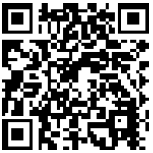
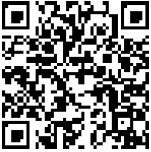
The technical documentation is available at the following link
Diagnostics
START SCREEN

- A. Menu button
- B. Knob / OK button (turn to select / press to confirm)
- C. Esc button (back)
- D. Function Icons
- E. Weather and Outdoor temperature
- F. Room temperature
- G. Desired temperature
- H. Date and Time
- I. Operation icons
- L. Pressure indication

BASIC FUNCTIONS
Room temperature regulation in Manual mode

- The operating mode of the zone associated with the device is set to “
 ” MANUAL.
 - Turn the knob to select the temperature value indicated on the display using the movable cursor close to the ring.
- Press the knob to confirm.
- The display shows the set temperature.
Room temperature adjustment in Programmed mode

- The operating mode of the zone associated with the device is set to “
 ” PROGRAMMED.
 - During operation in scheduled programming mode, the set room temperature can be changed temporarily. Turn the knob to select the temperature value indicated using the movable cursor close to the ring.
- Press the knob to confirm.
- The display shows the set temperature.
- Turn the knob to set the time at which you want the change to end.
- Press the knob to confirm. The “
 ” symbol appears on the display.
 - The system interface will maintain the temperature value until the set time, after which the pre-set room temperature is restored.
- Press the Menu button; the display will show the user menu consisting of two pages.
- To enter the second page, turn the knob and scroll down to the last icon of the first page.
 Zones
Zones
- Allows you to check the main information on the operating status of the zones and to set the operating mode of the single zone.
Time scheduling
- This allows you to set the time scheduling for heating, cooling, hot water and buffer (if present).
 Energy Consumption
- Shows the estimated energy consumption (gas and electricity) and their performance over time for the heating, cooling and domestic hot water modes.
 Holiday function
- The holiday function disables heating during the holiday period and activates the anti-frost protection for the room heating system and the DHW storage tank until the set date.
 Operating mode
Selects the system operating mode:

- SUMMER
- domestic hot water produced, heating off.
- WINTER
- domestic hot water produced, heating on.
- HEATING ONLY
- excluding cylinder heating (if present).
- COOLING AND DOMESTIC HOT WATER
- (if present)
- COOLING ONLY
- excluding cylinder heating (if present)
- OFF
- system off, anti-frost function enabled.
 Domestic Hot Water settings
- Allows you to select the desired temperature, the operating mode for hot water production and the thermal sanitisation function of a DHW tank (if present).
 Connectivity
- Allows you to enter the settings of the remote connection service when a WiFi device is connected to the bus and allows you to consult the main diagnostics information.
 System Information
- Allows you to consult the main diagnostics information (of the connected devices), and the energy efficiency performance of the system.
 Screen Settings
- Allows you to configure the main display settings.
 Advanced Settings
Allows you to access the following functions:
- Heating Temperature Regulation
- Cooling Temperature Regulation
- Buffer Settings
- Advanced settings of the connected devices (boiler, heat pump, hybrid…)
- Units of Measurement
- Photovoltaic integration
- Setting the units of measurement
- Measured temperature correction
- Selecting the zones to be displayed in the “Zone” menu
TECHNICAL AREA
WARNING: To guarantee safety and correct operation of the system interface, it must be commissioned by a qualified technician in possession of the skills as required by law.
- To enter the technical area simultaneously press the “Esc” and “Menu” buttons until “Enter code” appears on the display.
- Turn the knob and insert the technical code (234) and press to confirm.
| Technical area | |
| Language | Language setting |
| Time & Date | Date & Time setting |
| BridgeNet Bus network setting | Show the connected devices and their features |
| Zone mode | Zone control advanced settings |
| Complete Menu | Access to all menus and technical parameters enabled according to the connected devices and available zones |
| Guided procedures | A dedicated menu for guided procedures for setting the devices is included in the system |
| Service | Quick access to the service parameters for the technician |
| Faults | List of the last 10 detected errors |
IMPORTANT: For more details on the setting of the parameters and procedures of the technical area please refer to the installation manual of the single products (boilers, heat pumps and hybrid systems, etc.).
|
|
Compliance | EMC: 2014/30/EU RED: 2014/53/EU ROHS: 2015/863/EU |
| Standard | EMC: EN 55014-1:2017; EN 55014-2:2015; CISPR 14-1:2016; CISPR 14-2:2015
RED: ETSI EN 300 328: v2.2.2; ETSI EN 301 489-1: v2.2.3; ETSI EN 301 489-17: v3.2.2; EN 62311:2008; EN 62368-1:2014+A11:2017 ROHS: EN 50581 |
|

|
Compliance | EEMC: Electromagnetic Compatibility Regulations 2016 RED: Radio Equipment Regulations 2017
ROHS: Restriction of the Use of Certain Hazardous Substances in Electrical and Electronic Equipment Regulations 2012 |
| Standard | EMC: BS EN 55014-1:2017; BS EN 55014-2:2015; CISPR 14-1:2016; CISPR 14-2:2015
RED: ETSI EN 300 328: v2.2.2; ETSI EN 301 489-1: v2.2.3; ETSI EN 301 489-17: v3.2.2; BS EN 62311:2008; BS EN 62368-1:2014+A11:2017 ROHS: BS EN 50581 |

CONTACTS
Ariston Thermo SpA
- Viale Aristide Merloni, 45 60044 Fabriano (AN) Italy
- Telefono: 0732 6011
- Fax: 0732 602331
- [email protected]
- www.aristonthermo.com
Commercialized by
- Ariston Thermo UK
- 3 Juniper West – Basildon – SS15 6SJ
- www.ariston.co.uk
- e-mail: [email protected]
- Customer Service: 0333 240 8777
- Technical Advice: 0333 240 7777
Ariston Thermo Deutschland GmbH
- Ingolstädter Str.18 – 80807 München
- tel: +49 89 6797090
- fax: +49 89 67970933 /34
- www.aristonthermo.de
- [email protected]
420011084700
Reference
Download Manual:
ARISTON 3319468 SENSYS HD Wi-Fi Thermostat OPERATION INSTRUCTIONS

ARISTON 3319468 SENSYS HD Wi-Fi Thermostat OPERATION INSTRUCTIONS