DOMETIC Single Zone LCD Thermostat

The basic steps for operating your Air Conditioner or Heat Pump are described in this User’s Guide. For more detailed information on modes of operation and special features refer to the Operating Instructions Manual.
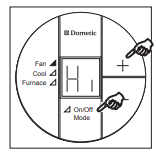
Fan Mode Setting
Press and release the On/Off Mode button. Press and release the “+” or “―” button to cycle through the fan speed options (Lo (Low), Hi (High), Au (Auto)).
Mode of Operation
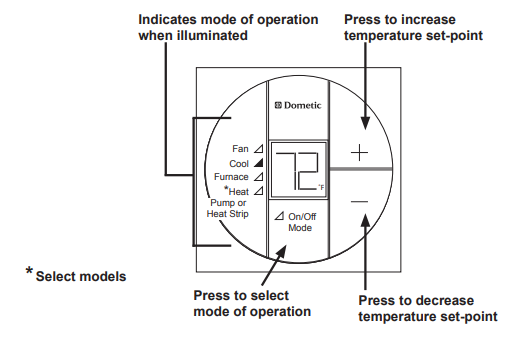
A mode is an operation that can be performed by the Dometic Single Zone LCD Thermostat.
Press and release the On/Off Mode button to cycle through the available modes. All Dometic Single Zone LCD Thermostats have Cool and Furnace modes. Select models will have an additional mode, either Heat Pump or Heat Strip. When desired mode has been selected, the LCD will display the temperature set-point and the green LED will be lit next to the selected mode.
To change the set-point, press the “+” button to increase the set point and the “―” button to decrease the set point.
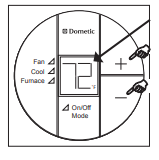
Inside Temperature
To display the Inside Temperature, the Single Zone LCD thermostat must be in the OFF Mode. Press either the “+” or “―” button to display the Inside Temperature.
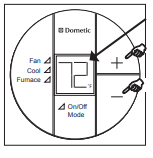
Special Features
- Auto Fan
See Operating Instructions for more Information on this special feature. - LCD Error Code
When the system determines that one of the faults listed below has occurred an error code will be displayed in the LCD.
In the unlikely event you experience a system failure, refer to the “SERVICE” section of the Operating Instructions furnished with your unit.
Error Code:
- E1 Loss of communication between the Single Zone LCD thermostat and module board. LCD will cycle between E1 and previous mode setting. System will shut down.
- E2 Open circuit or out of range Indoor Temperature Sensor.
Heating and cooling operations will be locked out. Fan operation can continue to operate. - E3 Shorted Indoor Temperature Sensor. Heating and cooling operation will be locked out. Fan operation can continue to operate.
- E4 Open circuit or out-of-range Outdoor Temperature Sensor (Select Models). Heat pump will be locked out. Air conditioner, furnace, and fan mode of operation can continue to operate.
- E5 Open circuit or out-of-range Freeze Sensor. Air conditioner’s mode of operation will be locked out. Furnace, heat strip, heat pump, and fan mode of operation can continue to operate but displays the last temperature set-point.
USA
SERVICE OFFICE Dometic, LLC 2320 Industrial Parkway Elkhart, IN 46516 574-294-2511
CANADA
Dometic, LLC 46 Zatonski, Unit 3 Brantford, ON N3T 5L8 CANADA 519-720-9578
For Service Center
Assistance Call: 800-544-4881
REVISION
Form No. 3313325.031 10/10 (French 3313326.039)
©2010 Dometic, LLC LaGrange, IN 46761
REFERENCE:
Download Manual:
DOMETIC Single Zone LCD Thermostat User Guide
OTHER MANUALS:
DOMETIC Single Zone LCD Thermostat Operating Instructions
