Myson MPRT WIRED PROGRAMMABLE ROOM THERMOSTAT
INSTALLATION INSTRUCTION
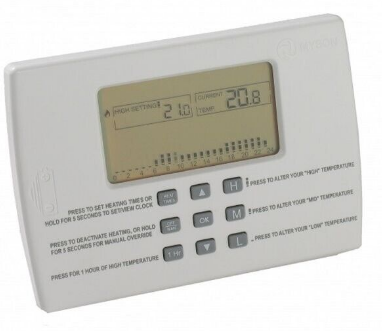
The MPRT is a programmable room thermostat. It senses the room temperature and if heat is called for, it activates the heating
LOCATING THE ROOM UNIT
The MPRT is mounted using the two screws provided. WHEREVER the Room Unit is mounted/used it should be out of direct sunlight, out of draughts, and clear of any heat source (e.g. radiators, fires or electronic equipment). The unit should be sited between 1 and 1.5metres from the floor for optimum use.

WIRING THE MPRT.
The MPRT is wired directly to the heating equipment

- STEP 1: Remove terminal cover by removing terminal screw
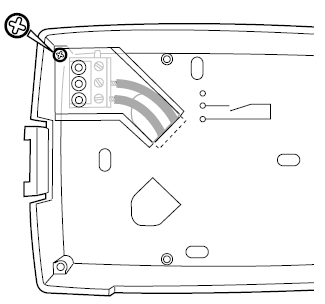
- STEP 2: Thread control wires through the knock-out and attach base plate to the wall.
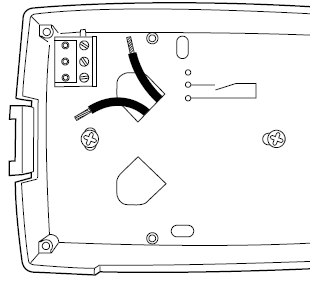
- STEP 3: Connect control wires to terminals 2 and 3.

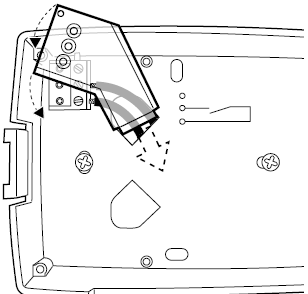
- STEP 4: The terminal cover must be replaced and secured with the screw removed in STEP 1.
ACTIVATING THE MPRT.
- Remove the plastic strip that is preventing the battery connection in the battery compartment.
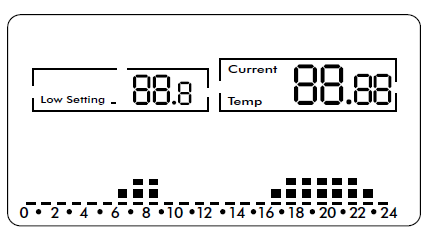
- The LCD should display as shown below.
- Re-assemble the unit to the base by first locating the right hand side and then closing the left .
SETUP FOR SMART-START.
To toggle the Smart-Start function between enabled and disabled, hold  down for 10 seconds. The
 button can now be used to toggle Smart-Start between active and deactivated.
CONFIGURING FOR WEEKLY OR DAILY TIMING.
To toggle between weekly or daily time settings, hold down for 10 seconds. The button can now be used to toggle between enabled and disabled.
CONFIGURING FOR GAS OR OIL
To toggle between Oil or Gas hold down for 10 seconds. The L button can be used to toggle between Oil and Gas.
TECHNICAL DATA:
- Precision of measured temperature: 0.1oC
- Set temperature range: 6oC to 32oC
- Electrical Protection: Class II
- Ingress Protection: IP30
- Batteries: 3 X LR6 AA 1.5V alkaline batteries
- Battery Life: 2 years approx.
- Statutory Compliance: EMC 89\336\EEC,
- LVD 2006\95\EEC
- Pollution Situation: Normal
- Software Class: A
- Output Relay Rating: 8(3)A 250Vac
REFERENCE
DOWNLOAD MANUALS:
Myson MPRT WIRED PROGRAMMABLE ROOM THERMOSTAT INSTALLATION INSTRUCTION
OTHER MANUALS:
Myson MPRT WIRED PROGRAMMABLE ROOM THERMOSTAT User INSTRUCTION

Myson MPRT WIRED PROGRAMMABLE ROOM THERMOSTAT INSTALLATION INSTRUCTION